




Hybrid Gold Mystic EA MT5 v1.3 Unlimited

Subscriptions for Special Plan
- 30 EA package is more economical!
- Special package with 99%
- Download 1 EA/Day

Subscriptions for Premium Membership
- Download Unlimited in 1 Year
- Get 100% Discount
- Get free access to all

Subscriptions for Gold Membership
- 1 Year Membership
- Get 100% Discount
- Access EA+Indicator+Course
Frequently bought together 🎁
Add these products to enhance your purchase



Quick Overview
Hybrid Gold Mystic EA is an automated trading system for Gold (XAUUSD) on MetaTrader 5, with inputs focused on risk control. It sizes positions through a built-in risk engine with selectable risk profiles, offers optional equity drawdown protection, tags its trades for easy identification and shows results on an on-chart profit dashboard.
Best For:
✅ Gold traders who want an automated EA on MT5.
✅ Users who prefer automatic risk based position sizing.
✅ Traders who want optional equity drawdown protection.
✅ Users who run several EAs and need clear trade tags.
✅ Traders who like a profit dashboard on the chart.
What Is Hybrid Gold Mystic EA MT5?
Hybrid Gold Mystic EA MT5 is an Expert Advisor (EA) designed for Gold (XAUUSD) trading on MetaTrader 5. Its configurable inputs focus on automatic risk calculation, position sizing, equity drawdown control, trade identification and an on-chart profit dashboard.
These settings let a trader select a risk profile, define the capital reference used by the risk engine, decide whether drawdown protection is active and customize how the dashboard appears.
 Join Our Channel Telegram
How Does Hybrid Gold Mystic EA MT5 Work?
Automatic Risk System
In automatic risk mode, the EA determines position size through its built-in risk management logic.
The chosen risk level sets how cautious the sizing is, while the exact formula and the resulting exposure depend on the internal calculations of the EA.
Capital Reference
The risk engine measures risk against a reference amount, either a starting balance or a custom balance.
Manual risk percentage and fixed lot inputs also exist, and they may not control sizing while the automatic mode is active.
Equity Drawdown Protection
A switch decides whether trades are closed when the equity drawdown threshold is reached.
When the switch is off, the threshold does not close positions through this mechanism.
Trade Identification and Dashboard
A trade comment and a magic number mark the orders of the EA in the terminal and the account history.
An on-chart dashboard shows trading information, and its position, size and background can be adjusted.
Hybrid Gold Mystic EA MT5 Trading Strategy
🔹 Trade Gold on MetaTrader 5: the EA is designed for XAUUSD and runs automatically, so the trader does not have to place each order by hand during the day.
🔹 Pick a risk profile: an automatic risk mode lets the built-in logic choose the position size from a selected risk level, instead of relying only on a typed lot size.
🔹 Choose the capital reference: the risk engine can work from a starting balance reference or from a custom balance, which decides the amount that risk is measured against.
🔹 Protect the account: an optional equity drawdown switch can close trades once the configured drawdown threshold is reached, and it only acts when it is switched on.
🔹 Identify and monitor trades: a trade comment and a magic number mark the orders of the EA, while the on-chart dashboard keeps the profit picture visible at a glance.
Historical Trading Results Performance
✅ The backtest generated a net profit of $1,787.81 from a $1,000 initial deposit across four trading symbols. The test period and individual currency pairs are not specified.
Hybrid Gold Mystic EA MT5 Backtest Results
| Parameter | Result |
|---|---|
| Initial Deposit | $1,000 |
| Total Net Profit | $1,787.81 |
| Trading Symbols | 4 |
| Total Trades | 824 |
| Profit Trades | 48.06% |
| Profit Factor | 1.30 |
| Maximum Equity Drawdown | 19.08% |
✅ The backtest shows an overall upward balance trend across 174 trades, generating $3,104.83 in net profit from a $1,000 initial deposit. The trading symbol and test period are not specified.
Hybrid Gold Mystic EA Backtest Results
| Parameter | Result |
|---|---|
| Initial Deposit | $1,000 |
| Total Net Profit | $3,104.83 |
| Total Trades | 174 |
| Profitable Trades | 36.21% (63 trades) |
| Profit Factor | 1.77 |
| Maximum Balance Drawdown | 8.48% |
| Maximum Equity Drawdown | 9.70% |
Key Features of Hybrid Gold Mystic EA MT5
Automatic Risk Calculation
The EA can determine position size through its built-in risk management logic, so volume follows the selected risk level and not only a manually typed lot size.
Selectable Risk Profiles
Several risk levels are available in the settings, which lets the trader choose how cautious or how active the automatic position sizing should be on the account.
Capital Reference Modes
The risk system can reference the starting balance or a custom balance, so the amount used for risk calculation can match the real plan for the trading account.
Manual Risk and Lot Inputs
A manual risk percentage and a fixed lot input are also provided, which gives traders a way to override the automatic mode when they want direct control.
Equity Drawdown Protection
An optional switch closes trades when the equity drawdown threshold is reached, and the protection stays inactive until the trader turns the switch on.
Trade Comment and Magic Number
Orders carry a clear trade comment and a magic number, which helps separate them from manual trades and from other EAs in the same terminal and account history.
On-Chart Profit Dashboard
A dashboard on the chart presents the trading information for monitoring, and it can be switched on or off from the inputs.
Adjustable Dashboard Layout
The dashboard position and size can be changed, and a background image option is available, so the panel fits the chart without covering price action.
How to Get the Most from Hybrid Gold Mystic EA MT5
🔹 Understand the risk mode first: automatic risk calculation affects trading volume and account exposure, so the selected profile should be reviewed before any live use.
🔹 Set the capital reference with care: choose the starting balance reference or a custom balance that matches the real account, because the risk engine measures everything against it.
🔹 Turn on drawdown protection on purpose: the equity drawdown threshold does nothing by itself, since trades are closed only when the matching protection switch is enabled.
🔹 Check the drawdown unit: the meaning of the drawdown threshold value should be confirmed with the seller or on demo before relying on it as a hard loss limit.
🔹 Use a separate magic number per instance: when several copies of the EA run in one terminal, distinct identifiers prevent order management conflicts between them.
🔹 Keep the dashboard readable: move and resize the panel so it stays clear of price action, and use it to follow profit and open trades without cluttering the chart.
🔹 Test on demo first: run a demo account trial to see how the chosen risk level behaves, and read the risk management guide before choosing a lot size.
Hybrid Gold Mystic EA MT5 Risk Management
Automatic Risk Is Not a Loss Cap
Automatic risk calculation does not guarantee a fixed loss limit, and Gold can move fast. The selected risk level directly affects volume and exposure.
A guide to stop-loss placement explains how stops protect an account.
Drawdown Protection Must Be Switched On
The drawdown threshold closes trades only when its protection switch is enabled, and the unit of the threshold should be confirmed before use.
A guide to take-profit methods shows how targets relate to risk.
Demo Testing
A demo account trial shows how the chosen risk level, capital reference and drawdown setting behave on the broker and account in use, before any real money is placed at risk.
What Sets It Apart
🔹 Risk engine at the center: automatic sizing by risk level, a capital reference and manual overrides give more control over exposure than a single fixed lot input.
🔹 Optional equity protection: drawdown protection is a switch that the trader controls, so it can match the personal plan instead of being forced on every account.
🔹 Clear trade identification: a trade comment and a magic number make the orders easy to find in the terminal and keep several EAs from interfering with each other.
🔹 Built-in profit dashboard: the dashboard has position, size and background options, so account progress stays visible directly on the chart without extra tools.
Strengths and Limitations
Strengths
🔹 Flexible position sizing: automatic risk levels, a capital reference and manual inputs cover different account sizes and different levels of caution.
🔹 Optional protection layer: equity drawdown protection can close trades at a chosen threshold, which adds a safeguard for traders who want one.
🔹 Easy trade management: the trade comment and magic number keep the orders of the EA separate from manual trades and other automated systems.
🔹 Good visibility: the profit dashboard shows trading information on the chart and can be moved, resized and given a background image.
Limitations
🔹 Strategy not described: the available product information explains the settings only, so the entry logic, timeframe and exit method are not stated here.
🔹 Risk is not capped by default: automatic risk calculation does not guarantee a fixed loss limit, and drawdown protection works only when it is switched on.
🔹 Drawdown unit unconfirmed: the unit of the equity drawdown threshold is not specified in the settings guide, so it needs checking before it is trusted.
🔹 No published performance: the product information includes no backtest or live report, so no returns or drawdown figures can be quoted on this page.
Who Should Use Hybrid Gold Mystic EA MT5?
🔹 Gold traders on MT5: those who want an automated EA for XAUUSD with a built-in risk engine and a profit dashboard on the chart.
🔹 Risk-aware users: traders who will review the risk profile, confirm the drawdown threshold and turn on protection before live trading.
🔹 Multi-EA users: people who run more than one EA in the same terminal and need clear trade comments and separate magic numbers.
🔹 Not for traders who: want a published track record, need a fully described entry strategy or expect guaranteed profit from any automated system.
Recommended Trading Conditions
Recommended settings and parameters to pay attention to from developers and experts:
| Features | Type |
|---|---|
| Trading platform | MetaTrader 5 (MT5) |
| Time frames | Any |
| Currency pairs | XAUUSD (Gold) |
| Minimum / Recommended deposit | $500+ |
| Minimum / Recommended leverage | Any |
| Account type | Any |
| Additional services | Unlock and Decompile |
| Recommended brokers | Exness Broker, Icmarkets Broker |
| Recommended VPS | MyfxVPS.com (Blue VPS, Golden VPS). Lowest Latency, 2 week Free Trial, 100% Free for 12-18 Months. |
Product Download Package?
The download package of the product suite includes:
 Experts: Hybrid Gold Mystic EA.ex5
 Reviewed by David Easton
Final Verdict
Hybrid Gold Mystic EA MT5 is a Gold focused EA built around a flexible risk engine, optional equity drawdown protection, clear trade identification and a customizable profit dashboard.
The entry strategy and results are not described here, and automatic risk does not cap losses. A demo trial, a confirmed drawdown setting and a sensible risk level are the right way to start.
🔢 Hybrid Gold Mystic EA MT5 Settings – Complete Inputs Guide
Hybrid Gold Mystic EA is an automated trading system designed for Gold (XAUUSD) trading on MetaTrader 5. Its configurable inputs focus on automatic risk calculation, position sizing, equity drawdown control, trade identification, and an on-chart profit dashboard. These settings allow traders to select a risk profile, define the capital reference used by the risk engine, configure drawdown-related behavior, and customize the dashboard display.
Understanding the Inputs is essential because the selected risk mode and position-sizing method can directly affect trading volume and account exposure. The following sections explain every visible parameter, preserving the exact setting names and values from the configuration.
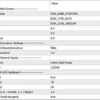
Hybrid Gold Mystic EA MT5 Settings Panel
⚙️ Risk System Settings
🔹 InpBaseMoneyMode = RISK_BASE_STARTING – Selects the starting-capital reference mode for the risk system. The EA uses its configured starting balance reference when calculating risk-related values, according to the internal implementation of this mode.
🔹 InpRiskType = RISK_TYPE_AUTO – Selects automatic risk calculation. The EA determines position sizing through its built-in risk-management logic rather than relying exclusively on a manually entered risk percentage or fixed lot size.
🔹 InpRiskLevel = RISK_LEVEL_MEDIUM – Selects the MEDIUM risk profile. This defines the chosen automatic risk setting, although the exact lot-sizing formula and exposure associated with this profile depend on the EA’s internal calculations.
🔹 InpRiskPercent = 0.0 – Sets the manual risk percentage input to 0.0. Since InpRiskType = RISK_TYPE_AUTO is selected, this parameter may not control the active position-sizing calculation unless the EA’s logic specifically uses it.
🔹 InpLots = 0.0 – Sets the manually specified lot-size input to 0.0. This value is consistent with using automatic risk calculation rather than a manually fixed trading volume, but the exact fallback behavior depends on the EA’s implementation.
🔹 InpCustomBalance = 0.0 – Sets the custom balance reference to 0.0. This may indicate that no custom balance override has been provided, allowing the selected starting-capital reference mode to determine the balance used by the risk system.
⚙️ Drawdown Settings
🔹 InpCloseTradesOnEquityDrawdown = false – Disables the option to close trades automatically when the configured equity drawdown condition is reached. With this switch off, the EA should not be assumed to close positions through this particular protection mechanism.
🔹 InpMaxEquityDrawdown = 4.0 – Sets the maximum equity drawdown threshold parameter to 4.0. The exact unit—such as a percentage or another internal measure—cannot be confirmed from the parameter name alone. Its practical effect also depends on the drawdown-protection switch and the EA’s internal rules.
⚙️ General Inputs
🔹 InpTradeComment = Hybrid Gold Mystic – Sets the trade comment to Hybrid Gold Mystic, making the EA’s orders easier to identify in the MetaTrader 5 terminal and account history.
🔹 InpMagicNumber = 123345 – Assigns the Magic Number 123345 to the EA’s trades. This identifier helps the EA distinguish its own positions from trades opened manually or by other automated systems. Separate EA instances may require distinct identifiers to avoid order-management conflicts.
⚙️ Profit Dashboard Settings
🔹 Show dashboard = true – Enables the on-chart profit dashboard, allowing the EA’s dashboard interface to appear on the chart for monitoring relevant trading information.
🔹 Position X (pixels) = 15 – Sets the dashboard’s horizontal position offset to 15 pixels. This controls its placement relative to the dashboard’s anchor or reference point.
🔹 Position Y (pixels) = 25 – Sets the dashboard’s vertical position offset to 25 pixels. This controls the dashboard’s vertical placement on the chart.
🔹 Dashboard size (1.0 = normal, 1.3 = larger) = 1.0 – Sets the dashboard scale to 1.0, corresponding to its normal size. The parameter description indicates that 1.3 would display the dashboard at a larger scale.
🔹 Imagem BMP de fundo do painel = true – Enables the BMP background image for the dashboard panel. The background image will be displayed when the required image asset is available and supported by the EA.
🔢 Conclusion
The current Hybrid Gold Mystic EA MT5 configuration selects automatic risk calculation with RISK_TYPE_AUTO, uses the RISK_LEVEL_MEDIUM profile, and references starting capital through RISK_BASE_STARTING. The manual risk percentage, manual lot size, and custom balance inputs are all set to 0.0, indicating that the selected automatic risk configuration is intended to determine the active position-sizing behavior.
The equity drawdown threshold is configured at 4.0, but InpCloseTradesOnEquityDrawdown = false means automatic trade closure through this particular protection feature is disabled. The profit dashboard is enabled at its normal 1.0 scale, with X and Y offsets of 15 and 25 pixels.
Before live deployment, the exact calculation behind the MEDIUM risk profile should be verified, along with the unit of InpMaxEquityDrawdown = 4.0. Enabling automatic risk calculation does not guarantee a fixed loss limit, and a configured drawdown threshold will not automatically close trades while its corresponding protection switch remains disabled. Demo testing is recommended before applying the configuration to a live account.
User Reviews
Only logged in customers who have purchased this product may leave a review.
❓ What is Hybrid Gold Mystic EA MT5?
An automated trading system for Gold (XAUUSD) on MetaTrader 5, with automatic risk calculation, optional equity drawdown protection and an on-chart profit dashboard.
❓ Which symbol does Hybrid Gold Mystic EA MT5 trade?
It is designed for Gold (XAUUSD) on the MetaTrader 5 platform.
❓ How does Hybrid Gold Mystic EA MT5 size its positions?
In automatic risk mode, the built-in risk management logic determines position size from the selected risk level, and manual risk percentage and lot inputs remain available as alternatives.
❓ Can the risk level be changed in Hybrid Gold Mystic EA MT5?
Yes. The settings include selectable risk profiles, and the exact exposure of each profile depends on the internal calculations of the EA, so it should be tested on demo.
❓ What capital does Hybrid Gold Mystic EA MT5 use for risk?
The risk system can reference a starting balance or a custom balance, depending on the capital reference mode selected in the inputs.
❓ Does Hybrid Gold Mystic EA MT5 close trades at a drawdown limit?
Only when the equity drawdown protection switch is turned on. With the switch off, the drawdown threshold does not close trades through that mechanism.
❓ What is the unit of the drawdown value in Hybrid Gold Mystic EA MT5?
The settings guide does not confirm the unit, so it should be checked on a demo account before the value is relied on as a loss limit.
❓ Why does Hybrid Gold Mystic EA MT5 use a magic number?
The magic number lets the EA tell its own positions from manual trades and from other EAs, and each running instance should use its own identifier.
❓ What does the dashboard of Hybrid Gold Mystic EA MT5 do?
It shows trading and profit information on the chart, and its position, size and background image can be adjusted or switched off.
❓ Does Hybrid Gold Mystic EA MT5 guarantee a fixed loss limit?
No. Automatic risk calculation does not guarantee a fixed loss limit, and protection settings work only as configured.
❓ Should Hybrid Gold Mystic EA MT5 be tested before live use?
Yes. A demo account trial is advised so the chosen risk level, capital reference and drawdown behavior can be checked before real money is used.
❓ Does Hybrid Gold Mystic EA MT5 guarantee profits?
No. Automated trading can produce profits and losses, and past results do not guarantee future results.
🔥 Get This EA for FREE with Our Membership! 🚀🚀
Unlock access to this EA, premium Indicators, and exclusive trading tools completely FREE with any of our Membership Plans! Thousands of traders already benefit from our VIP library—join them and level up your trading instantly. Choose Your Membership:
- SPECIAL – 1 Month Membership
- GOLD – 1 Year Membership
- PREMIUM – 1 Year Membership
-
 Original price was: $999.00.$599.00Current price is: $599.00.
-
 Original price was: $500.00.$249.00Current price is: $249.00.
-
 Original price was: $888.00.$249.00Current price is: $249.00.
-
 Original price was: $439.00.$249.00Current price is: $249.00.
-
 3Original price was: $999.00.$69.00Current price is: $69.00.
-
 10Original price was: $2,100.00.$69.00Current price is: $69.00.
-
 3Original price was: $999.00.$69.00Current price is: $69.00.
-
 2Original price was: $3,500.00.$59.00Current price is: $59.00.
There are no reviews yet.