


🔢 Mavrik Scalper EA MT5 Settings Guide – Complete Parameter Explanation
Mavrik Scalper EA is a professional automated scalping Expert Advisor designed to deliver precise trade execution with advanced money management, broker compatibility, prop firm protection, news filtering, spread control, and trading schedule management. Its flexible settings allow traders to optimize risk, control trading sessions, protect funded accounts, and adapt the EA to different market environments.
Below is a complete explanation of every parameter shown in the settings panel.

🔢 Installation Panel Parameters
Below are the details of the parameters in the advisor’s trading system settings table:
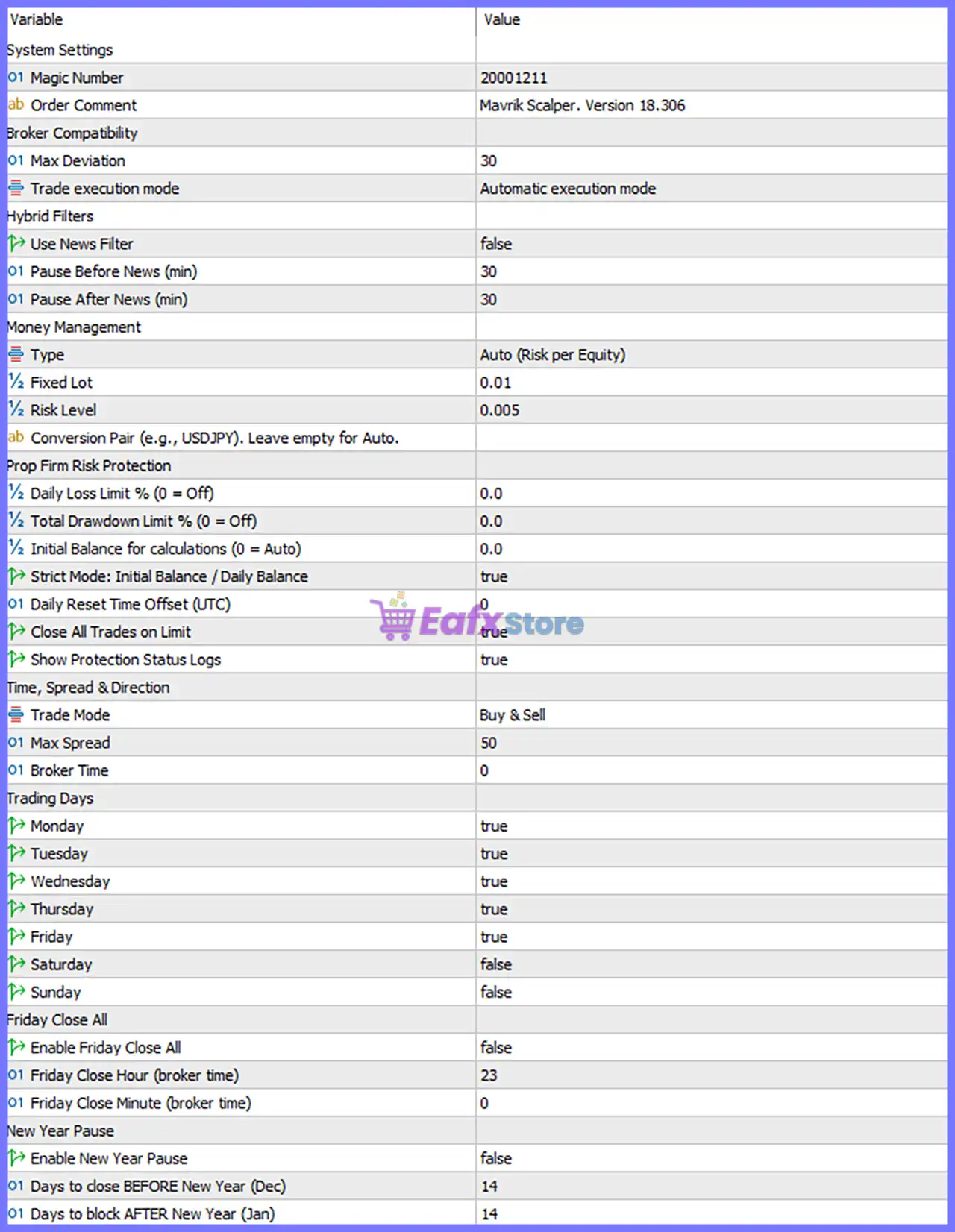
🔄 System Settings
🔹 Magic Number = 20001211 – Unique identifier used by Mavrik Scalper EA MT5 to distinguish its trades from other Expert Advisors or manual positions.
🔹 Order Comment = Mavrik Scalper. Version 18.306 – Custom comment attached to every trade, displaying the EA name and software version 18.306.
🔄 Broker Compatibility
🔹 Max Deviation = 30 – Allows a maximum slippage of 30 points during order execution before rejecting a trade.
🔹 Trade execution mode = Automatic execution mode – Enables fully automatic order execution according to broker execution conditions.
🔄 Hybrid Filters
🔹 Use News Filter = false – Disables the built-in economic news filter, allowing trading during scheduled news events.
🔹 Pause Before News (min) = 30 – If the News Filter is enabled, trading stops 30 minutes before a high-impact news release.
🔹 Pause After News (min) = 30 – If the News Filter is enabled, trading resumes 30 minutes after the news event.
🔄 Money Management
🔹 Type = Auto (Risk per Equity) – Automatically calculates trading volume based on the account equity and selected risk percentage.
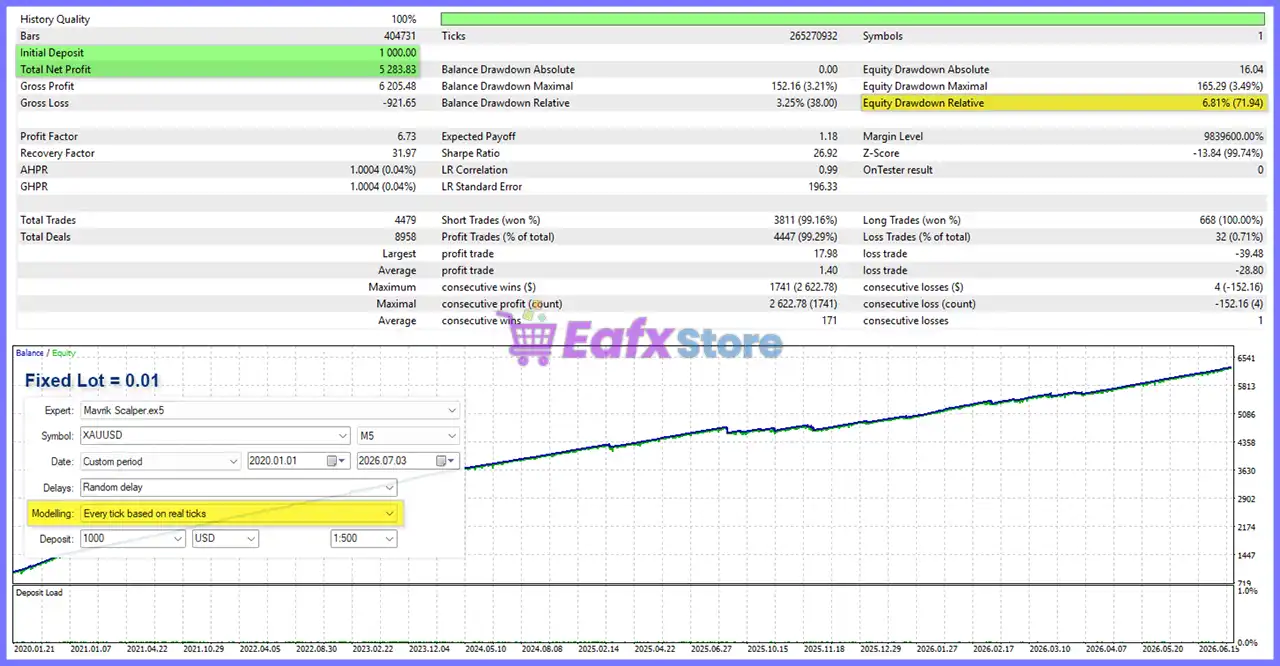
🔹 Fixed Lot = 0.01 – Uses a fixed trading volume of 0.01 lots when Fixed Lot mode is selected.
🔹 Risk Level = 0.005 – Sets the automatic position sizing risk to 0.005 per equity calculation.
🔹 Conversion Pair (e.g., USDJPY). Leave empty for Auto. – Allows manual currency conversion selection for risk calculations; leaving it empty enables automatic detection.
🔄 Prop Firm Risk Protection
🔹 Daily Loss Limit % (0 = Off) = 0.0 – Daily loss protection is disabled because the value is 0.0.
🔹 Total Drawdown Limit % (0 = Off) = 0.0 – Overall drawdown protection is disabled because the value is 0.0.
🔹 Initial Balance for calculations (0 = Auto) = 0.0 – Uses the current account balance automatically for risk calculations.
🔹 Strict Mode: Initial Balance / Daily Balance = true – Enables strict prop firm calculations based on the initial or daily balance.
🔹 Daily Reset Time Offset (UTC) = 0 – Daily risk calculations reset at UTC +0.
🔹 Close All Trades on Limit = true – Automatically closes all open trades when the configured protection limit is reached.
🔹 Show Protection Status Logs = true – Displays detailed protection and risk management information in the Experts log.
🔄 Time, Spread & Direction
🔹 Trade Mode = Buy & Sell – Allows both long (Buy) and short (Sell) trading.
🔹 Max Spread = 50 – The EA only opens new trades when the market spread is 50 points or lower.
🔹 Broker Time = 0 – Uses the broker's default server time with no additional offset.
🔄 Trading Days
🔹 Monday = true – Trading is enabled on Monday.
🔹 Tuesday = true – Trading is enabled on Tuesday.
🔹 Wednesday = true – Trading is enabled on Wednesday.
🔹 Thursday = true – Trading is enabled on Thursday.
🔹 Friday = true – Trading is enabled on Friday.
🔹 Saturday = false – Trading is disabled on Saturday.
🔹 Sunday = false – Trading is disabled on Sunday.
🔄 Friday Close All
🔹 Enable Friday Close All = false – Automatic closing of all positions before the weekend is disabled.
🔹 Friday Close Hour (broker time) = 23 – If enabled, all positions will close at 23:00 broker time.
🔹 Friday Close Minute (broker time) = 0 – Positions will close at 00 minutes past the specified hour.
🔄 New Year Pause
🔹 Enable New Year Pause = false – Seasonal trading pause during the New Year period is disabled.
🔹 Days to close BEFORE New Year (Dec) = 14 – If enabled, trading stops 14 days before New Year's Day.
🔹 Days to block AFTER New Year (Jan) = 14 – If enabled, trading remains disabled for 14 days after New Year's Day.
🔢 Conclusion
Mavrik Scalper EA MT5 offers a clean yet powerful configuration system focused on automated scalping, intelligent money management, broker compatibility, and professional risk protection. Its settings allow traders to customize position sizing, trading schedules, spread filters, prop firm safeguards, and execution behavior while maintaining flexibility across different brokers and account types. Understanding each parameter helps maximize performance and ensures the EA operates according to your individual trading objectives.
🔢 FAQs
❓ What is the purpose of the Magic Number in Mavrik Scalper EA MT5?
The Magic Number uniquely identifies trades opened by the EA, allowing multiple Expert Advisors to run simultaneously without trade conflicts.
❓ Should I enable the News Filter?
If you prefer to avoid high-impact economic news volatility, enabling the News Filter can reduce trading risk around major announcements.
❓ What does Auto (Risk per Equity) mean?
The EA automatically calculates lot size according to your account equity and the configured Risk Level, helping maintain consistent risk management.
❓ Why should I use the Prop Firm Risk Protection settings?
These settings help funded-account traders stay within daily loss and maximum drawdown limits required by most proprietary trading firms.
❓ Can I trade only on specific days of the week?
Yes. Each trading day can be individually enabled or disabled, allowing you to customize the EA's trading schedule according to your strategy or broker conditions.



