




Quantum Trade EA MT4 v4.95 + SetFiles (Platform build 1471+)

Subscriptions for Special Plan
- 30 EA package is more economical!
- Special package with 99%
- Download 1 EA/Day

Subscriptions for Premium Membership
- Download Unlimited in 1 Year
- Get 100% Discount
- Get free access to all

Subscriptions for Gold Membership
- 1 Year Membership
- Get 100% Discount
- Access EA+Indicator+Course
Frequently bought together 🎁
Add these products to enhance your purchase


Quantum Trade MT4 Settings Explained – Full Configuration Guide
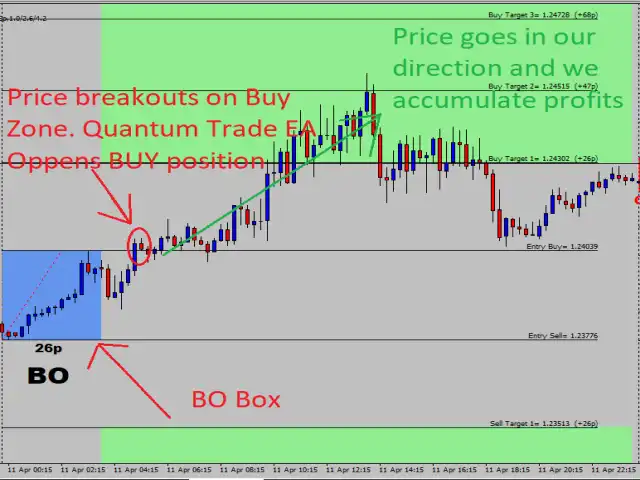
Quantum Trade MT4 is a professional automated trading Expert Advisor designed for MetaTrader 4 traders who want to trade breakout strategies with advanced recovery systems, smart risk management, pending order control and trading session filters.
The EA combines auto lot sizing, recovery trading logic, DST synchronization, and additional trade management features to help optimize performance in volatile forex and gold markets. Quantum Trade MT4 is suitable for both beginners and experienced traders seeking automated breakout trading solutions.
Quantum Trade MT4 Settings
Quantum Trade MT4 Full Settings Explanation
Below are the details of the parameters in the advisor’s trading system settings table:
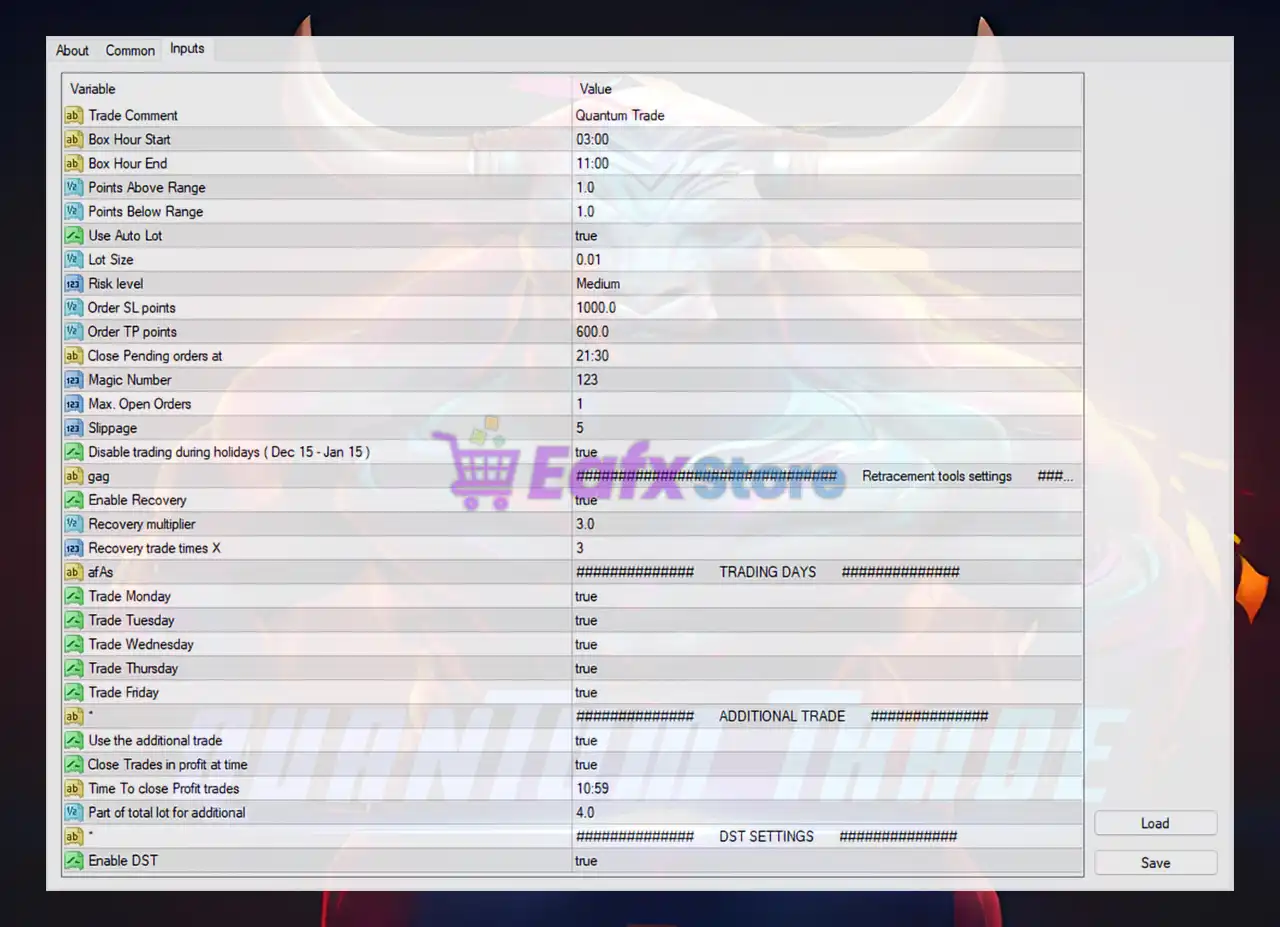
Quantum Trade MT4 Settings Panel
General Trading Settings
🔹 Trade Comment = Quantum Trade: Sets the custom trade comment label as Quantum Trade.
🔹 Box Hour Start = 03:00: Defines the starting hour of the breakout trading box at 03:00.
🔹 Box Hour End = 11:00: Defines the ending hour of the breakout trading box at 11:00.
🔹 Points Above Range = 1.0: Places pending orders 1.0 point above the trading range.
🔹 Points Below Range = 1.0: Places pending orders 1.0 point below the trading range.
🔹 Use Auto Lot = true: Enables automatic lot size calculation.
🔹 Lot Size = 0.01: Sets the default manual lot size to 0.01.
🔹 Risk level = Medium: Uses the Medium predefined risk profile.
🔹 Order SL points = 1000.0: Sets the stop loss distance to 1000.0 points.
🔹 Order TP points = 600.0: Sets the take profit distance to 600.0 points.
🔹 Close Pending orders at = 21:30: Automatically closes pending orders at 21:30.
🔹 Magic Number = 123: Unique magic number identifier set to 123.
🔹 Max. Open Orders = 1: Limits the maximum simultaneous open orders to 1.
🔹 Slippage = 5: Maximum allowed slippage set to 5.
🔹 Disable trading during holidays (Dec 15 – Jan 15) = true: Disables trading between December 15 and January 15.
Recovery Tools Settings
🔹 Enable Recovery = true: Activates the recovery trading system.
🔹 Recovery multiplier = 3.0: Uses a recovery lot multiplier of 3.0.
🔹 Recovery trade times X = 3: Allows recovery trades up to 3 times.
Trading Days Settings
🔹 Trade Monday = true: Enables trading on Monday.
🔹 Trade Tuesday = true: Enables trading on Tuesday.
🔹 Trade Wednesday = true: Enables trading on Wednesday.
🔹 Trade Thursday = true: Enables trading on Thursday.
🔹 Trade Friday = true: Enables trading on Friday.
Additional Trade Settings
🔹 Use the additional trade = true: Enables the additional trade feature.
🔹 Close Trades in profit at time = true: Closes profitable trades at a specified time.
🔹 Time To close Profit trades = 10:59: Closes profitable trades automatically at 10:59.
🔹 Part of total lot for additional = 4.0: Uses 4.0 as the additional trade lot portion factor.
DST Settings
🔹 Enable DST = true: Enables Daylight Saving Time synchronization.
Conclusion
Quantum Trade MT4 is a robust breakout trading Expert Advisor (EA) equipped with intelligent recovery systems, automated lot sizing, pending order management, and trading session controls. The EA is designed to help traders automate breakout strategies while maintaining disciplined risk management.
With recovery tools, DST support, trading day filters, and configurable stop loss/take profit settings, Quantum Trade MT4 provides a flexible and professional trading environment for forex and gold traders.
FAQs
❓ What is Quantum Trade MT4?
Quantum Trade MT4 is an automated breakout trading Expert Advisor developed for MetaTrader 4.
❓ Does Quantum Trade MT4 support auto lot sizing?
Yes, the EA includes automatic lot size calculation through the Use Auto Lot feature.
❓ Can Quantum Trade MT4 trade only on selected days?
Yes, traders can enable or disable trading individually for Monday through Friday.
❓ Does Quantum Trade MT4 include a recovery system?
Yes, the EA includes a built-in recovery trading feature with configurable multiplier settings.
❓ Is Quantum Trade MT4 suitable for gold trading?
Yes, Quantum Trade MT4 can be configured for gold trading as well as forex currency pairs.
User Reviews
Only logged in customers who have purchased this product may leave a review.
❓ What is Quantum Trade EA and how does it work?
Quantum Trade EA is an automated trading robot for MetaTrader 4 (MT4) that analyzes the market using advanced indicators and algorithms. It identifies potential trade setups, executes buy or sell orders, and manages trades automatically — providing a hands-off trading experience with consistent performance.
❓ Which trading strategy does Quantum Trade EA use?
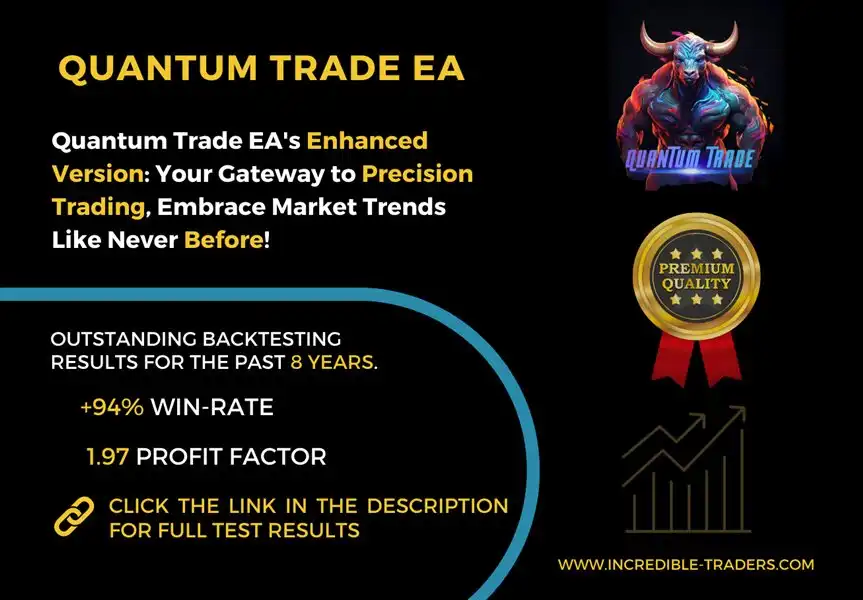
The EA is built around a hybrid strategy that combines trend-following and scalping elements, optimized for the GBPUSD pair on the H1 (1-hour) timeframe. It focuses on short-to-medium-term opportunities with high accuracy, as shown by its 94%+ win rate in both live and backtest results.
❓ How profitable is Quantum Trade EA according to verified results?
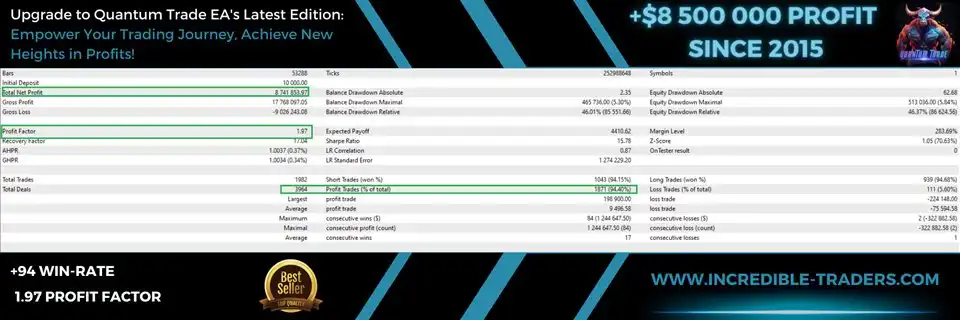
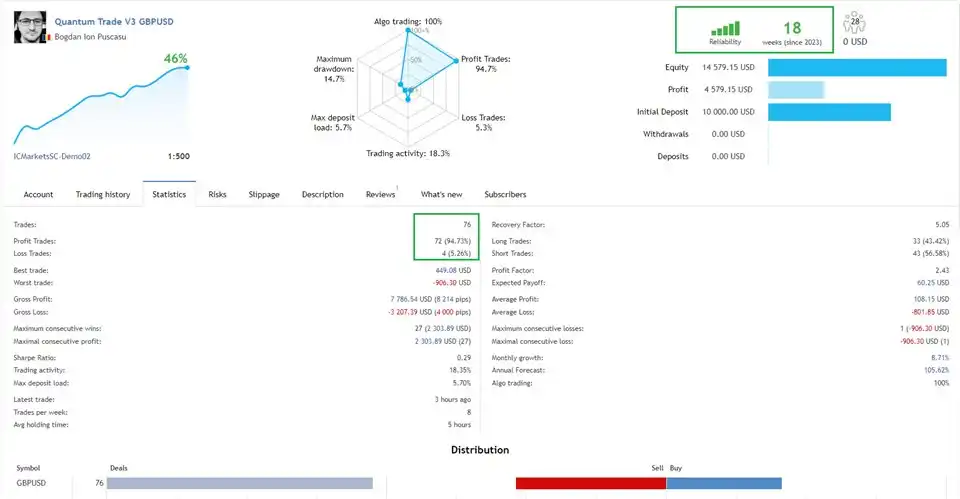
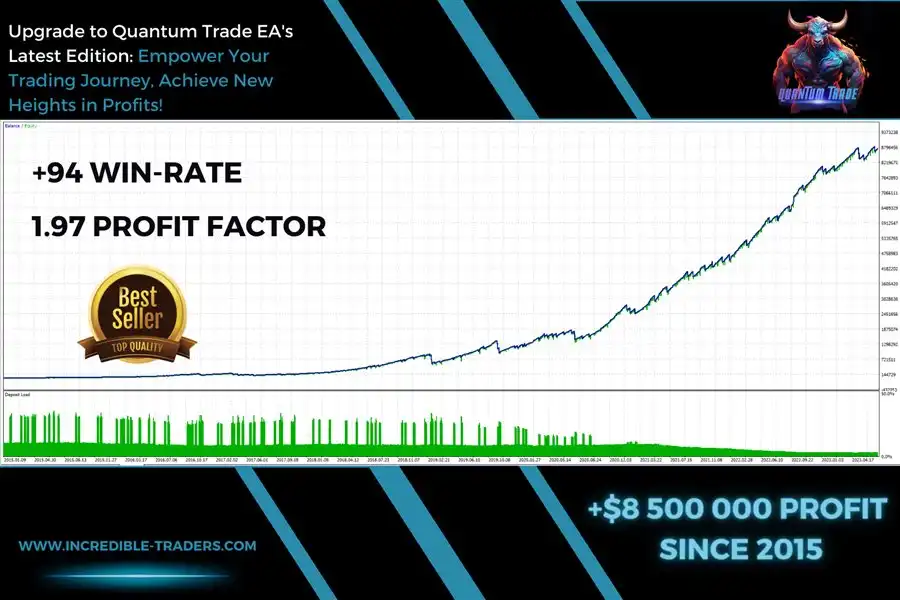
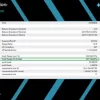
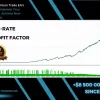
According to verified data, Quantum Trade EA achieved +46% account growth in 18 consecutive weeks of live trading from a $10,000 deposit, generating $4,579.15 in net profit. Backtests revealed even stronger long-term performance with a net profit of $8.5 million and a drawdown of only 5.30%.
❓ What are the risk management features of Quantum Trade EA?
Quantum Trade EA includes built-in risk control tools, such as Stop-Loss (SL) and Take-Profit (TP) levels, adjustable lot sizing, and drawdown protection. These features help traders manage exposure effectively and maintain account stability during volatile market periods.
❓ What is the minimum deposit required to start using Quantum Trade EA?
The minimum deposit recommended by the developer is $500, but starting with $1,000 or more is suggested for optimal performance and better capital efficiency. The EA adapts position sizing automatically based on account balance and risk settings.
❓ Which currency pairs and timeframes does Quantum Trade EA support?
Quantum Trade EA is optimized for GBPUSD and works best on the H1 (60-minute) chart. However, advanced users can experiment with other major pairs after proper backtesting. The EA is designed to operate with brokers using GMT+2 (with DST) server time.
❓ How safe is Quantum Trade EA in terms of drawdown and risk level?
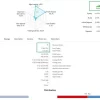
In verified Myfxbook tests, Quantum Trade EA maintained a maximum drawdown of just 14.7% in live trading and 5.3% in backtests. This demonstrates strong risk-to-reward balance, making it suitable for traders seeking long-term stability and controlled exposure.
❓ Can Quantum Trade EA be customized for different trading styles?
Yes. Traders can customize parameters such as risk percentage per trade, stop-loss, take-profit, and maximum number of open positions. This flexibility allows users to adjust the EA’s behavior to match their trading preferences and risk tolerance.
❓ Is Quantum Trade EA beginner-friendly or for experienced traders only?
Quantum Trade EA is beginner-friendly, offering easy installation, default preset files, and fully automated trading. However, experienced traders can fine-tune advanced settings to optimize performance across different market conditions.
❓ Is Quantum Trade EA verified and reliable for long-term trading?
Yes — Quantum Trade EA’s performance is verified on Myfxbook, showing consistent profits and high accuracy over multiple months. With its proven results, robust risk management, and strong backtest data, it is considered a reliable choice for long-term Forex trading.
🔥 Get This EA for FREE with Our Membership! 🚀🚀
Unlock access to this EA, premium Indicators, and exclusive trading tools completely FREE with any of our Membership Plans! Thousands of traders already benefit from our VIP library—join them and level up your trading instantly. Choose Your Membership:
- SPECIAL – 1 Month Membership
- GOLD – 1 Year Membership
- PREMIUM – 1 Year Membership
-
 Price range: $89.00 through $599.00
 -
 Price range: $89.00 through $599.00
 -
 Price range: $89.00 through $599.00
 -
 Price range: $89.00 through $599.00
-
 10Original price was: $499.00.$69.00Current price is: $69.00.
 -
 1Original price was: $599.00.$59.00Current price is: $59.00.
 -
 3Original price was: $999.00.$69.00Current price is: $69.00.
 -
 10Original price was: $2,100.00.$59.00Current price is: $59.00.
There are no reviews yet.