
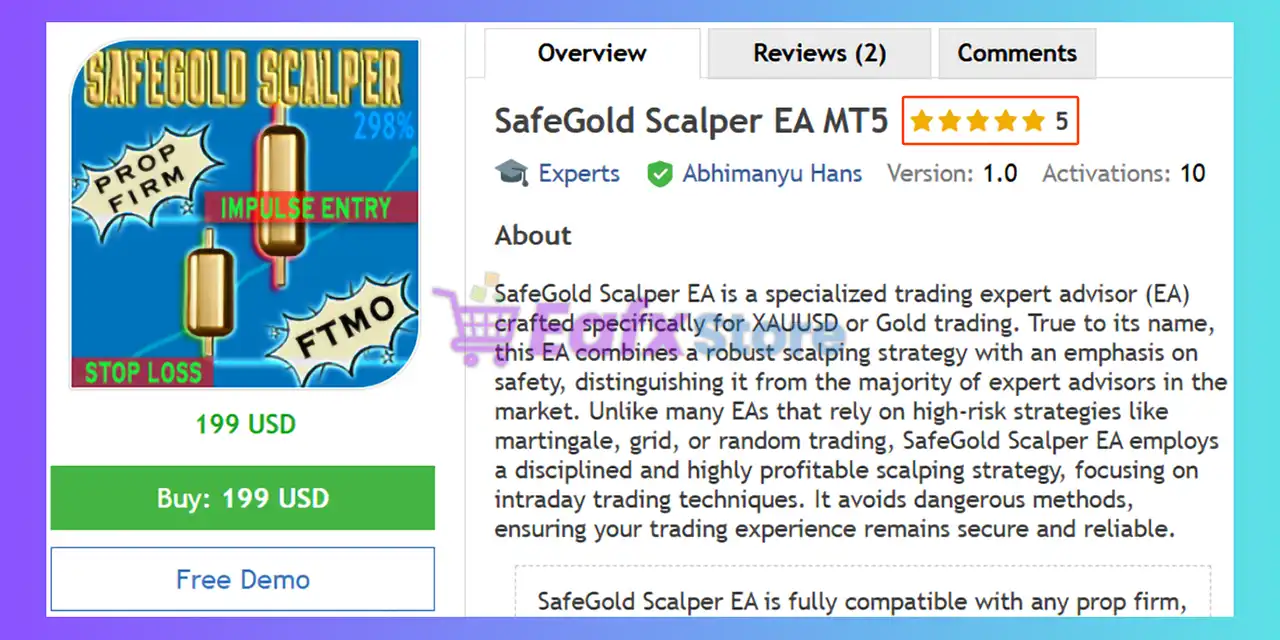
SafeGold Scalper EA MT5 Settings Explained – Complete Setup & Configuration Guide
SafeGold Scalper EA MT5 is an automated gold trading Expert Advisor developed for the MetaTrader 5 platform. The EA is designed to scalp the XAUUSD market using structured risk management, impulse-based entry logic and advanced trade protection settings.
With customizable lot sizing, trading day filters, notification systems, and spread control, SafeGold Scalper EA MT5 aims to deliver disciplined and efficient automated gold trading performance.

SafeGold Scalper EA MT5 Full Settings Explanation
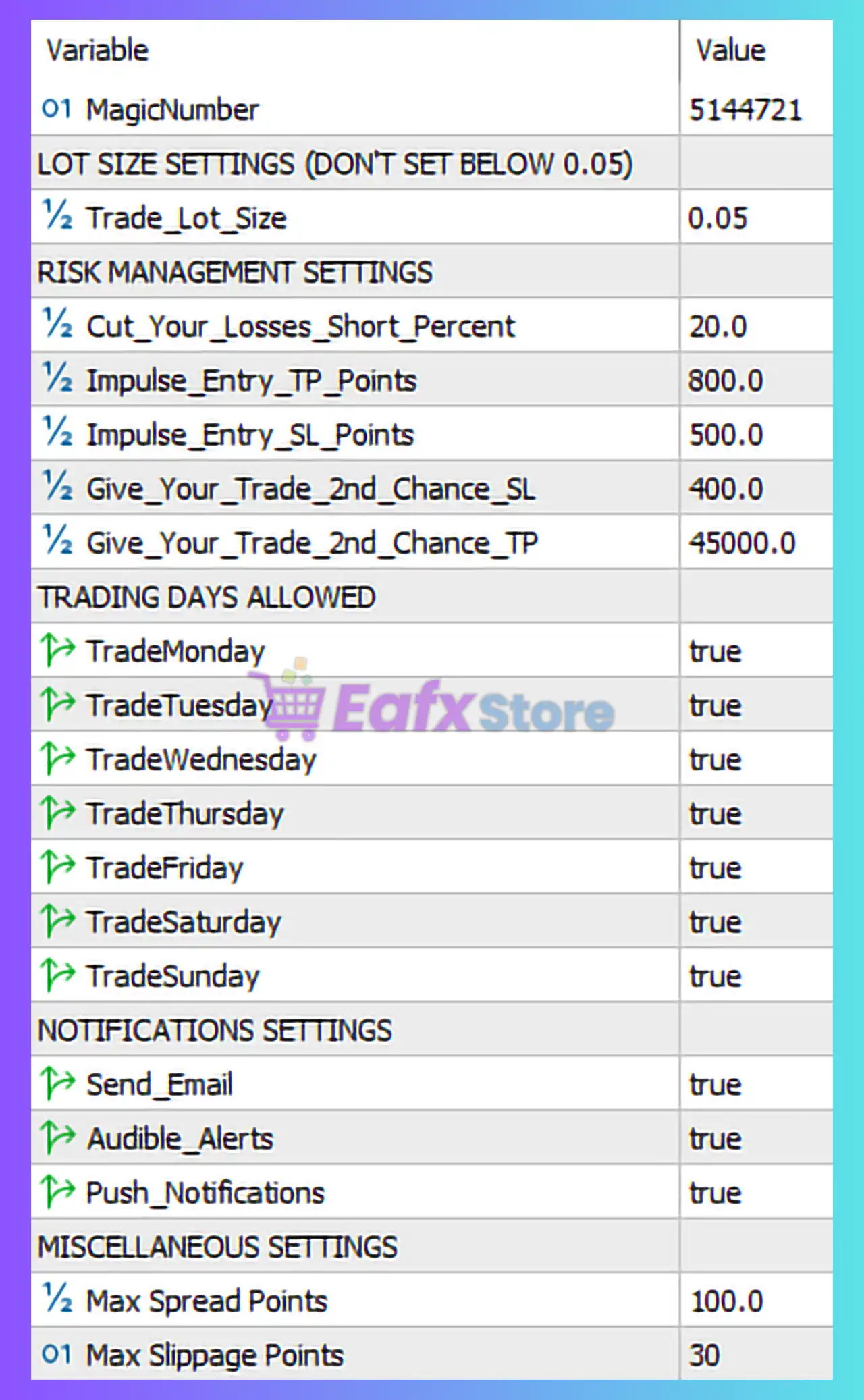
🔹 MagicNumber = 5144721: Unique identifier used by the EA to distinguish and manage its own trades separately from other Expert Advisors or manual positions.
LOT SIZE SETTINGS (DON'T SET BELOW 0.05)
🔹 Trade_Lot_Size = 0.05: Sets the fixed trading lot size to 0.05 lots for every trade opened by the EA. The panel warns not to use values below 0.05.
RISK MANAGEMENT SETTINGS
🔹 Cut_Your_Losses_Short_Percent = 20.0: Defines the percentage threshold at 20.0% used by the EA to limit excessive account losses and improve capital protection.
🔹 Impulse_Entry_TP_Points = 800.0: Sets the Take Profit target for impulse entry trades to 800.0 points.
🔹 Impulse_Entry_SL_Points = 500.0: Sets the Stop Loss distance for impulse entry trades to 500.0 points.
🔹 Give_Your_Trade_2nd_Chance_SL = 400.0: Defines the second-chance Stop Loss distance at 400.0 points for recovery or re-entry logic.
🔹 Give_Your_Trade_2nd_Chance_TP = 45000.0: Sets the second-chance Take Profit target to 45000.0 points for extended recovery trade management.
TRADING DAYS ALLOWED
🔹 TradeMonday = true: Enables automated trading activity on Monday.
🔹 TradeTuesday = true: Enables automated trading activity on Tuesday.
🔹 TradeWednesday = true: Enables automated trading activity on Wednesday.
🔹 TradeThursday = true: Enables automated trading activity on Thursday.
🔹 TradeFriday = true: Enables automated trading activity on Friday.
🔹 TradeSaturday = true: Enables automated trading activity on Saturday.
🔹 TradeSunday = true: Enables automated trading activity on Sunday.
NOTIFICATIONS SETTINGS
🔹 Send_Email = true: Enables email notifications for trading events and EA activities.
🔹 Audible_Alerts = true: Activates sound alerts whenever important trading actions occur.
🔹 Push_Notifications = true: Enables mobile push notifications through the MetaTrader platform.
MISCELLANEOUS SETTINGS
🔹 Max Spread Points = 100.0: Defines the maximum allowed spread of 100.0 points before the EA blocks new trades.
🔹 Max Slippage Points = 30: Sets the maximum acceptable slippage to 30 points during trade execution.
Conclusion
The SafeGold Scalper EA MT5 settings are built to provide structured gold scalping with controlled risk exposure and automated trade management. Features such as impulse entry protection, second-chance recovery logic, spread filtering, and real-time notifications make this EA suitable for traders seeking disciplined XAUUSD automation. Proper configuration of lot size and risk parameters is essential for maintaining long-term account stability.
FAQs
❓ What is the recommended minimum lot size for SafeGold Scalper EA MT5?
The settings panel specifically recommends not using lot sizes below 0.05.
❓ What does Impulse_Entry_TP_Points = 800.0 mean?
It means the EA will target 800.0 points of profit for impulse entry trades.
❓ Why are all trading days enabled in the settings?
The EA is configured to allow continuous trading opportunities throughout the week.
❓ What is the purpose of Max Spread Points = 100.0?
This protects the EA from entering trades during unfavorable high-spread market conditions.
❓ Can SafeGold Scalper EA MT5 send mobile alerts?
Yes, Push_Notifications = true enables mobile notifications through MetaTrader MT5.



