


🔢 Zoom MAX AI EA MT4 – Complete Settings Guide
Zoom MAX AI EA MT4 is an automated trading Expert Advisor designed for the MetaTrader 4 platform. It combines technical indicators, including Ichimoku Kinko Hyo and MACD, with configurable trade execution and money management settings. The EA provides adjustable lot sizing, spread and slippage controls, Stop Loss protection, and indicator parameters to help traders customize their trading strategies according to market conditions and risk preferences.
Understanding the following input parameters will help traders configure Zoom MAX AI EA MT4 more effectively and manage its trading operations.
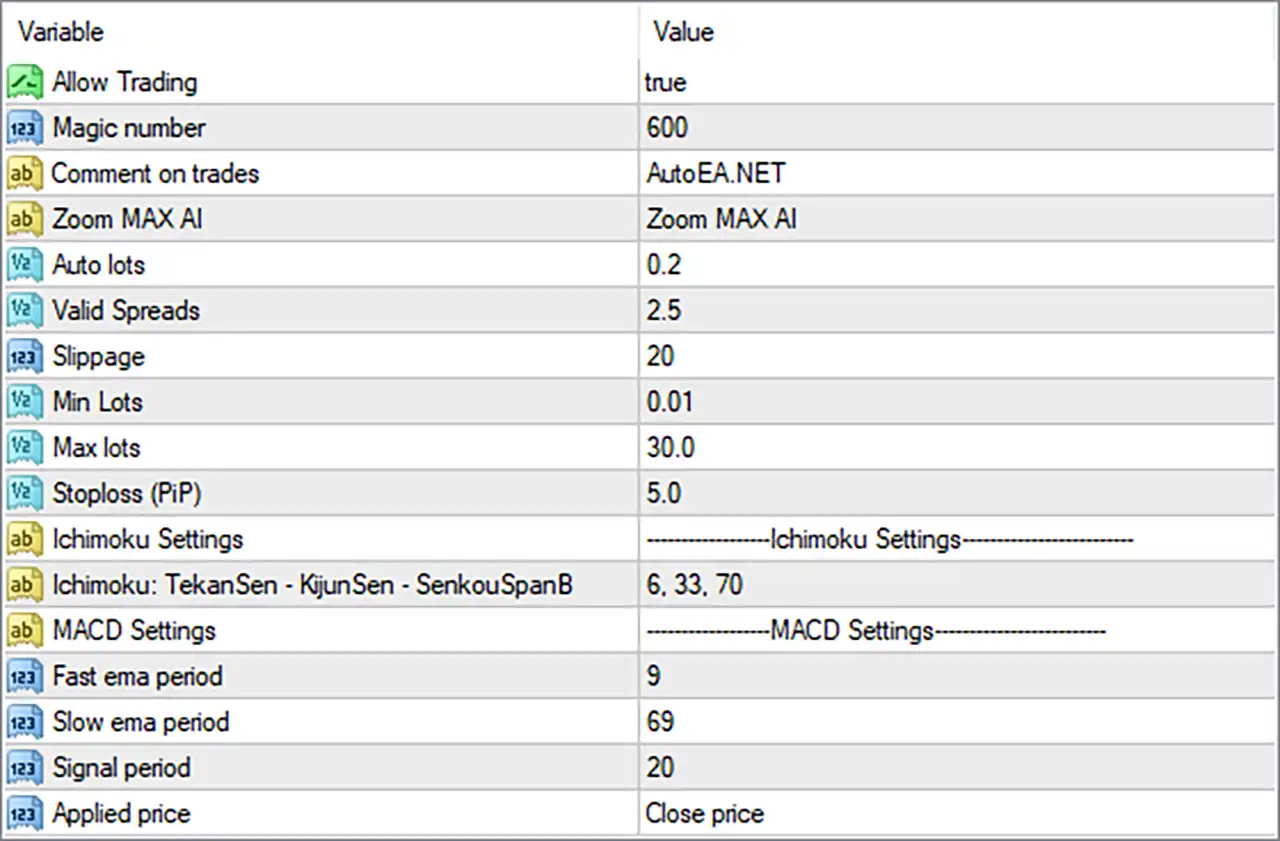
⚙️ General Trading Settings
🔹 Allow Trading = true: Enables automated trading functionality, allowing Zoom MAX AI EA MT4 to open and manage trades when its trading conditions are satisfied.
🔹 Magic number = 600: Assigns the unique identifier 600 to trades opened by this EA. This helps MetaTrader 4 distinguish its positions from trades opened manually or by other Expert Advisors.
🔹 Comment on trades = AutoEA.NET: Sets the comment displayed alongside orders opened by the EA. The comment helps traders identify the source of their automated trading positions.
🔹 Zoom MAX AI = Zoom MAX AI: Defines the EA identification or configuration label displayed in its settings. This parameter is primarily used for identification and organization.
⚙️ Money Management and Trade Execution Settings
🔹 Auto lots = 0.2: Sets the automatic lot-sizing parameter to 0.2. This value is used by the EA's position-sizing calculation, although the exact relationship between this parameter and account balance or equity depends on its internal implementation.
🔹 Valid Spreads = 2.5: Sets the maximum permitted spread threshold to 2.5. This parameter helps prevent the EA from entering trades when the current spread exceeds the configured limit, subject to the broker's price-point conventions.
🔹 Slippage = 20: Sets the maximum permitted execution slippage to 20 points. This controls the acceptable difference between the requested order price and the actual execution price.
🔹 Min Lots = 0.01: Defines the minimum trading volume as 0.01 lots. This establishes the lower boundary for the EA's position sizing.
🔹 Max lots = 30.0: Sets the maximum permitted trading volume to 30.0 lots. This establishes the upper boundary for automatically calculated or requested trading positions.
🔹 Stoploss (PiP) = 5.0: Sets the Stop Loss parameter to 5.0 pips. This defines the configured stop-loss distance for trade protection, although the actual price distance may depend on the broker's digit format and the EA's implementation.
⚙️ Ichimoku Indicator Settings
🔹 Ichimoku Settings = Ichimoku Settings: This is a section separator that organizes the Ichimoku indicator parameters used by Zoom MAX AI EA MT4.
🔹 Ichimoku: TekanSen - KijunSen - SenkouSpanB = 6, 33, 70: Configures the three main Ichimoku calculation periods: Tenkan-sen = 6, Kijun-sen = 33, and Senkou Span B = 70. These values control the indicator's sensitivity, trend reference, and cloud calculation, helping the EA evaluate market direction and potential trading signals.
⚙️ MACD Indicator Settings
🔹 MACD Settings = MACD Settings: This is a section separator for the MACD indicator configuration, which controls the moving average parameters used in momentum analysis.
🔹 Fast ema period = 9: Sets the fast Exponential Moving Average (EMA) period to 9. This parameter determines the responsiveness of the fast MACD component to recent price movements.
🔹 Slow ema period = 69: Sets the slow Exponential Moving Average (EMA) period to 69. This provides the longer-term reference used to calculate the difference between the fast and slow moving averages.
🔹 Signal period = 20: Sets the MACD signal line period to 20. This parameter determines how the MACD signal line is smoothed and can influence the identification of potential momentum changes.
🔹 Applied price = Close price: Uses the closing price as the input source for MACD calculations. This means the indicator evaluates closing-price data when calculating its moving averages and momentum values.
🔢 Conclusion
Zoom MAX AI EA MT4 combines automated trade execution with Ichimoku and MACD technical indicators, providing traders with several configurable parameters for market analysis and position management.
The current configuration uses Ichimoku periods of 6, 33, and 70, alongside MACD settings of 9, 69, and 20, with Close price selected as the applied price. Its trading configuration also includes Auto lots = 0.2, a maximum spread of 2.5, Slippage = 20, and a Stop Loss setting of 5.0 pips.
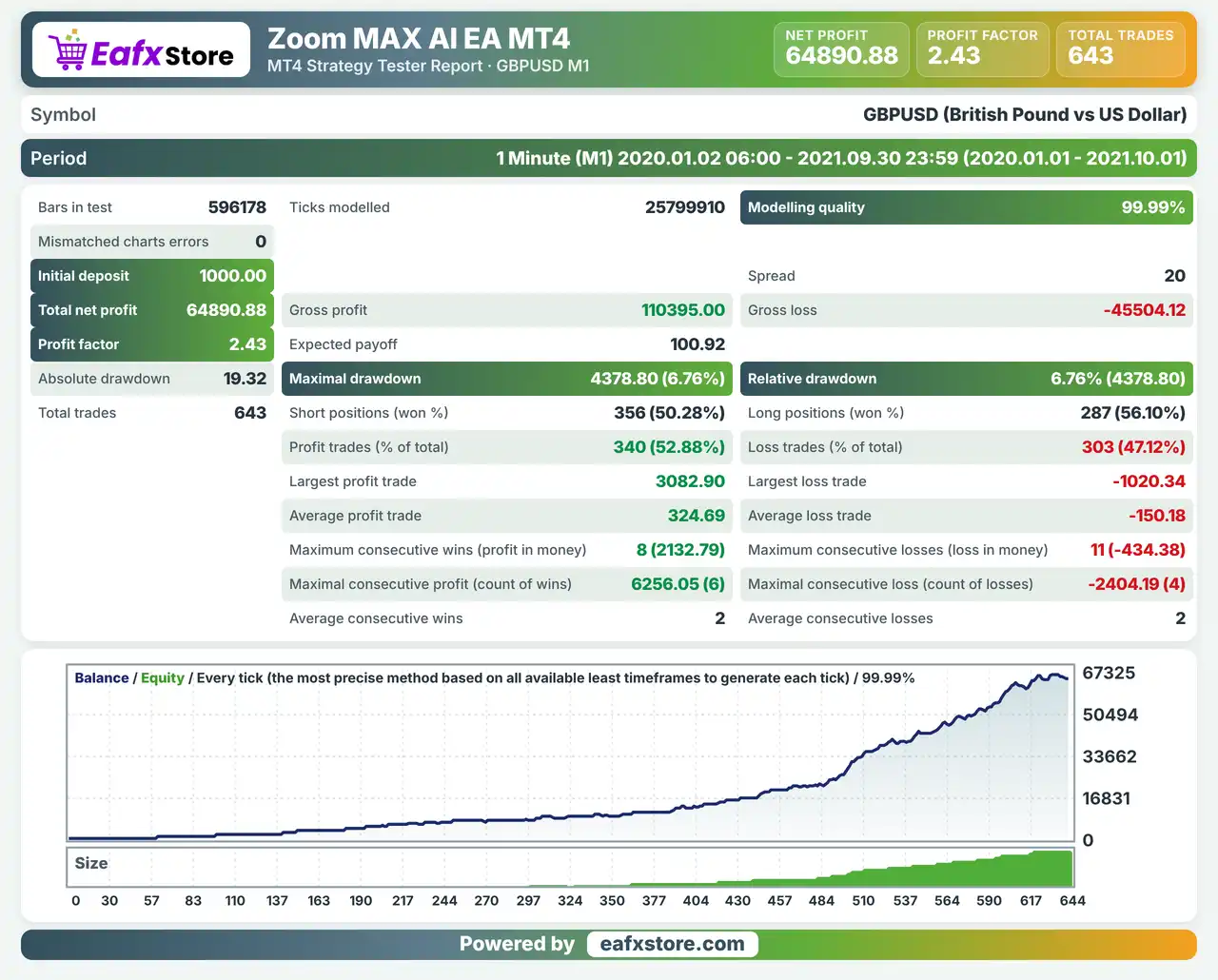
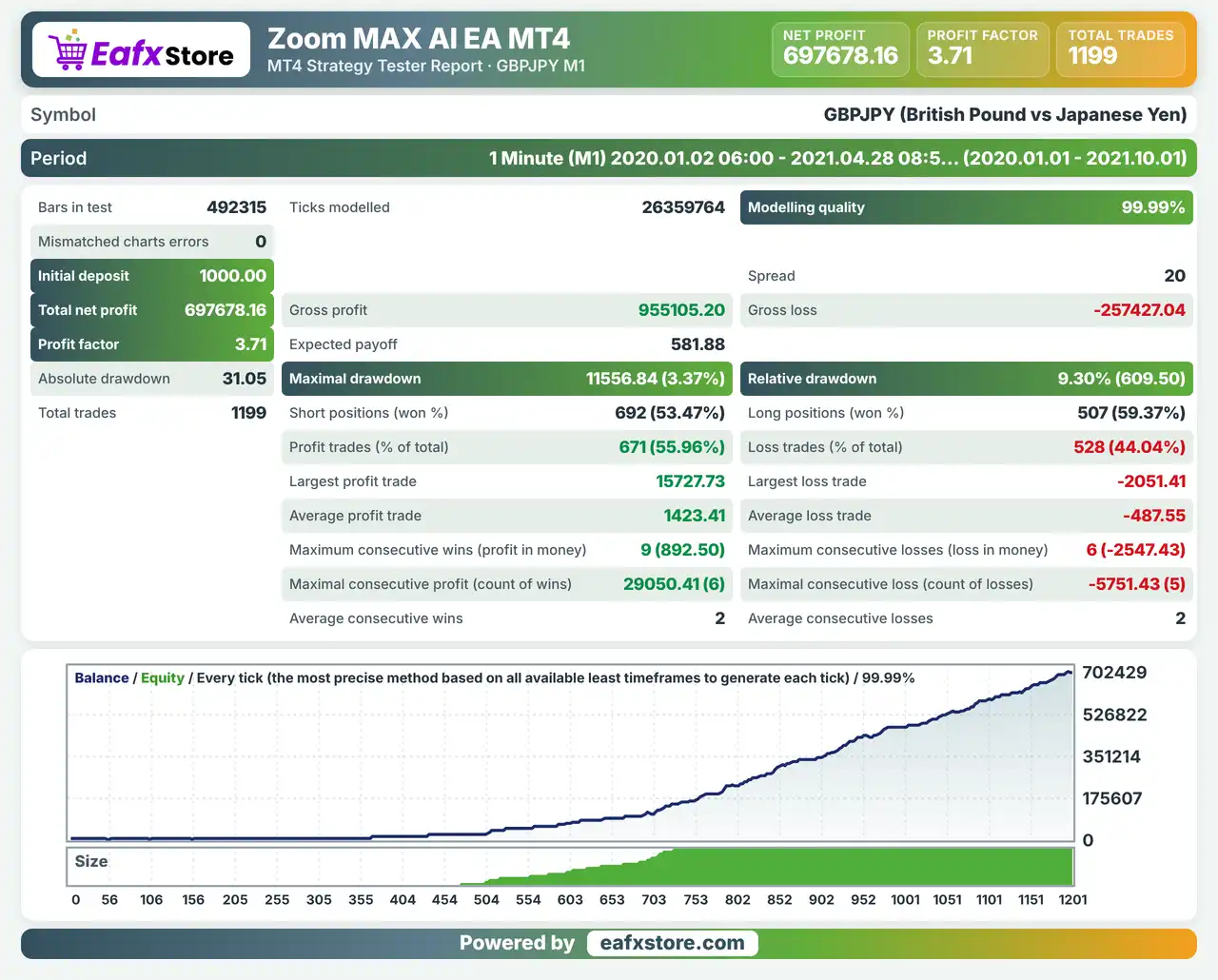
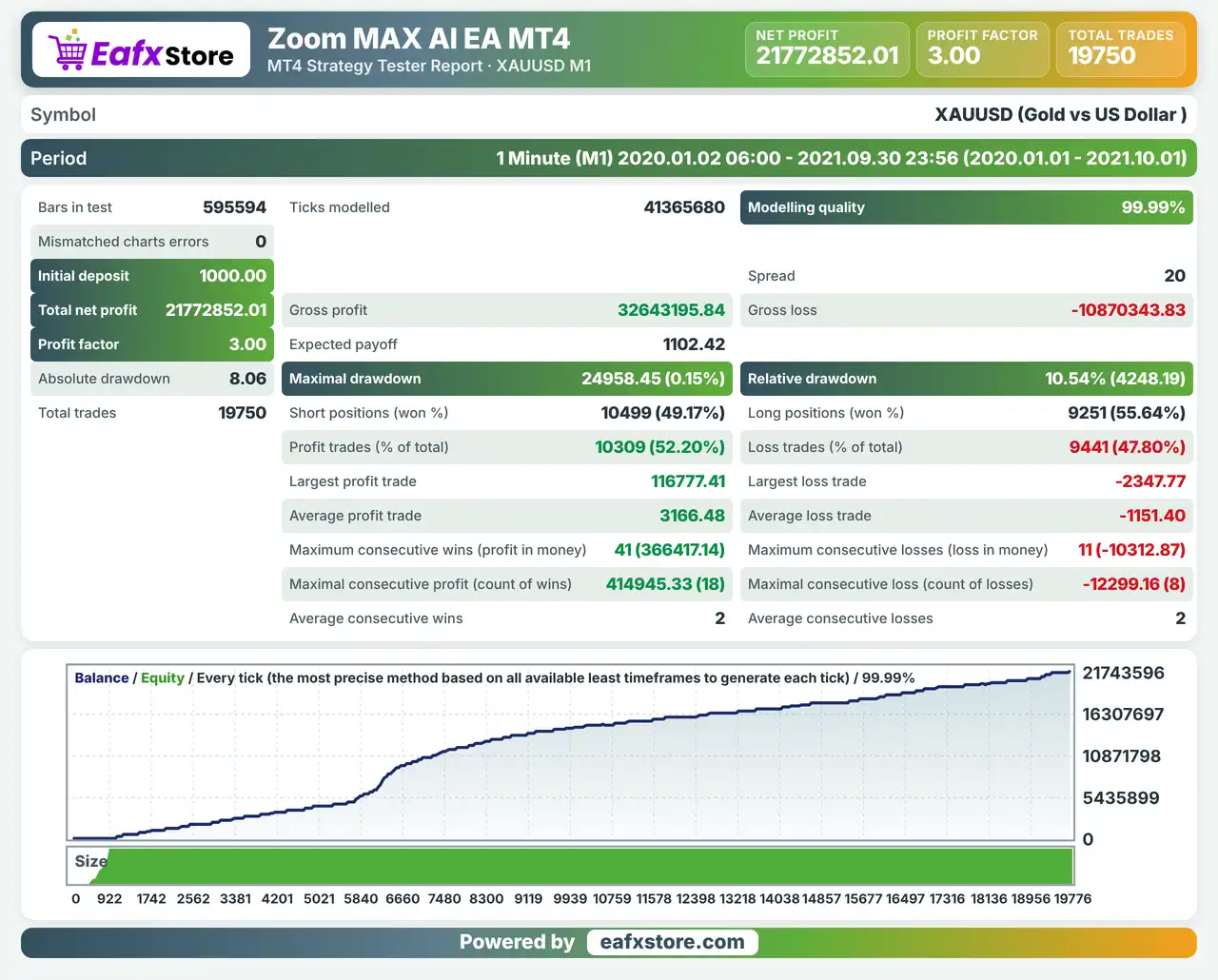
For better trading control, traders should carefully evaluate the automatic lot-sizing behavior, the 0.01–30.0 lot boundaries, and the Stop Loss configuration before deploying the EA on a live account. Backtesting and demo testing are recommended to assess how these settings perform under different market conditions.


