


Black Thunder EA MT5 Settings Guide
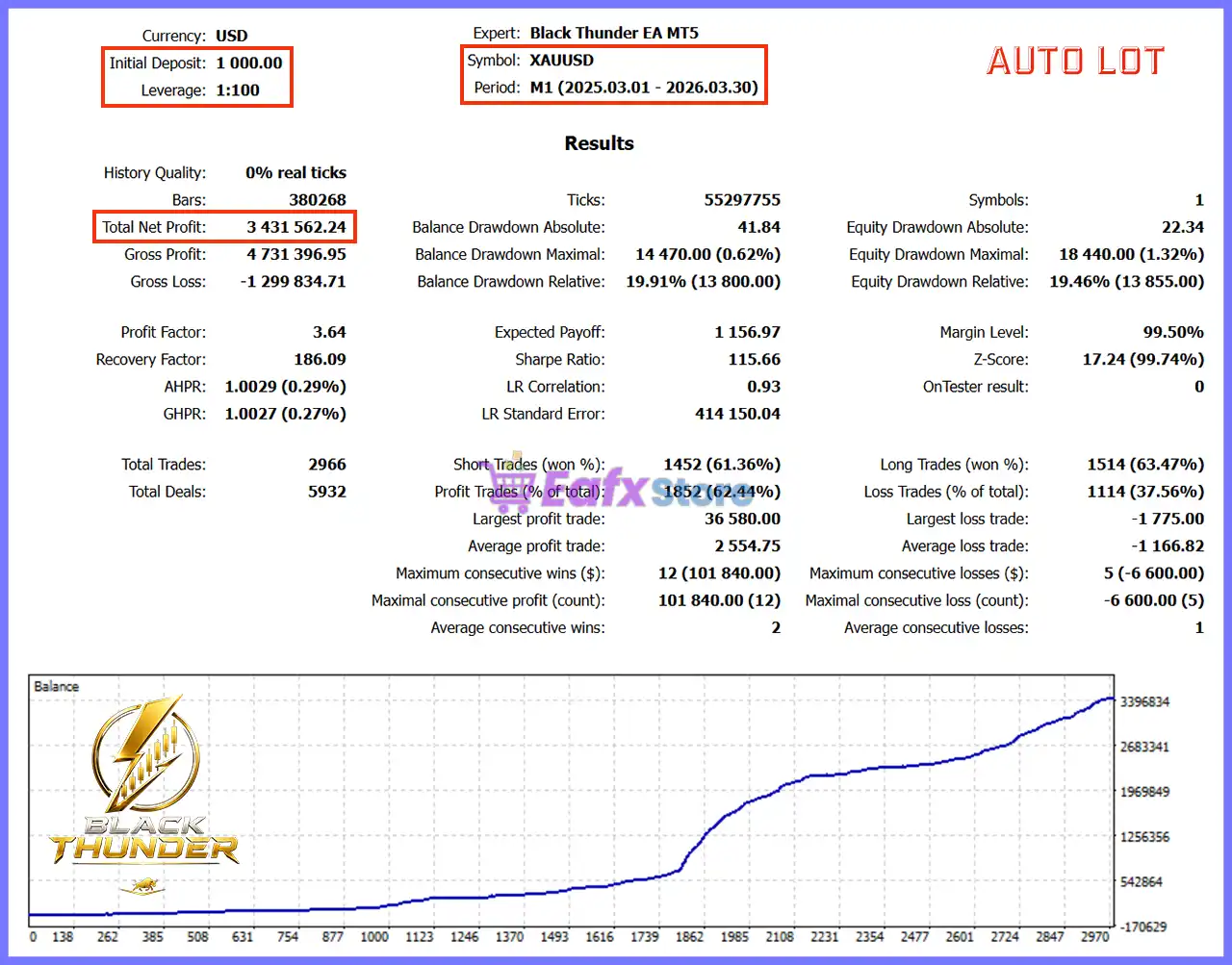
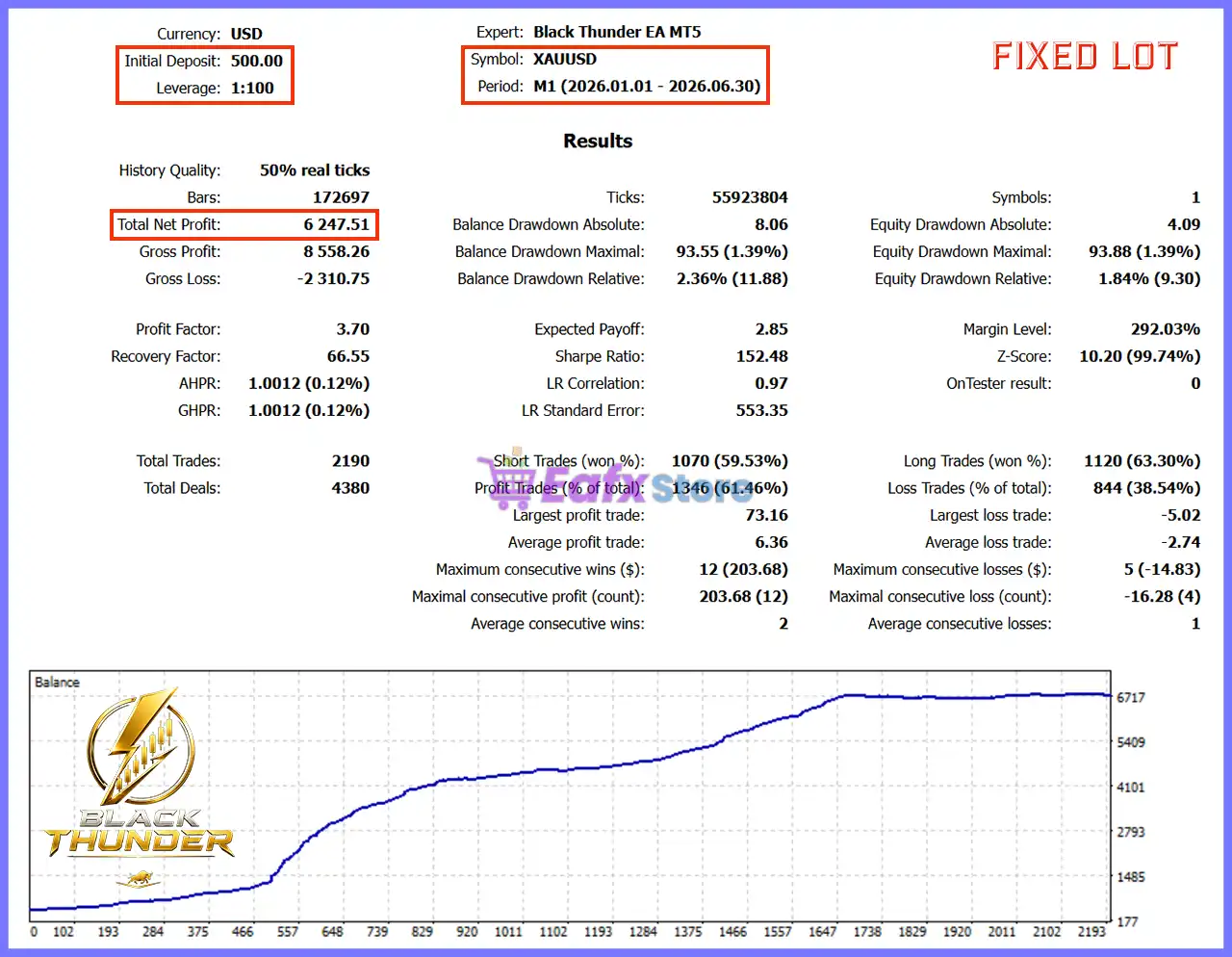
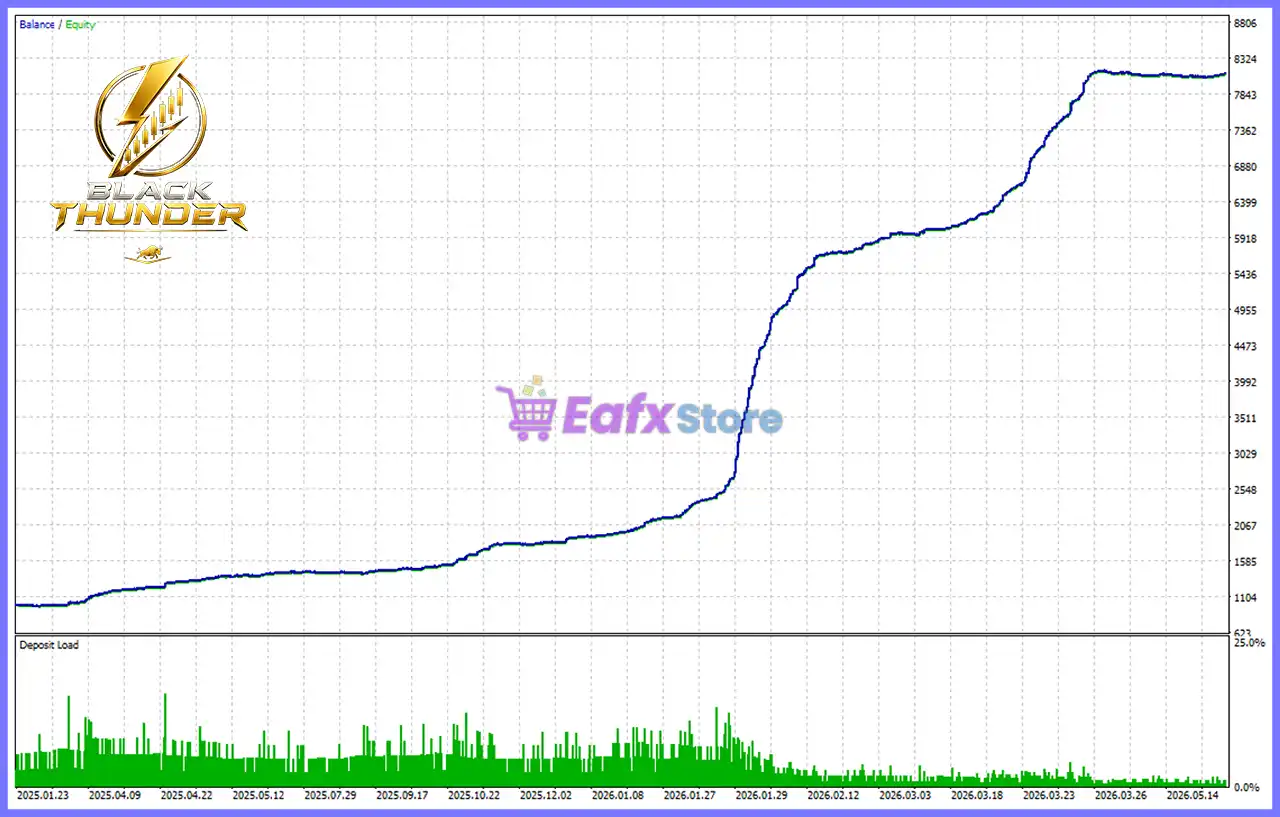
Black Thunder EA MT5 is a professional automated Expert Advisor for MetaTrader 5 that offers multiple trading modes, advanced money management, intelligent risk protection, economic news handling, broker compatibility settings and extensive diagnostic tools.
With support for Conservative, Aggressive, Safe, Custom, and News trading modes, the EA allows traders to customize trading behavior while maintaining strict control over execution quality, position sizing, and account protection.
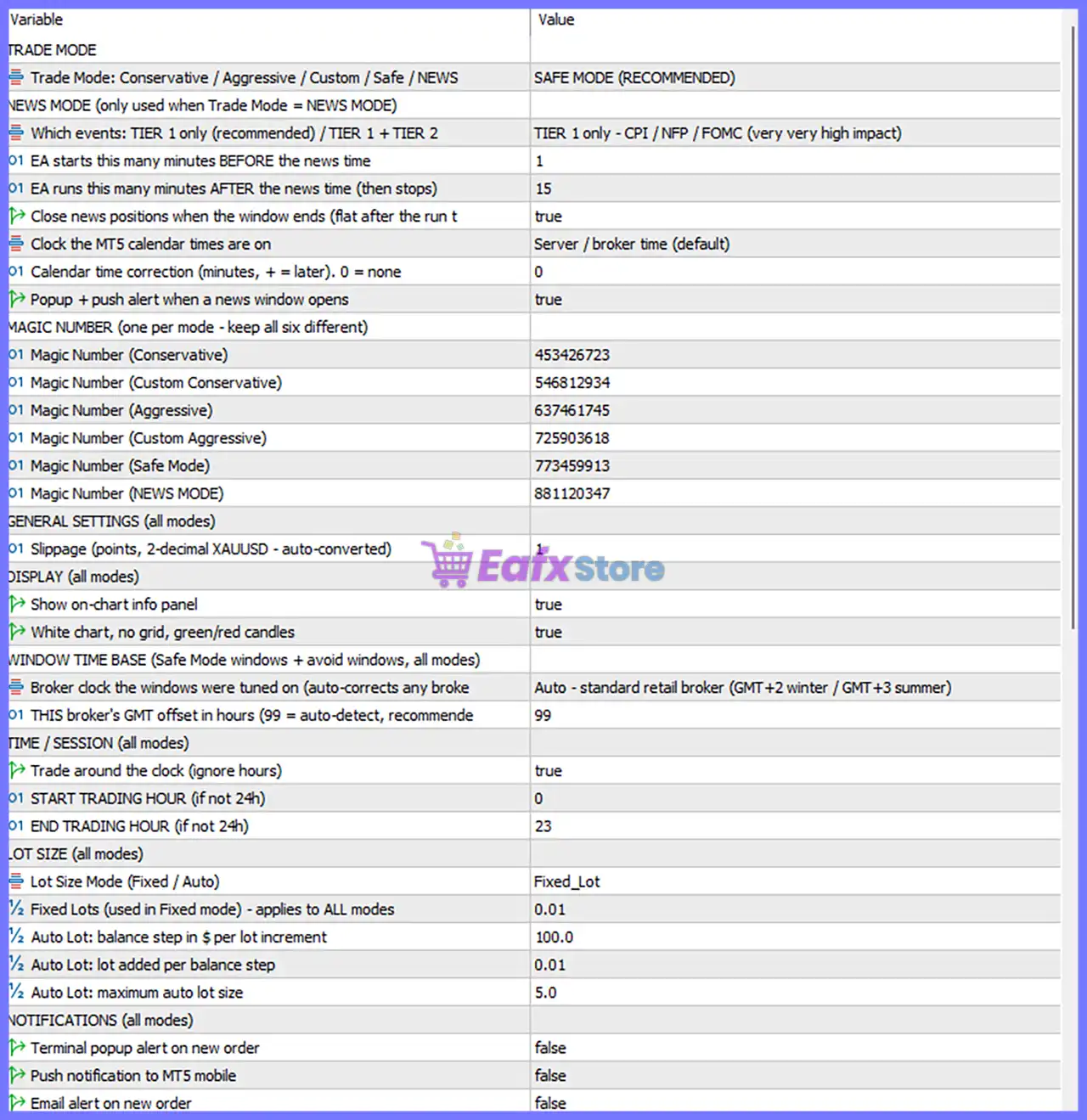
Black Thunder EA MT5 Settings Explained
Trade Mode
🔹 Trade Mode: Conservative / Aggressive / Custom / Safe / NEWS = SAFE MODE (RECOMMENDED) – Selects SAFE MODE as the active trading profile for balanced and conservative execution.
News Mode (Only Used When Trade Mode = NEWS MODE)
🔹 Which events: TIER 1 only (recommended) / TIER 1 + TIER 2 = TIER 1 only - CPI / NFP / FOMC (very very high impact) – Trades only around the highest-impact economic events including CPI, NFP, and FOMC.
🔹 EA starts this many minutes BEFORE the news time = 1 – Starts preparing for trading 1 minute before the scheduled news release.
🔹 EA runs this many minutes AFTER the news time (then stops) = 15 – Continues trading for 15 minutes after the news event.
🔹 Close news positions when the window ends (flat after the run) = true – Automatically closes all news trades after the trading window finishes.
🔹 Clock the MT5 calendar times are on = Server / broker time (default) – Uses broker server time for economic calendar synchronization.
🔹 Calendar time correction (minutes, + = later), 0 = none = 0 – Applies 0 minutes of calendar time adjustment.
🔹 Popup + push alert when a news window opens = true – Displays alerts when the configured news trading window begins.
Magic Number (One Per Mode – Keep All Six Different)
🔹 Magic Number (Conservative) = 453426723 – Unique trade identifier for Conservative mode.
🔹 Magic Number (Custom Conservative) = 546812934 – Unique Magic Number for Custom Conservative mode.
🔹 Magic Number (Aggressive) = 637461745 – Unique identifier for Aggressive trading.
🔹 Magic Number (Custom Aggressive) = 725903618 – Dedicated Magic Number for Custom Aggressive mode.
🔹 Magic Number (Safe Mode) = 773459913 – Trade identifier used while operating in Safe Mode.
🔹 Magic Number (NEWS MODE) = 881120347 – Dedicated Magic Number for News trading mode.
General Settings
🔹 Slippage (points, 2-decimal XAUUSD - auto-converted) = 1 – Maximum permitted execution slippage is 1 point.
Display Settings
🔹 Show on-chart info panel = true – Displays the EA information panel on the chart.
🔹 White chart, no grid, green/red candles = true – Automatically formats the chart using a white background without grid lines.
Window Time Base (Safe Mode Windows + Avoid Windows)
🔹 Broker clock the windows were tuned on = Auto - standard retail broker (GMT+2 winter / GMT+3 summer) – Automatically adjusts trading windows for common retail broker server times.
🔹 THIS broker's GMT offset in hours (99 = auto-detect) = 99 – Uses automatic GMT offset detection.
Time / Session Settings
🔹 Trade around the clock (ignore hours) = true – Enables 24-hour trading regardless of session settings.
🔹 START TRADING HOUR (if not 24h) = 0 – Trading begins at 00:00 if hourly restrictions are enabled.
🔹 END TRADING HOUR (if not 24h) = 23 – Trading ends at 23:00 if hourly restrictions are enabled.
Lot Size Settings
🔹 Lot Size Mode (Fixed / Auto) = Fixed_Lot – Uses a fixed trading volume.
🔹 Fixed Lots (used in Fixed mode) = 0.01 – Opens trades with a fixed volume of 0.01 lots.
🔹 Auto Lot: balance step in $ per lot increment = 100.0 – Increases lot size for every $100.0 balance increase when Auto Lot mode is used.
🔹 Auto Lot: lot added per balance step = 0.01 – Adds 0.01 lots for each balance increment.
🔹 Auto Lot: maximum auto lot size = 5.0 – Limits automatic position size to 5.0 lots.
Notification Settings
🔹 Terminal popup alert on new order = false – Disables MT5 popup notifications for new trades.
🔹 Push notification to MT5 mobile = false – Disables mobile push notifications.
🔹 Email alert on new order = false – Disables email notifications for executed trades.
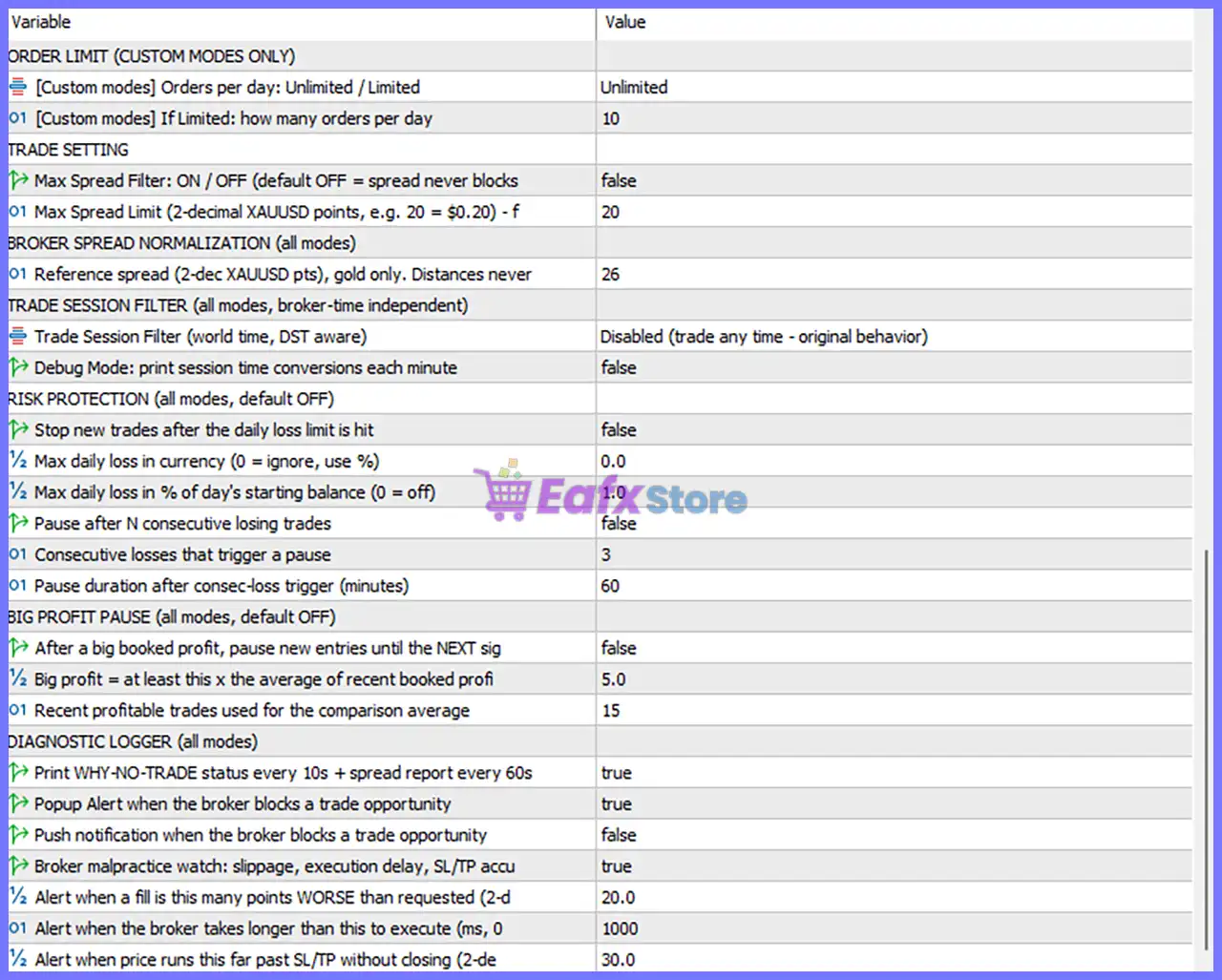
Order Limit (Custom Modes Only)
🔹 Order limit modes per day: Unlimited / Limited = Unlimited – Allows unlimited daily trades in Custom mode.
🔹 If Limited: how many orders per day = 10 – Maximum of 10 trades per day when Limited mode is selected.
Trade Settings
🔹 Max Spread Filter: ON / OFF = false – Disables spread filtering.
🔹 Max Spread Limit (2-decimal XAUUSD points) = 20 – Maximum permitted spread is 20 points if enabled.
Broker Spread Normalization
🔹 Reference spread (2-dec XAUUSD pts), gold only = 26 – Uses 26 points as the reference spread for Gold trading calculations.
Trade Session Filter
🔹 Trade Session Filter (world time, DST aware) = Disabled (trade any time - original behavior) – Session restrictions are disabled.
🔹 Debug Mode: print session time conversions each minute = false – Disables session conversion debugging.
Risk Protection
🔹 Stop new trades after the daily loss limit is hit = false – Continues trading even after reaching the daily loss threshold.
🔹 Max daily loss in currency (0 = ignore) = 0.0 – Currency-based daily loss protection is disabled.
🔹 Max daily loss in % of day's starting balance (0 = off) = 1.0 – Defines a 1.0% daily loss threshold when enabled.
🔹 Pause after N consecutive losing trades = false – Does not pause after consecutive losses.
🔹 Consecutive losses that trigger a pause = 3 – Trading pauses after 3 losses if enabled.
🔹 Pause duration after consecutive-loss trigger (minutes) = 60 – Pause duration is 60 minutes.
Big Profit Pause
🔹 After a big booked profit, pause new entries until the NEXT signal = false – Continues trading immediately after profitable trades.
🔹 Big profit = at least this × the average of recent booked profit = 5.0 – Defines a big profit as 5.0× the recent average.
🔹 Recent profitable trades used for the comparison average = 15 – Uses the last 15 profitable trades to calculate the average.
Diagnostic Logger
🔹 Print WHY-NO-TRADE status every 10s + spread report every 60s = true – Continuously logs why trades are not opened.
🔹 Popup Alert when the broker blocks a trade opportunity = true – Displays an alert when order execution is blocked.
🔹 Push notification when the broker blocks a trade opportunity = false – Does not send push notifications for blocked trades.
🔹 Broker malpractice watch: slippage, execution delay, SL/TP accuracy = true – Monitors broker execution quality.
🔹 Alert when a fill is this many points WORSE than requested = 20.0 – Alerts when slippage exceeds 20.0 points.
🔹 Alert when the broker takes longer than this to execute (ms, 0 = off) = 1000 – Alerts if execution exceeds 1000 milliseconds.
🔹 Alert when price runs this far past SL/TP without closing (2-decimal) = 30.0 – Warns when price exceeds SL/TP by 30.0 points without execution.
Conclusion
Black Thunder EA MT5 is a highly configurable Expert Advisor built for traders who require advanced control over execution, news trading, money management, and broker monitoring. With multiple trading profiles, dedicated Magic Numbers, automatic time synchronization, intelligent diagnostics, configurable risk protection, and flexible lot sizing, the EA provides a professional-grade environment suitable for both conservative and aggressive trading styles.
FAQs
❓ What trading mode is recommended in Black Thunder EA MT5?
The default and recommended configuration is SAFE MODE, which balances profitability with conservative risk management.
❓ Does Black Thunder EA MT5 support news trading?
Yes. The EA includes a dedicated NEWS MODE that can trade around major economic events such as CPI, NFP and FOMC.
❓ Can I use automatic lot sizing?
Yes. Besides Fixed Lot mode, the EA supports Auto Lot sizing based on account balance growth with configurable balance steps and lot increments.
❓ Does Black Thunder EA MT5 include risk protection?
Yes. It offers daily loss controls, consecutive-loss pause options, spread monitoring, broker execution diagnostics, and execution quality alerts.
❓ Why does Black Thunder EA MT5 use different Magic Numbers?
Each trading mode uses its own unique Magic Number to keep trades organized, prevent conflicts, and allow multiple strategies to run simultaneously on the same trading account.


