








Cortex Aurex EA MT5 (Latest version) - Unlimited

Subscriptions for Special Plan
- 30 EA package is more economical!
- Special package with 99%
- Download 1 EA/Day

Subscriptions for Premium Membership
- Download Unlimited in 1 Year
- Get 100% Discount
- Get free access to all

Subscriptions for Gold Membership
- 1 Year Membership
- Get 100% Discount
- Access EA+Indicator+Course
Frequently bought together 🎁
Add these products to enhance your purchase




 Vendor Website:
  Experts: Cortex Aurex EA.ex5
 Reviewed by
 Cortex Aurex EA MT5 Settings Explained – Complete Configuration Guide
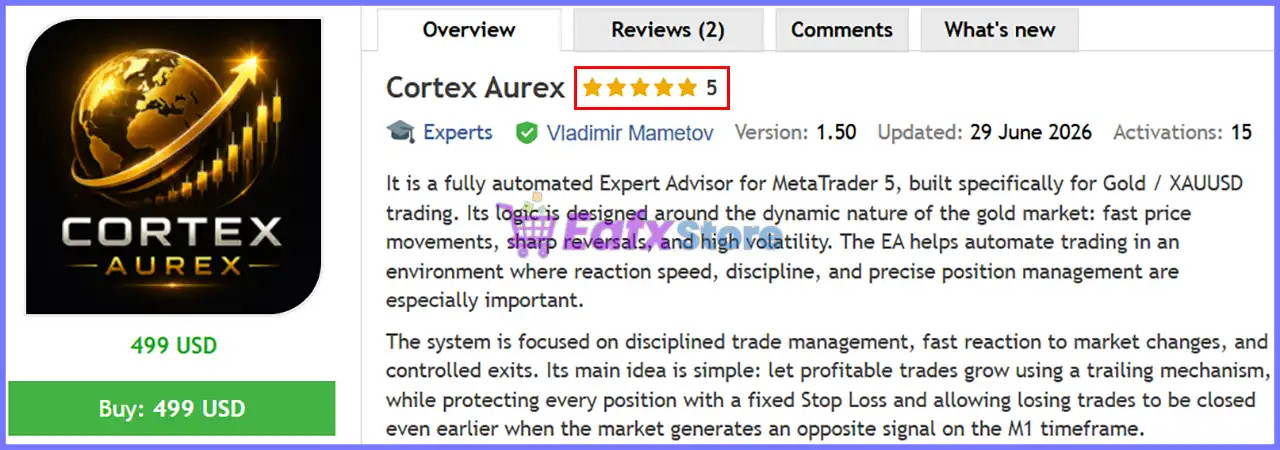
Cortex Aurex EA is an automated Expert Advisor for MetaTrader 5 designed to simplify Gold and Forex trading through intelligent money management, customizable risk controls, trailing stop functionality and trading session filters.
With flexible position sizing, automated lot calculation, and built-in visual tools, the EA provides traders with an efficient framework for consistent and disciplined algorithmic trading.
Cortex Aurex EA MT5 Settings
Cortex Aurex EA MT5 Settings
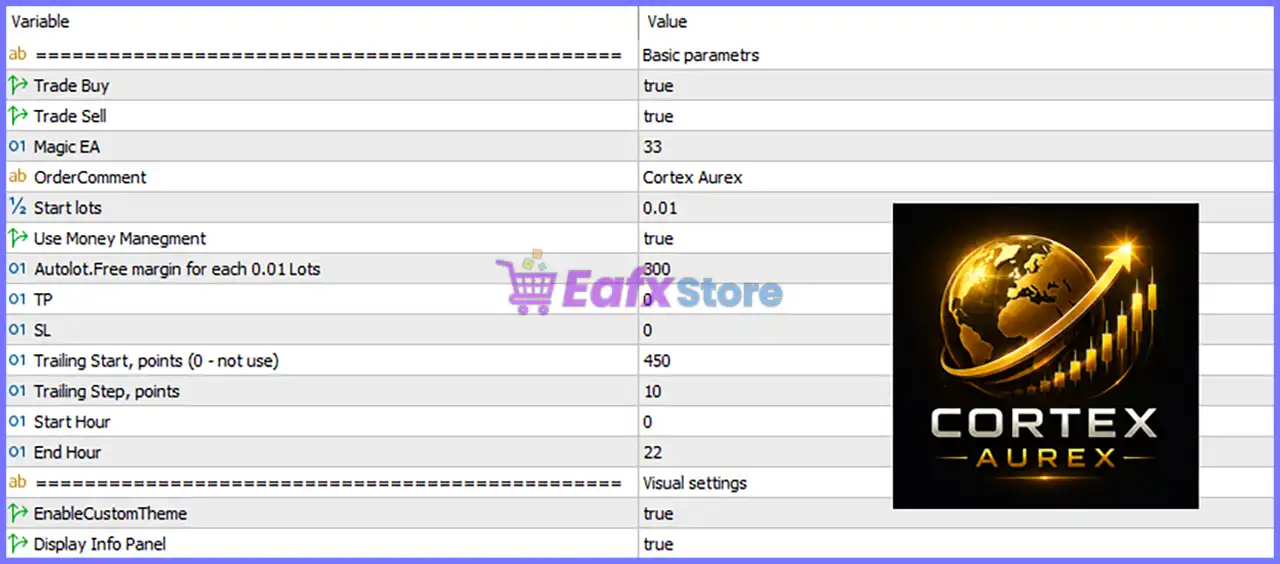
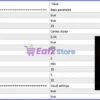
Below are the details of the parameters in the advisor’s trading system settings table:
Cortex Aurex EA MT5 Settings Panel
Basic Parameters
🔹 Trade Buy = true – Enables the EA to open Buy positions automatically when trading conditions are satisfied.
🔹 Trade Sell = true – Enables the EA to open Sell positions automatically based on its trading strategy.
🔹 Magic EA = 33 – Assigns the unique Magic Number 33 to every trade opened by the EA, allowing it to distinguish its own positions from other Expert Advisors or manual trades.
🔹 OrderComment = Cortex Aurex – Adds the custom trade comment “Cortex Aurex” to every position opened by the EA for easier identification in the trading history.
🔹 Start lots = 0.01 – Sets the initial trading volume to 0.01 lots when opening new positions.
🔹 Use Money Management = true – Activates the automatic money management system for dynamic lot size calculation.
🔹 Autolot. Free margin for each 0.01 Lots = 300 – Uses 300 units of free margin as the requirement for every 0.01 lot when automatic lot sizing is enabled.
🔹 TP = 0 – Sets the Take Profit value to 0, meaning no fixed Take Profit is applied and trade exits depend on the EA’s management logic or trailing stop.
🔹 SL = 0 – Sets the Stop Loss value to 0, meaning no fixed Stop Loss is applied unless managed dynamically by the EA.
🔹 Trailing Start, points (0 – not use) = 450 – Starts the trailing stop after the trade reaches 450 points in profit.
🔹 Trailing Step, points = 10 – Moves the trailing stop in increments of 10 points as the trade continues moving in profit.
🔹 Start Hour = 0 – Allows the EA to begin opening new trades from 00:00 server time.
🔹 End Hour = 22 – Stops opening new trades after 22:00 server time.
Visual Settings
🔹 EnableCustomTheme = true – Enables the custom visual theme for the EA’s on-chart interface.
🔹 Display Info Panel = true – Displays the information panel on the trading chart, showing the EA’s operating status and trading information.
Conclusion
Cortex Aurex EA MT5 provides a clean and user-friendly configuration focused on automated trade execution, intelligent money management, trailing stop protection and customizable trading hours.
With support for both Buy and Sell trading, automatic lot sizing based on free margin, and an integrated information panel, the EA offers traders a practical solution for disciplined and efficient automated trading on MetaTrader 5.
FAQs
❓ What is the purpose of the Magic EA setting?
The Magic EA = 33 parameter uniquely identifies all positions opened by Cortex Aurex EA MT5, allowing it to manage only its own trades.
❓ How does the automatic money management work?
When Use Money Management = true, the EA automatically calculates the trading volume using the available free margin and the 300 units per 0.01 lot rule.
❓ Why are TP and SL both set to 0?
A value of 0 disables fixed Take Profit and Stop Loss, allowing the EA to manage exits dynamically using its internal trading logic and trailing stop.
❓ When does the trailing stop become active?
The trailing stop begins once a position reaches 450 points in profit and then adjusts in 10-point increments to protect gains.
❓ Can I restrict the EA to specific trading hours?
Yes. The EA is configured to open new trades between 00:00 and 22:00 server time, and these hours can be modified to suit your trading schedule.
User Reviews
Only logged in customers who have purchased this product may leave a review.
❓ What is Cortex Aurex EA designed for?
Cortex Aurex EA is a fully automated Gold trading system built for XAUUSD, combining trend-following entries with disciplined position management and risk control.
❓ Which market does Cortex Aurex EA support?
Cortex Aurex EA is developed exclusively for XAUUSD, using trading logic specifically optimized for Gold's volatility and rapid price movements.
❓ Does Cortex Aurex EA use Grid or Martingale strategies?
No. Cortex Aurex EA follows a disciplined trading model with no Grid, no Martingale, and only one open position at any given time.
❓ How does Cortex Aurex EA manage trading risk?
Cortex Aurex EA protects every trade with a fixed Stop Loss while using intelligent early exits and Trailing Stop management to control overall risk.
❓ Can Cortex Aurex EA close losing trades early?
Yes. Cortex Aurex EA monitors M1 market signals and may close losing positions before the Stop Loss is reached if an opposite trading signal appears.
❓ How does Cortex Aurex EA manage profitable trades?
Cortex Aurex EA allows profitable positions to run using a Trailing Stop or an optional fixed Take Profit, depending on your preferred trading style.
❓ What account setup is recommended for Cortex Aurex EA?
Cortex Aurex EA works with any leverage, recommends an ECN account, and can operate with starting balances from as little as $100.
❓ Can Cortex Aurex EA run on any timeframe?
Yes. Cortex Aurex EA supports any chart timeframe while continuously monitoring the M1 timeframe for intelligent trade exit confirmation.
❓ Which brokers have been tested with Cortex Aurex EA?
Cortex Aurex EA has been tested with brokers including Alpari, RoboForex, and IC Markets, while broker-specific adjustments can also be provided.
❓ Is Cortex Aurex EA suitable for active Gold traders?
Yes. Cortex Aurex EA is designed for traders seeking automated XAUUSD trading with clear entry rules, structured exits, and disciplined risk management.
-
 Original price was: $30,000.00.$599.00Current price is: $599.00.
 -
 Original price was: $3,750.00.$599.00Current price is: $599.00.
 -
 Original price was: $30,000.00.$599.00Current price is: $599.00.
 -
 Original price was: $999.00.$89.00Current price is: $89.00.
-
 4Original price was: $499.00.$249.00Current price is: $249.00.
 -
 0Original price was: $290.00.$179.00Current price is: $179.00.
 -
 3Original price was: $199.00.$159.00Current price is: $159.00.
 -
 6Original price was: $1,000.00.$599.00Current price is: $599.00.
There are no reviews yet.