





Expert BDT EA MT5 with SetFiles (Latest version) – GroupBuy

Subscriptions for Special Plan
- 30 EA package is more economical!
- Special package with 99%
- Download 1 EA/Day

Subscriptions for Premium Membership
- Download Unlimited in 1 Year
- Get 100% Discount
- Get free access to all

Subscriptions for Gold Membership
- 1 Year Membership
- Get 100% Discount
- Access EA+Indicator+Course
Frequently bought together 🎁
Add these products to enhance your purchase



Quick Overview
Expert BDT EA does not read charts the way most robots do. It looks at how currencies relate to one another, and it trades when one symbol drifts out of line with the others.
The idea is triangular arbitrage. Three currency pairs are linked by shared currencies, so the price of any one of them can be worked out from the other two. When the quoted price and the calculated price disagree by enough spreads, and several triangles say the same thing, the EA acts.
Every step runs automatically across all symbols in Market Watch, with top Loss (SL) and Take Profit (TP) on each trade.
Best For:
✅ Traders interested in triangular arbitrage logic instead of indicator signals.
✅ Users who want one EA to watch many symbols at once.
✅ Traders who like multiple confirmations before a trade.
✅ Experienced users who are comfortable with a different kind of EA and its testing limits.
What is Expert BDT EA?
Expert BDT is an Expert Advisor (EA) based on triangular arbitrage. It analyzes the prices of all trading instruments opened in the account’s market overview, and it does the analysis through other currency pairs linked by a single currency. These linked groups are called currency triangles.
The EA analyzes each currency through the other two and calculates its estimated price. It then rechecks each instrument against all possible combinations of other instruments. The work covers currency pairs, and it can also include cryptocurrencies and combinations of cryptocurrencies and stocks.
⭐ Vendor Website: View here
⭐ Delivery time 24h-48h after payment.
⭐ Refund if not delivered.
⭐ You will receive the current version without any limitations (ID+Time).
Expert BDT EA MT5 Review
How Does Expert BDT EA Work?
Step 1: Scan Market Watch
The EA reads the prices of every instrument opened in the account’s market overview. More symbols mean more triangles to test.
Step 2: Calculate Estimated Prices
Each currency is analyzed through the other two in a triangle, and an estimated price is calculated for it.
Step 3: Recheck Every Combination
Each instrument is rechecked against all possible combinations of other instruments, so a single odd quote does not decide anything.
Step 4: Measure the Gap in Spreads
The EA looks for an instrument whose price should be higher or lower by a given number of spreads (the spread ratio).
Step 5: Require Confirmation
A trade needs the same conclusion from at least 3 to 5 currency triangles. The number of confirmations is set in the parameters.
Step 6: Trade and Manage
The EA trades with SL and TP. Closing can follow the total profit of all open positions, or each instrument separately.
Historical Trading Results Performance
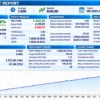
Expert BDT EA demonstrates strong historical performance on EURUSD M5, generating $1,233.24 net profit from a $500 initial deposit across 4,033 trades.
With a 1.41 profit factor and a 95.16% winning-trade ratio, the results show consistent growth, although the 8.21% drawdown indicates extremely high risk.
Expert BDT EA Backtest Results
| Parameter | Result |
|---|---|
| Initial Deposit | $500 |
| Total Net Profit | $1,233.24 |
| Profit Factor | 1.41 |
| Total Trades | 4,033 |
| Winning Trades | 95.16% |
| Balance Drawdown | 8.21% |
| Backtest Period | Jul 1, 2021 – Feb 25, 2022 |
Key Features of Expert BDT EA
Triangular Arbitrage Logic
Prices are compared through related pairs, so entries come from price relationships and not from an indicator crossing.
All Symbols in Market Watch
The EA analyzes every trading instrument opened in the account, which keeps the list of tradable symbols flexible.
Confirmation by Several Triangles
Trades need 3 to 5 confirming triangles, and the number is adjustable in the parameters.
Spread Ratio Threshold
The gap between quoted and estimated price is measured in spreads, so the threshold scales with the cost of each symbol.
More Than Forex
Cryptocurrencies and combinations of cryptocurrencies and stocks can be included along with currency pairs.
SL and TP on Every Trade
Stop Loss and Take Profit are used in trading.
Flexible Closing
Positions can close by the total profit of all open positions or by each instrument separately.
Fully Automatic
Analysis, rechecking and entries run without manual control.
How to Get the Most from Expert BDT EA
🔹 Open the right symbols: the EA works from the instruments opened in Market Watch, so every symbol that belongs to the triangles should be there.
🔹 Choose the confirmation level: 3 to 5 confirming triangles is the stated range. A higher number is stricter and a lower number gives more signals.
🔹 Watch the spread ratio: the gap is measured in spreads, so a broker with tight, stable spreads suits this style.
🔹 Check the symbol list: the SymbolTrade and SymbolTriangular lines decide what is traded and what is used for the calculation.
🔹 Forward test on demo: a full backtest is almost impossible, so a demo period shows real behavior.
🔹 Keep exposure modest: many symbols can mean many positions, so read the risk management guide before choosing size.
Limitations and Risk Warnings
🔹 Hard to backtest: the tester needs a huge amount of memory and long quote history for all pairs, so a full historical test is almost impossible.
🔹 Broker data matters: the strategy depends on small price gaps, so spreads, quote quality and execution speed can change results.
🔹 Mispricing is not risk-free: a gap between quoted and estimated price can persist or widen before it closes, and trades can lose.
🔹 Many symbols: a long symbol list can mean several open positions, so exposure needs attention.
🔹 Setup effort: the symbol lists have to be configured correctly for the EA to work as intended.
🔹 No guarantees: nothing here promises profit. Guides to stop-loss placement and take-profit methods give useful background.
Who Should Use Expert BDT EA?
🔹 Arbitrage-minded traders: those who like price-relationship logic more than indicator signals.
🔹 Multi-symbol traders: those who want one EA to cover many pairs and other instruments.
🔹 Careful testers: those who will forward test on demo before going live.
🔹 Not for traders who: need a full historical backtest before trusting an EA, or want a simple single-chart robot.
Recommended Trading Conditions
For the best performance, the developer recommends:
| Features | Type |
|---|---|
| Trading platform | MetaTrader 5 (MT5) |
| Time frames | Any |
| Currency pairs | All currency pairs |
| Minimum / Recommended deposit | $100+ |
| Minimum / Recommended leverage | Any |
| Account type | Any |
| Additional services | Unlock and Decompile |
| Recommended brokers | Exness Broker, Icmarkets Broker |
| Recommended VPS | MyfxVPS.com (Blue VPS, Golden VPS). Lowest Latency, 2 week Free Trial, 100% Free for 12-18 Months. |
Product Download Package?
The download package of the product suite includes:
✅ Experts: Expert BDT.ex5
Final Verdict
Expert BDT EA is an unusual EA. It trades price relationships through currency triangles and waits for several triangles to agree before acting, with SL and TP on every trade and flexible closing.
The main trade-off is testing. A full historical test is almost impossible, so forward testing on demo matters even more than usual. For traders who like arbitrage logic and are ready to set it up carefully, it is a distinctive option.
🔢 Expert BDT EA MT5 Settings: Complete Inputs Guide
Expert BDT EA MT5 is an automated trading system designed around triangular arbitrage, analyzing price relationships between connected trading instruments to identify potential trading opportunities.
Its input settings control symbol selection, lot sizing, spread conditions, signal confirmation, profit targets, closing rules, trading schedules, and chart display options. Understanding each parameter helps traders configure the EA more effectively and evaluate its behavior before using it on a live account.
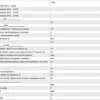
Expert BDT EA MT5 Settings Panel
⚙️ Symbol Configuration
🔹 SYMBOL_TRADE (NULL – AUTO): Defines the main trading symbol or symbols used by the EA. The default value is blank, indicating automatic symbol selection may be used, depending on the EA’s internal logic.
🔹 SYMBOL Triangular (NULL – AUTO) – First Field: Specifies the first group of symbols used for triangular arbitrage analysis. The default is blank, so automatic selection may apply.
🔹 SYMBOL Triangular (NULL – AUTO) – Second Field: Specifies the second group of symbols for analyzing price relationships between connected instruments. The default value is blank.
🔹 SYMBOL Triangular (NULL – AUTO) – Third Field: Specifies the third symbol group for triangular analysis. Leaving the field blank may allow the EA to select instruments automatically, depending on its implementation.
⚙️ Lot Size Settings
🔹 Lot % = 1.0: Sets the percentage-based lot sizing parameter. The exact calculation depends on the EA’s internal formula, so the value should not automatically be interpreted as a guaranteed 1% account risk per trade.
⚙️ Trading Entry and Spread Settings
🔹 K spread (Spread Exceedance Coefficient) = 1.0: Sets the coefficient used in the EA’s spread-related calculations. A value of 1.0 represents the configured baseline multiplier; the precise effect depends on how the EA evaluates spread conditions.
🔹 N signal (Number of Confirming Signals) = 3: Sets the number of confirming signals required by the EA. The configured value is 3, meaning three confirmations are specified before the relevant condition is accepted.
🔹 MinSpread (Minimum Spread) = 0: Sets the minimum spread threshold. The value 0 may disable a positive minimum-spread requirement or allow the EA to use its own default logic, depending on the implementation.
🔹 Step % ADR period 14 = 50.0: Sets a step parameter at 50.0 in relation to the Average Daily Range (ADR) calculated over a period of 14. The exact way this percentage determines trading distance or entry spacing depends on the EA’s algorithm.
🔹 K_Lot = 1.5: Sets a lot-sizing coefficient of 1.5. This multiplier may affect how trade volume changes between orders or trading conditions; its precise application depends on the EA’s programmed lot-sizing logic.
⚙️ Profit and Position Closing Settings
🔹 Profit % (Profit Closing as a Percentage of Deposit) = 1.0: Sets the profit target used for closing positions as a percentage of the account deposit. The configured target is 1.0%, although the exact calculation base and closing scope depend on the EA’s implementation.
🔹 Equity Close (Equity Increase for Closing All Positions as a Percentage of Deposit) = 1.0: Sets an equity-growth threshold of 1.0% of the deposit for triggering a close-all condition. This parameter is distinct from the ordinary profit target and may use account equity rather than balance.
🔹 StopAfterClose (Stop After Taking Profit) = false: Controls whether the EA stops after closing trades at a profit. With false, the stop-after-profit option is disabled, allowing the EA to continue operating if its other conditions permit.
🔹 Auto start (Automatic Start According to TimeStart) = true: Enables automatic starting based on the configured TimeStart value. The EA’s actual startup behavior depends on its schedule logic and the time reference used internally.
🔹 Min Profit (Minimum Profit for Time-Based Closing and Lock Conditions) = 0.1: Sets the minimum profit threshold to 0.1 for the relevant time-based closing or locking logic. The currency or unit is not explicitly identified in the input label.
🔹 TimeStart = 1: Sets the configured starting hour to 1. When automatic start is enabled, this value is used by the EA’s time-based operating logic.
🔹 TimeEnd = 23: Sets the configured ending hour to 23. This defines the end of the operating window according to the EA’s internal time reference.
🔹 SL (0 = Off) % ADR period 14 = 0.0: Sets the stop-loss parameter as a percentage of the ADR over 14 periods. The value 0.0 means the stop-loss setting is disabled according to the input label.
🔹 TP (0 = Auto Offset) % ADR period 14 = 0.0: Sets the take-profit parameter as a percentage of the ADR over 14 periods. The value 0.0 activates the automatic-offset behavior indicated by the parameter label.
🔹 Time Close (in minutes) = 60: Sets the time-based closing interval to 60 minutes. The EA may use this value to close qualifying positions after the specified time, subject to its minimum-profit and other closing conditions.
⚙️ Alerts, Identification, and Display Settings
🔹 AlertON = false: Enables or disables the EA’s alert function. With false, alerts controlled by this setting are disabled.
🔹 Magic (Magic Number) = 0: Sets the trade-identification magic number to 0. Magic numbers are commonly used by EAs to identify and manage their own trades; the exact implications of using 0 depend on the EA and account setup.
🔹 ScreenShot = false: Controls the screenshot function. With false, screenshot capture controlled by this parameter is disabled.
🔹 WindSize = 1.1: Sets a window-size or display-scaling parameter to 1.1. The exact visual element affected by this value depends on the EA’s interface implementation.
🔹 Plus_font_size = 0: Sets the additional font-size adjustment to 0. This indicates no additional size adjustment through this parameter, although the default font size may still be determined elsewhere in the EA.
🔢 Conclusion
Expert BDT EA MT5 provides configurable inputs for symbol selection, triangular signal confirmation, spread calculations, lot sizing, profit targets, equity-based closing, trading hours, and interface options. The default settings include 3 confirming signals, a 1.5 lot coefficient, a 1.0% profit-closing target, and a 60-minute time-close setting.
Before live deployment, the symbol fields, spread conditions, lot-sizing formula, and time-based closing rules should be verified against the broker’s instruments and the EA’s actual behavior. Testing on a demo account and checking execution costs are important steps because triangular-arbitrage opportunities can be sensitive to spreads, slippage, execution speed, and available liquidity.
User Reviews
Only logged in customers who have purchased this product may leave a review.
❓ What is Expert BDT EA?
An Expert Advisor based on triangular arbitrage. It compares prices through currency triangles and trades when several triangles confirm that an instrument is priced too high or too low.
❓ What is triangular arbitrage in Expert BDT EA?
Three pairs sharing currencies form a triangle, such as EURUSD, USDJPY and EURJPY. The price of one pair can be calculated from the other two and compared with its quote.
❓ How does Expert BDT EA decide to trade?
It finds an instrument whose price should be higher or lower by a set number of spreads (the spread ratio), and it needs at least 3 to 5 confirming triangles.
❓ Can the number of confirmations be changed in Expert BDT EA?
Yes. The number of confirmations is set in the parameters.
❓ Which instruments does Expert BDT EA analyze?
All trading instruments opened in the account's market overview. It can include currency pairs, cryptocurrencies, and combinations of cryptocurrencies and stocks.
❓ Does Expert BDT EA use Stop Loss and Take Profit?
Yes. It uses SL and TP in trading.
❓ How does Expert BDT EA close trades?
By the total profit of all open positions, or for each instrument separately.
❓ Can Expert BDT EA be tested in the Strategy Tester?
Not fully. A full test needs a huge amount of memory and long quote history for all pairs. An indirect test of 2 to 4 pairs is possible.
❓ Does Expert BDT EA need manual control?
No. The analysis, rechecking and entries run automatically.
-
 Original price was: $500.00.$249.00Current price is: $249.00.
-
 Original price was: $888.00.$249.00Current price is: $249.00.
-
 Original price was: $439.00.$249.00Current price is: $249.00.
-
 Original price was: $9,999.00.$249.00Current price is: $249.00.
-
 0Original price was: $290.00.$179.00Current price is: $179.00.
-
 0Original price was: $500.00.$199.00Current price is: $199.00.
-
 0Original price was: $430.00.$249.00Current price is: $249.00.
-
 27Original price was: $60,000.00.$239.00Current price is: $239.00.
There are no reviews yet.