




Alpha Trades EA MT5 (Latest version) - Unlimited

Subscriptions for Special Plan
- 30 EA package is more economical!
- Special package with 99%
- Download 1 EA/Day

Subscriptions for Premium Membership
- Download Unlimited in 1 Year
- Get 100% Discount
- Get free access to all

Subscriptions for Gold Membership
- 1 Year Membership
- Get 100% Discount
- Access EA+Indicator+Course
Frequently bought together 🎁
Add these products to enhance your purchase



Quick Overview
Alpha Trades EA is built for traders who want one configurable framework across many markets. It supports forex pairs, metals, commodities, indices, stocks and cryptocurrencies, with H1 as the main timeframe and H4 and D1 as alternatives.
Best For:
✅ Multi-market EA evaluators who want to compare several instruments in one framework.
✅ Traders comfortable managing series exposure and the settings that control it.
✅ Demo-first strategy testers who check order behavior and account stops before real funds.
✅ Traders who want layered controls, from spread filters to account level drawdown limits.
What is Alpha Trades EA?
Alpha Trades EA is an automated trading system designed for the MetaTrader 5 platform. It identifies volatile market conditions and manages trading positions using a customizable set of analysis and execution rules.
The system employs a regression-based analysis method and dynamic volatility filters, supports both market and pending orders, and features order-chain management alongside various capital management options. As it supports a wide range of trading assets, the system’s suitability depends on the specific asset selected, broker conditions and risk management settings.
 Vendor Website: View here
Delivery time 24h-48h after payment.
Refund if not delivered.
You will receive the current version without any limitations (ID+Time).
Alpha Trades EA MT5 Review
How Does Alpha Trades EA MT5 Work?
Adaptive Market Assessment
The EA evaluates price behavior through statistical parameters and regression analysis to estimate market direction and signal strength.
This gives a rules based decision process and not a single fixed indicator trigger.
Volatility and Spread Checks
Dynamic volatility controls and spread filtering restrict activity when execution conditions become less suitable.
They matter most on instruments with variable spreads or sharp intraday swings.
Order and Series Management
The system can use market or pending orders and manage positions as a series.
The specification describes a configurable maximum of 14 orders per series, so clustered exposure should be reviewed with care.
Flexible Position Sizing
Money management can be fixed, or calculated automatically from account balance, Stop Loss distance or volatility.
The method should match the account size and the maximum acceptable loss.
Trailing and Account Limits
Separate trailing controls exist for individual trades, order series and pending orders.
Account level profit and drawdown thresholds can stop trading when a predefined boundary is reached.
Historical Trading Results Performance
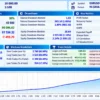
✅ Alpha Trades EA demonstrates strong long-term performance on XAUUSD H1, generating $66,756.54 net profit from a $10,000 initial deposit over seven years. With a 17.68 profit factor and just 2.95% maximum equity drawdown, the results show impressive profitability and relatively low historical drawdown.
Alpha Trades EA Backtest Results
| Parameter | Results |
|---|---|
| Initial Deposit | $10,000 |
| Total Net Profit | $66,756.54 |
| Profit Factor | 17.68 |
| Total Trades | 3,122 |
| Winning Trades | 84.88% (2,650 trades) |
| Equity Drawdown | 2.95% |
| Backtest Period | Nov 1, 2018 – Nov 1, 2025 |
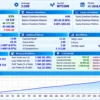
✅ Alpha Trades MT5 demonstrates strong historical performance on Bitcoin H1, generating $40,572.60 net profit from a $10,000 initial deposit over seven years. With a 14.88 profit factor and 2.03% relative equity drawdown, the results show substantial profitability with relatively low reported drawdown.
Alpha Trades MT5 Backtest Results
| Parameter | Result |
|---|---|
| Initial Deposit | $10,000 |
| Total Net Profit | $40,572.60 |
| Profit Factor | 14.88 |
| Total Trades | 2,357 |
| Winning Trades | 82.56% (1,946 trades) |
| Equity Drawdown | 2.03% |
| Backtest Period | Nov 1, 2018 – Nov 1, 2025 |
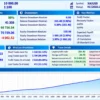
✅ Alpha Trades EA MT5 demonstrates strong historical performance on EURUSD H1, generating $90,096.62 net profit from a $10,000 initial deposit over seven years. With a 13.08 profit factor and 2.24% relative equity drawdown, the results indicate substantial profitability alongside low reported drawdown.
Alpha Trades EA MT5 Backtest Results
| Parameter | Result |
|---|---|
| Initial Deposit | $10,000 |
| Total Net Profit | $90,096.62 |
| Profit Factor | 13.08 |
| Total Trades | 5,313 |
| Winning Trades | 82.80% (4,399 trades) |
| Equity Drawdown | 2.24% |
| Backtest Period | Nov 1, 2018 – Nov 1, 2025 |
Alpha Trades MT5 Trading Strategy
🔹 Estimate the direction: regression analysis combined with market state parameters estimates direction and signal strength for the chosen instrument.
🔹 Filter the conditions: volatility and spread controls decide whether new activity is allowed.
🔹 Run a series: the specification lists Grid and trend corridor series types, so several correlated positions can build up, and total exposure matters more than a single trade.
🔹 Adapt to the market: decisions adjust to the selected instrument instead of using one identical trigger everywhere.
🔹 Test each symbol: spread, contract size, trading hours and execution behavior differ from market to market.
Key Features of Alpha Trades MT5
Adaptive Analysis Engine
Regression analysis and statistical market state parameters assess price behavior and direction, which gives the EA a more configurable framework than a single indicator system.
Multi-Asset Support
Forex pairs, metals, commodities, indices, stocks and cryptocurrencies are listed as supported categories.
Configurable Execution Modes
Market and pending orders are supported, together with fixed or automatic money management.
Layered Trade Management
Trailing options cover individual positions, pending orders and series, with limits for order count and volume.
Spread and Volatility Filters
Dynamic volatility controls and spread filtering can restrict new activity in unsuitable conditions.
Account Level Limits
Drawdown can be monitored in account currency or percentage terms, and trading can stop when a profit or drawdown threshold is reached.
How to Get the Most from Alpha Trades MT5
With this many settings, a clear testing routine is the best protection.
🔹 Start on H1: it is the main listed timeframe. H4 and D1 are also possible, but each should be tested separately because trade frequency and exposure change.
🔹 Choose an ECN or raw spread account: this is the recommendation in the product specification.
🔹 Begin with lower risk: the published recommendation is 1% to 3% risk per trade, and lower risk makes sense during the first evaluation.
🔹 Limit the series: the maximum is 14 orders, and a lower limit may be more appropriate while testing.
🔹 Set the drawdown stop early: thresholds should be fixed before live use and checked under adverse test conditions.
🔹 Validate every symbol: spread, contract size, trading hours and commissions differ for each instrument.
🔹 Study risk first: the risk management guide helps with choosing risk per trade.
Risk Management
Drawdown Boundaries
The EA can monitor drawdown in account currency or percentage terms and stop trading when a threshold is exceeded.
Thresholds should be set before live deployment and tested in bad scenarios.
Series Exposure
The maximum order count is a critical setting, because a sequence of trades can carry more exposure than the first position suggests.
A low starting lot alone does not make a series safe. A guide to Stop-loss (SL) placement gives background on limiting loss per trade.
Execution Condition Filters
Volatility and spread controls can limit new activity in poor conditions.
They should be tested against the real symbol specifications and typical spread behavior of the broker. A guide to Take-profit (TP) methods explains how exits fit into the risk picture.
What Sets It Apart
🔹 Built beyond one market: support for several asset classes lets traders evaluate different symbols in one framework, although each market still needs its own validation.
🔹 Many control points: order count limits, spread and volatility checks, trailing modes and account stops make configuration and risk review central to its use.
🔹 Flexible operating profile: H1 as the main timeframe, with H4 and D1 as options, allows a more active or a slower setup to be compared fairly.
Strengths and Limitations
Strengths
🔹 Broad configuration: multi-asset support, market and pending orders and several trailing modes.
🔹 Spread and volatility filters plus account level drawdown and profit limits.
🔹 Flexible money management, fixed or automatic.
Limitations
🔹 Series risk: series based management can accumulate correlated exposure. Total order limits, equity drawdown and stress cases need review.
🔹 Evidence needs validation: the specification explains the mechanics but gives no standardized, comparable performance record.
🔹 Per-symbol testing: every instrument needs its own checks for spread, contract size and trading hours.
🔹 No guarantees: nothing here promises profit.
Who Should Use Alpha Trades MT5?
🔹 Traders comparing multi-market systems: users who want to evaluate several instruments in one configurable MT5 framework and will test each one separately.
🔹 Users comfortable with risk settings: the series, trailing and money management controls suit traders who understand exposure and can watch how settings interact.
🔹 Demo-first evaluators: those who will check order behavior, spreads, sizing and account stops before using real funds.
🔹 Not for traders who: want a one-click system with fixed results, or who are not ready to manage series exposure.
Recommended Trading Conditions
For the best performance, the developer recommends:
| Features | Type |
|---|---|
| Trading platform | MetaTrader 5 (MT5) |
| Time frames | H1 (also possible on H4 and D1) |
| Currency pairs | Currency pairs, Metals and commodities, Stock indices, Cryptocurrencies and altcoins |
| Minimum / Recommended deposit | $100+ |
| Minimum / Recommended leverage | Any |
| Account type | ECN / Raw Spread |
| Additional services | Unlock and Decompile |
| Recommended brokers | Exness Broker, Icmarkets Broker |
| Recommended VPS | MyfxVPS.com (Blue VPS, Golden VPS). Lowest Latency, 2 week Free Trial, 100% Free for 12-18 Months. |
Product Download Package?
The download package of the product suite includes:
 Experts: Alpha Trades.ex5
 Reviewed by David Easton
Final Verdict
Alpha Trades MT5 offers a configurable, multi-market framework built around statistical analysis, volatility filtering and structured position management. The flexibility is a real advantage, and the series based design makes exposure controls especially important.
The best evaluation focuses on how order limits, sizing, spread conditions and drawdown boundaries work together, and not on headline claims. Demo testing across the intended instruments is a sensible step before live use. For experienced testers who want one framework for several markets, it is worth a close look.
🔢 Alpha Trades EA MT5 Settings: Complete Inputs Guide
Alpha Trades EA is an automated trading system designed for MetaTrader 5, with configurable parameters for price calculations, risk management, grid-based order series, trading signals, take-profit and stop-loss levels, trailing mechanisms, and execution settings. Its extensive Inputs panel allows traders to adjust how orders are opened, managed, and closed under different market conditions.
Understanding the Alpha Trades settings is essential for configuring position sizes, controlling trading exposure, and choosing suitable execution conditions. The following guide explains every visible input parameter and preserves the original default values shown in the settings panel.
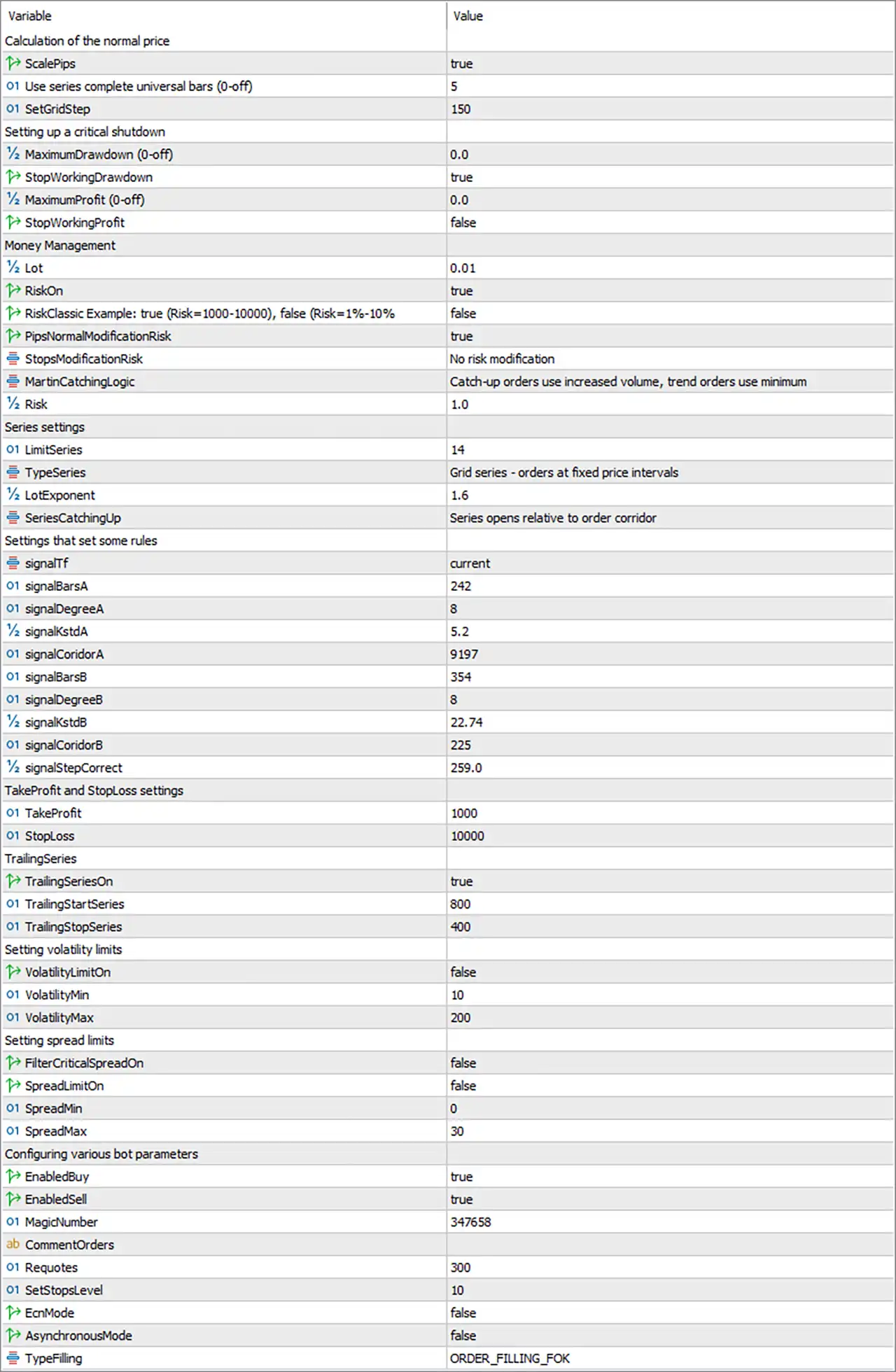
Alpha Trades EA MT5 Settings Panel
⚙️ Calculation of the Normal Price
🔹 ScalePips = true: Enables the pip-scaling option used by the EA’s price or distance calculations. The precise scaling formula depends on the implementation and may vary according to the instrument’s price precision.
🔹 Use series complete universal bars (0-off) = 5: Sets the number of bars used by the EA’s universal-bar or series-completion calculation to 5. The parameter label indicates that 0 disables this setting; the exact effect of the selected value depends on the EA’s internal logic.
🔹 SetGridStep = 150: Sets the grid-step parameter to 150. This value may determine the price distance between grid orders. Whether the distance is measured in points, pips, or another unit depends on the EA’s calculation rules and the ScalePips setting.
⚙️ Critical Shutdown Settings
🔹 MaximumDrawdown (0-off) = 0.0: Defines the maximum drawdown threshold for the EA’s critical shutdown mechanism. The value 0.0 disables this limit according to the parameter label.
🔹 StopWorkingDrawdown = true: Enables the option to stop the EA’s trading activity when the configured drawdown condition is reached. Its practical effect depends on whether a valid drawdown threshold has been configured.
🔹 MaximumProfit (0-off) = 0.0: Sets the maximum-profit threshold for the EA’s shutdown mechanism. The value 0.0 means this limit is disabled according to the input label.
🔹 StopWorkingProfit = false: Disables the option to stop working after the configured maximum-profit condition is reached. Even if a maximum-profit value is later configured, this switch is currently set to false.
⚙️ Money Management Settings
🔹 Lot = 0.01: Sets the configured lot size to 0.01. This is the displayed base lot value; the actual volume used for individual orders may also depend on the EA’s risk-management and series-management rules.
🔹 RiskOn = true: Enables the risk-management functionality controlled by the EA’s risk settings. The actual effect depends on the selected risk mode and the relationship between the Risk, Lot, and other money-management parameters.
🔹 RiskClassic Example: true (Risk=1000-10000), false (Risk=1%-10%) = false: Selects between the two risk-calculation modes described in the parameter label. The current value false selects the mode associated with a risk value expressed as 1%-10%, rather than the alternative example range of 1000-10000. The exact calculation base must be confirmed from the EA’s implementation.
🔹 PipsNormalModificationRisk = true: Enables the risk-modification option associated with normal pip-based calculations. The precise conditions under which this setting modifies risk depend on the EA’s internal money-management logic.
🔹 StopsModificationRisk = No risk modification: Selects the stop-related risk-modification mode. The current setting explicitly indicates that no risk modification is applied through this option.
🔹 MartinCatchingLogic = Catch-up orders use increased volume, trend orders use minimum: Defines the lot-sizing behavior for different types of series orders. According to the selected description, catch-up orders use increased volume, while trend orders use the minimum volume. This can create different exposure levels across a trading series.
🔹 Risk = 1.0: Sets the numerical risk parameter to 1.0. Because the selected RiskClassic Example mode is false, the setting may be interpreted in the percentage-based mode described by the input label. The exact risk calculation and whether 1.0 represents a percentage should be verified against the EA’s implementation.
⚙️ Series Settings
🔹 LimitSeries = 14: Sets the maximum series limit to 14. This defines the configured limit for orders or stages within a series, according to the EA’s series-management logic.
🔹 TypeSeries = Grid series – orders at fixed price intervals: Selects a grid-based series strategy in which orders are placed at fixed price intervals. This means the configured grid-step logic is relevant to how additional orders may be positioned.
🔹 LotExponent = 1.6: Sets the lot multiplier or exponent parameter to 1.6. This may increase order volume as a series progresses, depending on the EA’s volume-calculation formula. If applied progressively, it can cause exposure to grow quickly.
🔹 SeriesCatchingUp = Series opens relative to order corridor: Selects the series catch-up method that opens a series relative to the order corridor. The exact corridor boundaries and entry conditions depend on the EA’s internal trading rules.
⚙️ Signal Configuration Settings
🔹 signalTf = current: Sets the signal timeframe to current, meaning the EA uses the current chart timeframe for this setting, subject to its implementation.
🔹 signalBarsA = 242: Sets the number of historical bars used by signal configuration A to 242. This value may affect the amount of price history considered by the associated signal calculation.
🔹 signalDegreeA = 8: Sets the degree parameter for signal configuration A to 8. Its exact mathematical meaning depends on the signal model implemented in the EA.
🔹 signalKstdA = 5.2: Sets the K-standard-deviation-related parameter for signal A to 5.2. The value may influence the sensitivity or range of the signal calculation, depending on the EA’s formula.
🔹 signalCoridorA = 9197: Sets the corridor parameter for signal A to 9197. The parameter may define a price corridor or threshold used by the signal logic; the exact unit and interpretation are not specified in the input label.
🔹 signalBarsB = 354: Sets the number of historical bars used by signal configuration B to 354. This controls the lookback quantity for the corresponding signal calculation.
🔹 signalDegreeB = 8: Sets the degree parameter for signal configuration B to 8. Its specific effect depends on the mathematical method used by the EA’s B signal.
🔹 signalKstdB = 22.74: Sets the K-standard-deviation-related parameter for signal B to 22.74. This is a separate value from signal A and may produce different signal behavior depending on the underlying formula.
🔹 signalCoridorB = 225: Sets the corridor parameter for signal B to 225. The value is distinct from signalCoridorA = 9197, so the two signal configurations use different corridor inputs.
🔹 signalStepCorrect = 259.0: Sets the signal-step correction parameter to 259.0. It may adjust the distance or threshold used in signal calculations, although the precise adjustment method depends on the EA’s internal logic.
⚙️ Take-Profit and Stop-Loss Settings
🔹 TakeProfit = 1000: Sets the take-profit parameter to 1000. This defines the configured profit-taking distance or threshold, but the precise unit—such as points or pips—must be confirmed from the EA’s implementation and symbol specifications.
🔹 StopLoss = 10000: Sets the stop-loss parameter to 10000. This defines the configured protective stop distance or threshold. The value is substantially larger than the displayed TakeProfit = 1000, so its unit and practical effect should be checked carefully before live trading.
⚙️ Trailing Series Settings
🔹 TrailingSeriesOn = true: Enables trailing functionality for the trading series. When the required conditions are met, the EA may adjust the series’ protective or profit-locking level according to its trailing rules.
🔹 TrailingStartSeries = 800: Sets the series trailing activation threshold to 800. The trailing mechanism may begin operating once the relevant series reaches this level, measured according to the EA’s configured distance or profit units.
🔹 TrailingStopSeries = 400: Sets the trailing-stop distance or parameter for the series to 400. Its exact meaning depends on whether the EA measures this setting in points, pips, or another unit.
⚙️ Volatility Limit Settings
🔹 VolatilityLimitOn = false: Disables the volatility filter. With this setting, the EA does not apply the volatility restriction controlled by this switch, although other entry filters may remain active.
🔹 VolatilityMin = 10: Sets the minimum volatility threshold to 10. This value becomes relevant when the volatility filter is enabled and the EA evaluates whether market volatility is sufficient for trading.
🔹 VolatilityMax = 200: Sets the maximum volatility threshold to 200. When volatility filtering is enabled, this value may define the upper boundary of the permitted volatility range.
⚙️ Spread Limit Settings
🔹 FilterCriticalSpreadOn = false: Disables the critical-spread filter controlled by this parameter. The EA will not apply this specific critical-spread restriction while the switch remains false.
🔹 SpreadLimitOn = false: Disables the standard spread-limit filter. Consequently, the SpreadMin and SpreadMax thresholds are not enforced by this switch in the current configuration.
🔹 SpreadMin = 0: Sets the minimum spread threshold to 0. If the spread filter is enabled, this value may allow the minimum-spread condition to accept values from zero upward, subject to the EA’s comparison logic.
🔹 SpreadMax = 30: Sets the maximum spread threshold to 30. This may define the highest permitted spread when the corresponding spread filter is enabled. The unit and symbol-specific interpretation should be confirmed before use.
⚙️ General Expert Advisor Parameters
🔹 EnabledBuy = true: Enables buy-order functionality. The EA is permitted to open buy trades when its entry conditions and other applicable restrictions are satisfied.
🔹 EnabledSell = true: Enables sell-order functionality. The EA is permitted to open sell trades when its entry conditions and other applicable restrictions are satisfied.
🔹 MagicNumber = 347658: Assigns the magic number 347658 to identify trades managed by the EA. This helps separate its orders from trades opened by other EAs or manually, depending on the platform’s order-management logic.
🔹 CommentOrders = [blank]: Leaves the order-comment field empty. If supported by the EA, a custom comment can be entered to help identify orders in the trading terminal or account history.
🔹 Requotes = 300: Sets the parameter named Requotes to 300. This may relate to execution retry or requote handling, but the precise meaning of the value and its unit cannot be determined from the label alone.
🔹 SetStopsLevel = 10: Sets the stop-level parameter to 10. It may be used when setting or validating stop-loss and take-profit distances, but the exact unit and handling depend on the EA’s implementation and broker restrictions.
🔹 EcnMode = false: Disables the EA’s ECN-specific operating mode. The effect of this setting depends on how the EA handles order placement, stop placement, and broker execution requirements.
🔹 AsynchronousMode = false: Disables asynchronous trade-operation handling. With this setting, the EA does not use the asynchronous mode controlled by this input; the exact execution workflow depends on the EA’s implementation.
🔹 TypeFilling = ORDER_FILLING_FOK: Selects the ORDER_FILLING_FOK order-filling policy, where supported by the broker and trading instrument. FOK means Fill or Kill: an order must be filled completely under the applicable execution rules or it is canceled rather than partially filled.
🔢 Conclusion
Alpha Trades EA MT5 offers extensive controls for grid-series trading, money management, signal calculations, trailing behavior, volatility and spread filters, and order execution. The displayed configuration includes a base lot of 0.01, a series limit of 14, a lot exponent of 1.6, a take-profit value of 1000, and a stop-loss value of 10000.
Several important safeguards are currently disabled: MaximumDrawdown = 0.0, MaximumProfit = 0.0, VolatilityLimitOn = false, FilterCriticalSpreadOn = false, and SpreadLimitOn = false. Although StopWorkingDrawdown = true, the drawdown threshold itself is set to 0.0, which the input label identifies as off.
The combination of grid-based series trading and a LotExponent of 1.6 deserves particular attention because position exposure may increase as a series develops. Before live deployment, the units for grid distance, stop-loss, take-profit, spread, and trailing parameters should be verified. Demo testing, conservative position sizing, and independent drawdown controls can help assess whether the configuration is suitable for the intended account and broker.
User Reviews
Only logged in customers who have purchased this product may leave a review.
❓ What is Alpha Trades MT5?
A MetaTrader 5 Expert Advisor that combines regression based analysis, volatility and spread filters, series management and configurable money management.
❓ Which markets does Alpha Trades MT5 support?
Major and cross currency pairs, metals, commodities, stock indices, stocks and cryptocurrencies. Actual availability depends on the symbols offered by the broker.
❓ Which timeframe does Alpha Trades MT5 use?
H1 is the main timeframe, and H4 and D1 can also be used. Each choice should be tested separately, because trade frequency and exposure can change.
❓ Does Alpha Trades MT5 use order series?
Yes. The specification lists grid and trend corridor series types, so the way a selected mode adds and manages positions should be reviewed before it is enabled on a live account.
❓ How many orders can an Alpha Trades MT5 series hold?
A maximum of 14 is specified. That is a configurable exposure limit and not a recommended target, and a lower limit may suit testing better.
❓ What risk controls does Alpha Trades MT5 include?
Drawdown monitoring in currency or percentage terms, order and volume limits, spread and volatility filters, and trading stops at predefined profit or drawdown levels.
❓ Can money management be configured in Alpha Trades MT5?
Yes. Options include fixed sizing and automatic calculation based on balance, Stop Loss distance or volatility. The method should match the account's risk tolerance.
❓ Does Alpha Trades MT5 use market or pending orders?
Both. Trailing options can be configured for individual positions, order series and pending orders.
❓ Which broker account suits Alpha Trades MT5?
The specification favors ECN or raw spread accounts. Execution, spreads, contract specifications and commissions should still be checked for each instrument.
❓ Is Alpha Trades MT5 suitable for beginners?
The series logic and the number of risk settings call for a clear understanding of position sizing and drawdown. New users should start on demo with conservative parameters.
❓ Does Alpha Trades MT5 have verified performance results?
No standardized, independently comparable performance record is available in the reviewed information, so results should be verified independently.
❓ Does Alpha Trades MT5 guarantee profits?
No. Automated execution cannot remove losses, and results depend on market behavior, broker conditions, settings and implementation.
-
 Original price was: $9,999.00.$249.00Current price is: $249.00.
 -
 Original price was: $30,000.00.$249.00Current price is: $249.00.
 -
 Original price was: $30,000.00.$249.00Current price is: $249.00.
 -
 Original price was: $5,000.00.$249.00Current price is: $249.00.
-
 4Original price was: $499.00.$249.00Current price is: $249.00.
 -
 0Original price was: $1,299.00.$249.00Current price is: $249.00.
 -
 0Original price was: $290.00.$179.00Current price is: $179.00.
 -
 0Original price was: $199.00.$179.00Current price is: $179.00.
There are no reviews yet.