





Sailing Gold EA MT4 (Latest version) - Unlimited

Subscriptions for Special Plan
- 30 EA package is more economical!
- Special package with 99%
- Download 1 EA/Day

Subscriptions for Premium Membership
- Download Unlimited in 1 Year
- Get 100% Discount
- Get free access to all

Subscriptions for Gold Membership
- 1 Year Membership
- Get 100% Discount
- Access EA+Indicator+Course
Frequently bought together 🎁
Add these products to enhance your purchase




Quick Verdict
Best For
✅ Gold traders seeking automated XAUUSD trading on MetaTrader 4.
✅ Traders interested in short-term scalping strategies.
✅ Users who want adjustable fixed-lot or automatic lot sizing.
✅ Traders who prefer moving-average trend confirmation.
✅ Experienced users who can monitor drawdown and trading exposure.
Overall Rating
8.8/10 ⭐⭐⭐⭐⭐
What is Sailing Gold EA MT4?
 Vendor Website: View here
Delivery time 24h-48h after payment.
Refund if not delivered.
You will receive the current version without any limitations (ID+Time).
Sailing Gold EA MT4 Review
How Does Sailing Gold EA MT4 Work?
Market Analysis
Sailing Gold EA analyzes Gold market conditions using momentum and volatility-based logic to identify potential short-term trading opportunities.
Trend Confirmation
The optional moving average filter helps confirm market direction before trading. This may reduce some unfavorable entries but cannot eliminate false signals.
Lot Size Calculation
Traders can choose fixed lot sizing or automatic lot calculation based on the configured setting and account balance. Proper sizing helps manage exposure.
Trade Entry and Exit
The EA uses its internal trading rules to open and manage positions. Stop Loss (SL) and Take Profit (TP) settings define the intended exit levels for each trade.
Trailing Stop Management
The trailing stop adjusts protective stop levels as prices move favorably, helping manage open trades according to the selected configuration.
Trading Schedule
Users can set the trading start and end times and choose whether positions should close when the trading session ends. Broker server time should be checked.
Trade Limit Control
The maximum trade setting helps control the number of trades opened or managed by the EA. It does not guarantee a fixed maximum loss.
Key Features of Sailing Gold EA MT4
Automated Gold Trading
Sailing Gold is designed specifically for XAUUSD, using automated trading logic to identify short-term opportunities without requiring constant manual order placement.
Momentum and Volatility Analysis
The EA analyzes market momentum and volatility to identify potential trading opportunities as Gold prices move under different market conditions.
MA Trend Filter
The optional Moving Average (MA) filter helps confirm market direction before trading. Users can adjust its settings to better suit their preferred trading configuration.
Flexible Lot Sizing
Traders can choose fixed lot sizing or automatic lot calculation based on account balance and the selected setting, making position sizing more flexible.
Take Profit and Stop Loss
The EA includes take-profit and maximum stop-loss settings to manage trade exits and provide a protective limit against unfavorable price movements.
Trailing Stop Management
The trailing stop adjusts protective stop levels according to the EA’s settings, helping manage open trades as prices move in a favorable direction.
Maximum Trade Limit
The maximum trade setting helps control the number of trades managed by the EA, although it does not guarantee a specific drawdown or maximum account loss.
Adjustable Trading Hours
Users can set the EA’s operating hours and choose whether to close trades at the end of the trading session, depending on the selected configuration.
Historical Trading Results Performance
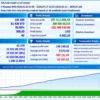
Backtest One: January to September 2026
This test uses an initial deposit of $1,000 and covers the period from January 2 to September 7, 2026. It reports positive net profit, a high profit factor, and a relatively low displayed drawdown compared with the other supplied tests.
Sailing Gold EA MT4 Backtest Results
| Performance Metric | Reported Result |
|---|---|
| Test Period | Jan 2 – Sep 7, 2026 |
| Initial Deposit | $1,000 |
| Symbol / Timeframe | XAUUSD / M5 |
| Modeling Quality | 90% |
| Net Profit | $15,204.00 |
| Profit Factor | 7.09 |
| Maximal Drawdown | 3.79% |
| Total Trades | 12,016 |
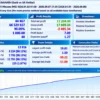
Backtest Two: January to July 2026
This test uses an initial deposit of $1,000 and covers January 2 to July 17, 2026. The reported net profit is exceptionally large relative to the initial deposit. Such a result requires detailed verification of lot sizing, account balance scaling, and the test configuration before it can be treated as a realistic performance expectation.
Sailing Gold EA Backtest Results
| Performance Metric | Reported Result |
|---|---|
| Test Period | Jan 2 – Jul 17, 2026 |
| Initial Deposit | $1,000 |
| Symbol / Timeframe | XAUUSD / M5 |
| Modeling Quality | 90% |
| Net Profit | $205,994,754.85 |
| Profit Factor | 3.78 |
| Maximal Drawdown | 1.34% |
| Relative Drawdown | 12.59% |
| Total Trades | 31,248 |
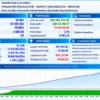
Backtest Three: January 2025 to July 2026
This longer test starts with an initial deposit of $300 and covers January 2, 2025, to July 17, 2026. It also reports extremely high net profit, making verification of the trading volume, compounding behavior, and account scaling especially important.
Sailing Gold MT4 Backtest Results
| Performance Metric | Reported Result |
|---|---|
| Test Period | Jan 2, 2025 – Jul 17, 2026 |
| Initial Deposit | $300 |
| Symbol / Timeframe | XAUUSD / M5 |
| Modeling Quality | 90% |
| Net Profit | $297,012,006.54 |
| Profit Factor | 3.93 |
| Maximal Drawdown | 1.49% |
| Relative Drawdown | 12.66% |
| Total Trades | 43,276 |
Why Sailing Gold EA MT4 Stands Out
Gold-Focused Trading Design
Sailing Gold is developed specifically for XAUUSD. Its focused design allows the trading configuration to be tailored to Gold’s price behavior rather than being presented as a general-purpose multi-market EA.
Multiple Layers of Trading Logic
The combination of momentum analysis, volatility modeling, and an optional MA trend filter provides several components for evaluating market opportunities.
The exact contribution of each component depends on the internal strategy and the selected configuration.
Flexible Position Sizing
The availability of fixed and automatic lot sizing gives users control over how trading volume is determined.
This can accommodate different account sizes, although automatic sizing still needs to be checked against acceptable risk and margin requirements.
Configurable Trade Management
Take-profit, stop-loss, and trailing parameters allow traders to adjust the intended management of open positions.
These settings provide flexibility without removing the possibility of slippage, gaps, or unexpected losses.
Risk Management Features
Flexible Lot Sizing
Sailing Gold supports fixed and automatic lot sizing, allowing traders to control position volume according to their account size and risk preferences.
Stop Loss Protection
The EA includes a maximum stop-loss setting intended to limit losses. However, slippage and sudden price movements can cause actual losses to exceed the configured level.
Trailing Stop
The trailing stop adjusts protective levels as prices move favorably, helping manage open trades and protect potential profits according to the selected settings.
Moving Average Filter
The optional moving average filter helps confirm market direction before trading. It may reduce some unfavorable entries but cannot prevent every losing trade.
Maximum Trade Limit
The maximum trade setting helps control trading activity. Traders should still monitor open positions, margin usage, and total exposure to avoid excessive risk.
Trading Schedule
Users can configure trading hours and choose whether to close positions at the end of the session. These controls help manage trading activity but do not eliminate market risk.
Weaknesses and Risk Warnings
Unusually High Backtest Profits
Some backtests show exceptionally large returns. These results should be carefully checked and should not be treated as expected live trading profits.
Version Differences
The newer version includes additional filters that may change trading frequency and results. Performance from an older version may not reflect the current version.
Gold Trading Risks
Gold prices can move sharply during volatile periods, potentially causing losses even when the EA uses automated trade management.
Execution Costs
Spreads, commissions, and slippage can reduce profits, especially with scalping strategies that target short-term price movements.
Automatic Lot Sizing Risks
Automatic position sizing can increase trading exposure as the account balance changes. Traders should verify the settings and monitor margin usage before live trading.
Recommended Trading Conditions
For the best performance, the developer recommends:
| Features | Type |
|---|---|
| Trading platform | MetaTrader 4 (MT4) |
| Time frames | Any |
| Currency pairs | XAUUSD (Gold) |
| Minimum / Recommended deposit | $300+ |
| Minimum / Recommended leverage | Any |
| Account types | ECN or Raw spread accounts |
| Product type | NoDLL |
| Additional services | Unlock and Decompile |
| Recommended brokers | Exness Broker, Icmarkets Broker |
| Recommended VPS | MyfxVPS.com (Blue VPS, Golden VPS). Lowest Latency, 2 week Free Trial, 100% Free for 12-18 Months. |
Product Download Package?
The download package of the product suite includes:
 Experts: Sailing Gold.ex5
 Reviewed by David Easton
Final Verdict
🔢 Sailing Gold EA MT4 Settings: Complete Inputs Guide
Sailing Gold EA MT4 is an automated trading system designed specifically for Gold (XAUUSD) on the MetaTrader 4 platform. Its trading approach combines momentum analysis, volatility-based market modeling, and scalping logic, with optional Moving Average (MA) filters to help identify trading opportunities. The EA’s Inputs settings allow traders to configure lot sizing, spread limits, take-profit and stop-loss levels, trailing stops, trade frequency, trend filters, and operating hours. <Cite refs={[“turn480988search0”]}/>
This guide explains all 20 visible settings in the supplied configuration, preserving the original parameter names and values.
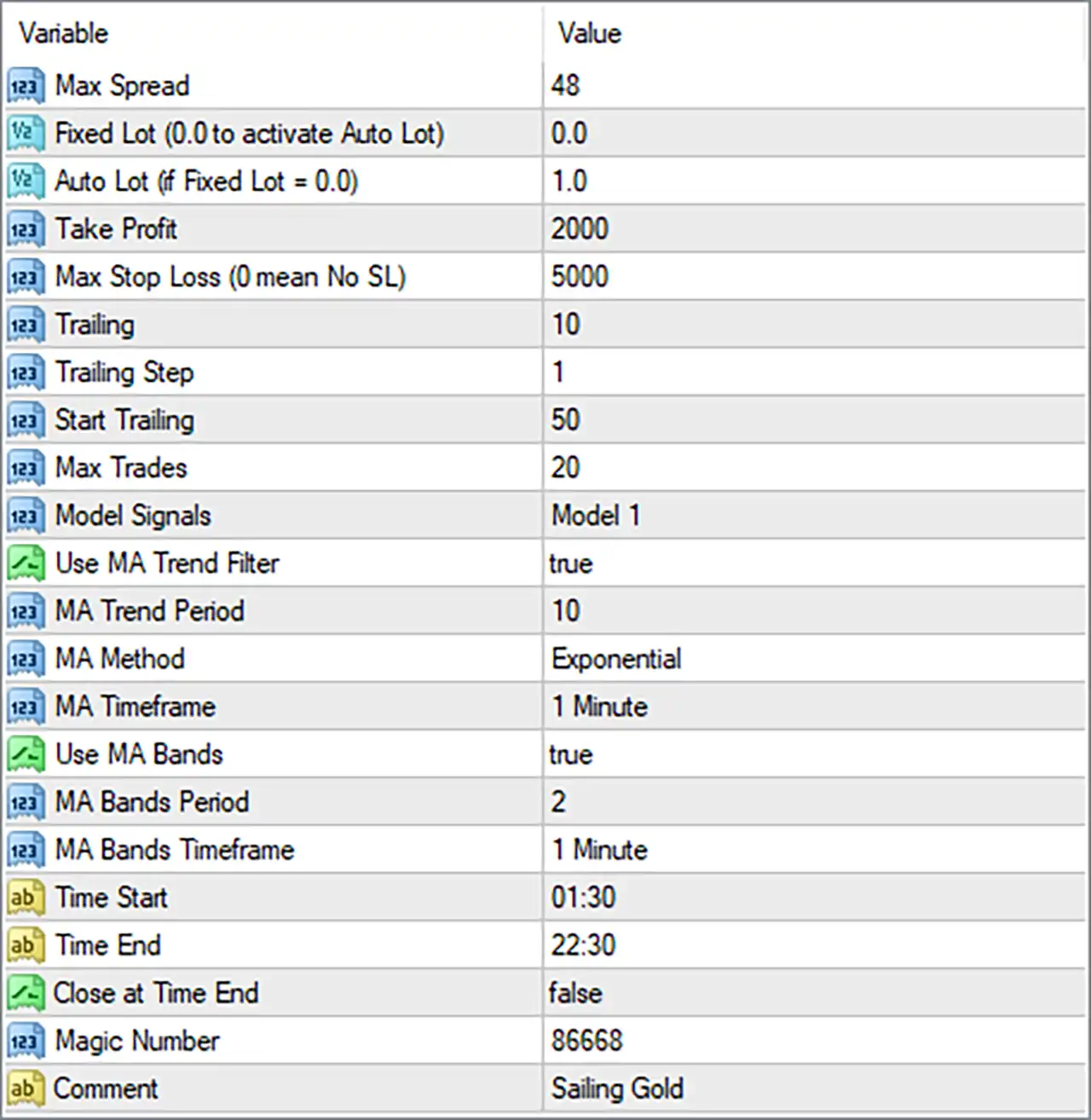
Sailing Gold EA MT4 Settings Panel
⚙️ Trading Costs and Lot Management
🔹 Max Spread = 48: Sets the maximum spread threshold to 48 points. The EA can use this value to determine whether market spread is acceptable for trading, depending on its internal filter logic. The appropriate setting depends on the broker’s spread and the number of decimal places used for XAUUSD pricing.
🔹 Fixed Lot (0.0 to activate Auto Lot) = 0.0: Sets the fixed lot size to 0.0, which activates automatic lot sizing according to the parameter label. The EA therefore uses the Auto Lot setting rather than a manually specified fixed volume.
🔹 Auto Lot (if Fixed Lot = 0.0) = 1.0: Sets the automatic lot-sizing coefficient to 1.0. According to the product’s published settings, this corresponds to approximately 0.01 lots per $1,000 balance, or 1.0 lot per $100,000 balance. Actual position size remains subject to the EA’s calculation and the broker’s volume requirements. <Cite refs={[“turn480988search0”]}/>
⚙️ Take-Profit, Stop-Loss, and Trailing Settings
🔹 Take Profit = 2000: Sets the take-profit distance to 2000 points. The EA uses this parameter to define the target distance for closing a trade in profit, subject to its trade-management logic and the instrument’s point size.
🔹 Max Stop Loss (0 mean No SL) = 5000: Sets the maximum stop-loss distance to 5000 points. The label indicates that 0 means no stop loss; the current value of 5000 therefore specifies a nonzero protective threshold. The actual distance in price terms depends on the broker’s XAUUSD pricing precision.
🔹 Trailing = 10: Sets the trailing-stop distance to 10 points. When trailing is active, this value determines the distance used by the EA to manage the stop relative to the favorable price movement, according to its internal rules.
🔹 Trailing Step = 1: Sets the trailing adjustment step to 1 point. This controls the minimum increment used when the EA updates the trailing stop, depending on its implementation.
🔹 Start Trailing = 50: Sets the trailing activation threshold to 50 points. The trailing mechanism is configured to begin operating after the relevant trade reaches this threshold, subject to the EA’s internal conditions.
⚙️ Trade Frequency and Signal Model
🔹 Max Trades = 20: Sets the maximum permitted number of trades to 20, according to the EA’s trade-limit logic. This parameter helps constrain the number of active or managed trades, although the exact counting method should be confirmed for the installed version.
🔹 Model Signals = Model 1: Selects Model 1 as the signal model. This determines which of the EA’s available signal configurations is used to identify potential trading entries. The precise differences between signal models depend on the EA’s implementation.
⚙️ Moving Average Trend Filter
🔹 Use MA Trend Filter = true: Enables the Moving Average trend filter. When active, the EA can use the selected MA settings to help assess market direction and filter potential entries according to its trend rules.
🔹 MA Trend Period = 10: Sets the Moving Average period to 10. The EA uses this period to calculate the trend indicator, with the resulting sensitivity depending on the selected MA method and timeframe.
🔹 MA Method = Exponential: Selects the Exponential Moving Average (EMA) method. An EMA gives greater weight to more recent prices than a Simple Moving Average (SMA), allowing it to respond more quickly to recent price changes.
🔹 MA Timeframe = 1 Minute: Sets the trend-filter timeframe to 1 Minute (M1). The Moving Average is therefore calculated using data from the one-minute chart, regardless of the chart timeframe on which the EA is attached, provided the EA supports separate timeframe calculations.
⚙️ Moving Average Bands Settings
🔹 Use MA Bands = true: Enables the MA Bands filter. This feature adds a band-based condition to the EA’s trading logic, although the exact band calculation and how it affects entries depend on the programmed strategy.
🔹 MA Bands Period = 2: Sets the MA Bands period to 2. This short period can make the band calculation responsive to recent price changes. Its exact effect depends on how the EA calculates and applies the bands.
🔹 MA Bands Timeframe = 1 Minute: Sets the MA Bands timeframe to 1 Minute (M1). The band calculation therefore uses one-minute market data, subject to the EA’s internal implementation.
⚙️ Trading Schedule
🔹 Time Start = 01:30: Sets the configured trading start time to 01:30. The EA can use this value to determine when new trading activity is allowed, according to its schedule logic and time reference.
🔹 Time End = 22:30: Sets the configured trading end time to 22:30. This defines the end of the specified trading window. The effective schedule depends on whether the EA uses broker-server time or another time reference.
🔹 Close at Time End = false: Disables the option to close trades automatically at the configured end time. With this setting, reaching 22:30 does not activate closing through this particular option, although other exit rules can still close positions.
⚙️ Order Identification and Comments
🔹 Magic Number = 86668: Assigns the magic number 86668 to identify trades managed by the EA. This helps distinguish the EA’s trades from manually opened positions or trades belonging to other expert advisors, depending on the order-management implementation.
🔹 Comment = Sailing Gold: Sets the order comment to Sailing Gold. Where supported by the broker and EA, this text can appear in trade records and help identify orders created by this system.
🔢 Conclusion
Sailing Gold EA MT4 provides configurable controls for automatic position sizing, spread conditions, trade exits, trailing stops, signal selection, Moving Average filters, and trading hours. The supplied configuration uses automatic lot sizing with Fixed Lot = 0.0 and Auto Lot = 1.0, a take-profit distance of 2000 points, a maximum stop-loss distance of 5000 points, and a maximum trade setting of 20.
Both the MA trend filter and MA Bands are enabled, using a 10-period Exponential Moving Average on the 1 Minute timeframe and a bands period of 2. The configured trading window runs from 01:30 to 22:30, while automatic closing at the end time is disabled.
Before live deployment, the spread threshold, lot-sizing calculation, and all point-based distances should be checked against the broker’s XAUUSD pricing precision. The default settings should not be assumed to guarantee profitability or limit losses to a fixed amount. Demo testing and careful monitoring of exposure are recommended before trading with real funds.
User Reviews
Only logged in customers who have purchased this product may leave a review.
❓ What is Sailing Gold EA MT4 designed for?
Sailing Gold EA MT4 is a fully automated trading system designed exclusively for Gold (XAUUSD) on MetaTrader 4. It combines momentum analysis, volatility modeling, and scalping logic to identify trading opportunities.
❓ How does Sailing Gold EA MT4 identify trading opportunities?
Sailing Gold EA MT4 uses momentum analysis, volatility-based market modeling, and an optional Moving Average trend filter to help identify potential entries and reduce low-quality trades during unfavorable market conditions.
❓ Does Sailing Gold EA MT4 support automatic lot sizing?
Yes. Sailing Gold EA MT4 supports both fixed lot sizing and automatic lot sizing. Setting Fixed Lot to zero activates the Auto Lot option, while a positive Fixed Lot value allows a manual trading volume to be specified.
❓ What account balance is recommended for Sailing Gold EA MT4?
Sailing Gold EA MT4 recommends a minimum account balance of $300. The actual trading risk also depends on the selected lot size, market conditions, and the EA's trade management settings.
❓ Which timeframe is suitable for Sailing Gold EA MT4?
Sailing Gold EA MT4 can be attached to any chart timeframe. Its Moving Average trend filter is configured to use the M1 timeframe by default, independently of the chart timeframe.
❓ How does the Moving Average filter work in Sailing Gold EA MT4?
Sailing Gold EA MT4 includes an optional trend filter using a 10-period Exponential Moving Average on M1. The filter helps align trades with the prevailing trend, and MA Bands are enabled in the supplied settings.
❓ What are the recommended spread conditions for Sailing Gold EA MT4?
Sailing Gold EA MT4 recommends ECN or Raw Spread accounts with spreads below 35 points. The Max Spread setting should be higher than the instrument's average spread, with a suggested range of 30 to 50 points.
❓ How does the Trailing Stop work in Sailing Gold EA MT4?
Sailing Gold EA MT4 uses a trailing distance of 10 points, a trailing step of 1 point, and a starting trailing threshold of 50 points in the supplied configuration. These settings control when trailing begins and how the Stop Loss follows price.
❓ What are the trading hours of Sailing Gold EA MT4?
Sailing Gold EA MT4 is configured to trade from 01:30 to 22:30. The Close at Time End option is enabled, allowing the EA to close trades at the end of its configured trading period.
❓ How many trades can Sailing Gold EA MT4 open?
Sailing Gold EA MT4 has a Max Trades setting of 20. This is the configured trade limit, although the exact counting and position-management behavior depends on the EA's internal implementation.
-
 Original price was: $500.00.$249.00Current price is: $249.00.
-
 Original price was: $888.00.$249.00Current price is: $249.00.
-
 Original price was: $439.00.$249.00Current price is: $249.00.
-
 Original price was: $9,999.00.$249.00Current price is: $249.00.
-
 0Original price was: $500.00.$199.00Current price is: $199.00.
-
 1Original price was: $699.00.$249.00Current price is: $249.00.
-
 27Original price was: $60,000.00.$239.00Current price is: $239.00.
-
 1Original price was: $1,000.00.$599.00Current price is: $599.00.
There are no reviews yet.