




SFire Gold EA MT4 (Latest version) - Unlimited

Subscriptions for Special Plan
- 30 EA package is more economical!
- Special package with 99%
- Download 1 EA/Day

Subscriptions for Premium Membership
- Download Unlimited in 1 Year
- Get 100% Discount
- Get free access to all

Subscriptions for Gold Membership
- 1 Year Membership
- Get 100% Discount
- Access EA+Indicator+Course
Frequently bought together 🎁
Add these products to enhance your purchase


Quick Overview
SFire Gold EA is a grid trading system for MetaTrader 4. It places buy and sell trades at predefined price intervals and adjusts its grid levels to market conditions and the chosen risk settings.
Around that core sit several managing tools: lot sizes calculated from the account balance and a risk level, spike detection, a grid recovery mode, stop loss, take profit, trailing stop and breakeven, and on-chart buttons for manual action.
Best For:
✅ Traders who like grid strategies and understand how grid exposure builds.
✅ Gold and volatile market traders looking for an automated approach.
✅ Cent account users who want to start with small real balances.
✅ Users who want manual buttons next to automation.
What Is SFire Gold EA MT4?
SFire Gold EA is an Expert Advisor (EA) for MetaTrader 4. Its strategy is grid based: it opens trades in both directions at predefined price steps and manages them as a group.
The author describes it as suited to markets with high volatility. Dynamic lot sizing and several risk levels allow it to fit different account sizes and trading styles.
Because the strategy relies on a grid and a recovery mode, risk control is a central part of using it, and not an extra.
 Vendor Website: View here
Delivery time 24h-48h after payment.
Refund if not delivered.
You will receive the current version without any limitations (ID+Time).
SFire Gold EA MT4 Review
How Does SFire Gold EA MT4 Work?
Grid Trading Strategy
The EA opens buy and sell trades at predefined price intervals. It adjusts the grid levels dynamically in response to market conditions and the risk settings.
Dynamic Lot Sizing
Lot size is calculated from the account balance and the chosen risk level.
The EA keeps each lot within the broker’s minimum and maximum limits, and a scaling mechanism raises the maximum lot as the balance grows.
Spike Detection
The EA detects sudden price spikes and opens a buy or a sell according to the direction of the spike. Flags prevent repeated trades during the same spike.
Grid Recovery
A recovery mode manages losing trades and tries to win back losses. The number of trades at the maximum lot is limited to avoid overexposure.
Profit and Loss Management
Total profit and loss are tracked for buy and sell trades separately. Overlap logic closes trades when set profit or loss thresholds are met.
Manual Control
On-chart buttons allow manual buy and sell orders, lot size changes and closing all trades.
Historical Trading Results Performance
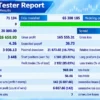
✅ SFire Gold EA demonstrates solid backtest performance, generating $23,403.64 net profit from a $20,000 initial deposit across 3,481 trades. With a 3.12 profit factor and 11.98% relative drawdown, the results indicate strong profitability with comparatively moderate risk.
SFire Gold EA MT4 Backtest Results
| Parameter | Results |
|---|---|
| Initial Deposit | $20,000 |
| Total Net Profit | $23,403.64 |
| Profit Factor | 3.12 |
| Total Trades | 3,481 |
| Winning Trades | 84.72% |
| Relative Drawdown | 11.98% |
| Maximum Drawdown | 7.39% |
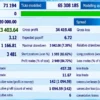
✅ SFire Gold EA delivers strong backtest profitability, generating $126,658.90 net profit from a $20,000 initial deposit across 3,448 trades. With a 4.26 profit factor and an 85.03% winning-trade ratio, performance is promising, although the 25.61% relative drawdown indicates considerable risk exposure.
SFire Gold EA Backtest Results
| Parameter | Result |
|---|---|
| Initial Deposit | $20,000 |
| Total Net Profit | $126,658.90 |
| Profit Factor | 4.26 |
| Total Trades | 3,448 |
| Winning Trades | 85.03% |
| Relative Drawdown | 25.61% |
| Maximum Drawdown | 16.73% |
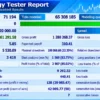
✅ SFire Gold EA generated $1,062,911.58 net profit from a $20,000 initial deposit across 3,419 trades. With a 5.85 profit factor and an 85.02% winning-trade ratio, the results show strong profitability, although the 51.71% relative drawdown highlights substantial risk exposure.
SFire Gold EA MT4 Backtests Results
| Parameter | Result |
|---|---|
| Initial Deposit | $20,000 |
| Total Net Profit | $1,062,911.58 |
| Profit Factor | 5.85 |
| Total Trades | 3,419 |
| Winning Trades | 85.02% |
| Relative Drawdown | 51.71% |
| Maximum Drawdown | 22.35% |
Key Features of SFire Gold EA MT4
Grid Trading Engine
Buy and sell trades at predefined intervals, with grid levels that adjust to conditions and risk settings.
Dynamic Lot Sizing
Lots follow the account balance and risk level, respect broker limits and scale up through a dynamic maximum lot as the balance grows.
Five Risk Levels
Extra Low, Low, Medium, High and Extra High levels set the overall risk profile.
Complete Trade Protection
Stop Loss (SL), Take Profit (TP), Trailing stop and Breakeven mechanisms help manage trades.
Spike Detection
Sudden price spikes can trigger trades, with flags to stop repeated entries.
Grid Recovery Mode
Works on losing trades and limits the number of trades at the maximum lot.
Overlap Logic
Closes trades when profit and loss thresholds are met across the basket.
On-Chart Buttons
Manual buy, sell, lot adjustment and close all actions.
Customizable Inputs
Grid step size, lot multipliers, risk levels and more can be configured.
How to Get the Most from SFire Gold EA MT4
A grid system is only as safe as the way it is set up. These habits matter most.
🔹 Follow the recommended account size: the author suggests a cent account with 20,000 cents, which keeps lot sizes small while the behavior is learned.
🔹 Start with a low risk level: Extra Low or Low gives room to watch how the grid grows.
🔹 Ask for the settings file: the author states that it is available, and it gives a tested starting point.
🔹 Test on demo first: watch the grid, the recovery mode and the maximum lot cap in different market conditions.
🔹 Watch equity and margin: floating losses on a grid can grow faster than closed profit shows.
🔹 Know the manual buttons: closing all trades quickly can be the right decision in a strong one-way move.
🔹 Study risk first: the risk management guide helps with choosing risk per account.
SFire Gold EA MT4 Risk Management
Grid Exposure
A grid opens more trades as price moves against the basket. In a strong, one way trend, exposure and floating loss can build quickly.
Wider steps and lower risk levels slow this growth, and they do not remove it.
Recovery Mode
Recovery tries to win back losses, and recovery methods can raise exposure while the market is still moving against the position.
The cap on trades at the maximum lot is a safeguard, not a guarantee. A guide to stop-loss placement gives background on limiting loss.
Dynamic Maximum Lot
Lot limits that grow with the balance also grow the possible loss.
Risk level and account size should be reviewed again whenever the balance changes much.
Volatility and Spikes
Spike entries react to fast moves, and fast moves can reverse. Spread, slippage and broker rules affect spike trades.
A guide to take-profit methods explains how exits fit into the plan.
What Sets It Apart
🔹 A full set of management tools: stop loss, take profit, trailing stop, breakeven and overlap logic work together.
🔹 Five clear risk levels: the account profile can be matched to the trader.
🔹 Manual control: on-chart buttons allow intervention without stopping the EA.
🔹 Spike reaction: the EA reacts to sudden moves as well as running its regular grid.
Strengths and Limitations
Strengths
🔹 Flexible grid with adjustable step size and lot multipliers.
🔹 Dynamic lot sizing within broker limits.
🔹 Several protection tools and basket closing logic.
🔹 Manual buttons and an available settings file.
Limitations
🔹 Grid risk: exposure and floating loss can grow quickly in strong trends.
🔹 No guarantees: nothing here promises profit.
🔹 Recovery risk: loss recovery can increase exposure while the market keeps moving against the position.
🔹 No published results: no backtest or live record is part of the information.
🔹 Account size matters: the author recommends a cent account, so larger standard accounts need careful lot control.
Who Should Use SFire Gold EA MT4?
🔹 Grid strategy traders: users who understand grid exposure and accept its risks.
🔹 Cent account users: traders who want to begin with small balances and learn the behavior.
🔹 Hands-on traders: people who like to watch the account and use the manual buttons when needed.
🔹 Not for traders who: want a no-risk system, cannot tolerate floating drawdown or plan to run high risk on a small account.
Recommended Trading Conditions
For the best performance, the developer recommends:
| Features | Type |
|---|---|
| Trading platform | MetaTrader 4 (MT4) |
| Time frames | Any |
| Currency pairs | XAUUSD & FX Pairs |
| Minimum / Recommended deposit | 20,000 Cent |
| Minimum / Recommended leverage | 1:50+ |
| Account types | Any |
| Product type | NoDLL |
| Additional services | Unlock and Decompile |
| Recommended brokers | Exness Broker, Icmarkets Broker |
| Recommended VPS | MyfxVPS.com (Blue VPS, Golden VPS). Lowest Latency, 2 week Free Trial, 100% Free for 12-18 Months. |
Product Download Package?
The download package of the product suite includes:
 Experts: SFire Gold EA.ex5
 Reviewed by David Easton
Final Verdict
SFire Gold EA is a feature rich grid system. It combines dynamic lot sizing, five risk levels, spike detection, recovery logic and manual controls in one MetaTrader 4 package, and the author backs it with a suggested account size and a settings file.
Grid and recovery strategies carry a special risk, and the way they are set up decides the outcome. Starting on demo, using a low risk level and watching equity closely are the sensible first steps. For traders who understand grids and respect their risks, it is worth testing.
🔢 SFire Gold EA MT4 Settings: Complete Inputs Guide
SFire Gold EA MT4 is an automated trading system designed for MetaTrader 4 that uses grid-based trading, dynamic lot sizing, and recovery logic to manage buy and sell positions. Its configurable inputs control trading direction, risk level, order spacing, volume multipliers, take-profit and stop-loss settings, trailing stops, and drawdown restrictions. The EA also includes options for limiting exposure when trades reach the maximum lot size.
Understanding these settings is essential because grid trading and recovery mechanisms can increase market exposure when prices move against open positions. The following guide explains every parameter shown in the supplied settings panel, preserving the original names and values.
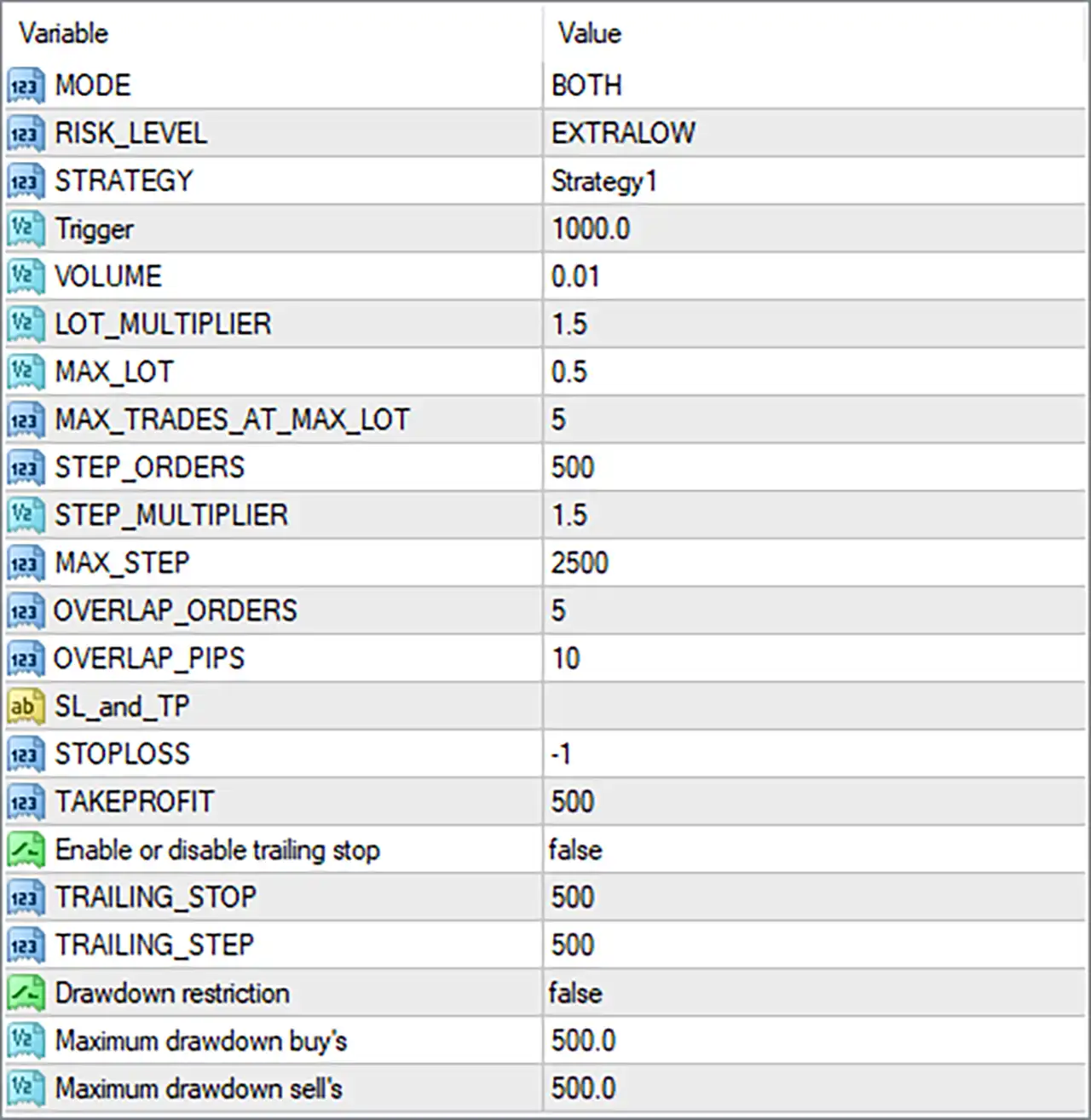
SFire Gold EA MT4 Settings Panel
⚙️ Trading Mode and Strategy
🔹 MODE = BOTH: Allows the EA to operate in both buy and sell directions. Depending on its trading logic, it can open buy positions and sell positions when the corresponding entry conditions are satisfied.
🔹 RISK_LEVEL = EXTRALOW: Selects the EXTRALOW risk preset. This indicates the lowest named risk category available in the displayed configuration, although the actual lot sizing and exposure depend on the EA’s internal risk calculations.
🔹 STRATEGY = Strategy1: Selects Strategy1 as the active trading strategy. The specific entry rules and differences between available strategies depend on the EA’s implementation.
🔹 Trigger = 1000.0: Sets the trigger threshold to 1000.0. This value may determine when the EA activates a particular trading or price-movement condition, but the exact trigger event and measurement unit are not specified in the input label.
⚙️ Lot Sizing and Exposure Limits
🔹 VOLUME = 0.01: Sets the base trading volume to 0.01 lots. This is the initial volume parameter; subsequent order sizes may change according to the lot multiplier and recovery rules.
🔹 LOT_MULTIPLIER = 1.5: Sets the lot multiplier to 1.5. If the EA applies this multiplier to successive orders, each increased-volume order may be 1.5 times the previous applicable volume, subject to the maximum lot cap and other restrictions.
🔹 MAX_LOT = 0.5: Sets the maximum permitted lot size to 0.5 lots. This cap is intended to restrict the volume of individual orders or the relevant lot-sizing process, according to the EA’s internal rules.
🔹 MAX_TRADES_AT_MAX_LOT = 5: Sets the maximum number of trades allowed at the maximum lot size to 5. This helps limit the number of positions held at the volume cap, although it does not necessarily limit total account exposure to five trades overall.
⚙️ Grid Step and Order Spacing
🔹 STEP_ORDERS = 500: Sets the order-step parameter to 500. This value may define the spacing between grid orders or the price movement required before an additional order is considered. The exact unit, such as points or pips, depends on the EA’s calculation.
🔹 STEP_MULTIPLIER = 1.5: Sets the grid-step multiplier to 1.5. If applied progressively, the distance between later orders may increase by a factor of 1.5, depending on the EA’s grid logic.
🔹 MAX_STEP = 2500: Sets the maximum step parameter to 2500. This may cap the distance used by the grid-spacing calculation. The exact unit and whether the cap applies to every order interval should be verified against the EA’s implementation.
🔹 OVERLAP_ORDERS = 5: Sets the overlap-order parameter to 5. This controls the number of orders considered by the EA’s overlap logic, which may coordinate or manage positions opened within overlapping price areas.
🔹 OVERLAP_PIPS = 10: Sets the overlap-distance parameter to 10 pips. This may define the price-distance threshold used to determine whether orders or price areas overlap, according to the EA’s internal rules.
⚙️ Stop-Loss and Take-Profit Settings
🔹 SL_and_TP = [blank]: This is a section heading for the stop-loss and take-profit parameters rather than an independent setting with a value. The actual exit-related inputs are configured below it.
🔹 STOPLOSS = -1: Sets the stop-loss parameter to -1. This is a special value whose exact meaning depends on the EA’s implementation; it should not automatically be interpreted as a disabled stop loss without confirming the software’s rules.
🔹 TAKEPROFIT = 500: Sets the take-profit parameter to 500. This defines the configured profit target or distance used by the EA. Whether the value is measured in points, pips, or another unit depends on the strategy’s implementation and the broker’s symbol specifications.
⚙️ Trailing Stop Settings
🔹 Enable or disable trailing stop = false: Disables the trailing-stop feature. The EA will not use the trailing mechanism controlled by this switch while it remains false, although other exit-management rules may still operate.
🔹 TRAILING_STOP = 500: Sets the trailing-stop distance or threshold to 500. This value is currently inactive under the disabled trailing-stop switch, unless the EA uses it for another internal purpose.
🔹 TRAILING_STEP = 500: Sets the trailing adjustment step to 500. It determines the configured increment for trailing-stop updates when that functionality is enabled, subject to the EA’s internal logic and distance units.
⚙️ Drawdown Restrictions
🔹 Drawdown restriction = false: Disables the drawdown restriction feature. The EA will not apply the drawdown limits controlled by this switch while it remains false.
🔹 Maximum drawdown buy’s = 500.0: Sets the maximum drawdown threshold for buy-side positions to 500.0. This parameter may be used to restrict or manage losses associated with buy trades when drawdown protection is enabled. The measurement unit—such as account currency, points, or another value—must be confirmed.
🔹 Maximum drawdown sell’s = 500.0: Sets the maximum drawdown threshold for sell-side positions to 500.0. This is a separate threshold for sell positions, allowing the EA to evaluate sell-side drawdown independently if the restriction feature is enabled.
🔢 Conclusion
SFire Gold EA MT4 provides a configurable grid-trading framework with separate controls for trading direction, risk presets, base volume, lot multiplication, order spacing, overlapping positions, and exit management. The supplied configuration uses MODE = BOTH, RISK_LEVEL = EXTRALOW, VOLUME = 0.01, LOT_MULTIPLIER = 1.5, and MAX_LOT = 0.5.
Several important protections are currently disabled. Enable or disable trailing stop = false means trailing-stop management is inactive, while Drawdown restriction = false disables the drawdown restrictions controlled by that switch. The meaning of STOPLOSS = -1 should also be confirmed before assuming that every trade has an active protective stop.
Grid and recovery strategies can accumulate multiple positions as prices move against the initial trade. Before using this configuration on a live account, verify the distance units, test the maximum exposure under adverse market conditions, and use independent account-level risk controls. Demo testing is recommended before live deployment.
User Reviews
Only logged in customers who have purchased this product may leave a review.
❓ What is SFire Gold EA and how does it work?
SFire Gold EA is an automated trading system that uses a grid-based strategy to open buy and sell trades at predefined price intervals. It adjusts grid levels according to market conditions and configured risk settings.
❓ Does SFire Gold EA use a grid trading strategy?
Yes. SFire Gold EA uses grid trading to manage multiple positions at different price levels. Its grid recovery feature is designed to manage losing trades and attempt to recover losses.
❓ How does SFire Gold EA calculate lot sizes?
SFire Gold EA uses dynamic lot sizing based on account balance and risk settings. It also respects broker minimum and maximum lot limits and includes a scaling mechanism that can increase lot sizes as the account balance grows.
❓ What risk levels are available in SFire Gold EA?
SFire Gold EA supports five risk profiles: Extra Low, Low, Medium, High, and Extra High. These options allow traders to select a risk level according to their preferred trading approach.
❓ Does SFire Gold EA include Stop Loss and Take Profit?
Yes. SFire Gold EA includes Stop Loss, Take Profit, Trailing Stop, and Break-Even mechanisms to help manage trades and protect profits according to the configured settings.
❓ How does spike detection work in SFire Gold EA?
SFire Gold EA detects sudden price spikes and can execute buy or sell trades according to the spike direction. Internal flags help prevent repeated trade executions during the same spike event.
❓ What is the grid recovery feature in SFire Gold EA?
SFire Gold EA includes a grid recovery mode designed to manage losing positions and attempt to recover losses. It also limits the number of trades opened at the maximum lot size to help control exposure.
❓ Can traders control SFire Gold EA manually?
Yes. SFire Gold EA provides on-chart buttons for manually opening buy or sell trades, adjusting lot sizes, and closing all trades. This allows traders to perform selected actions directly from the chart.
❓ How does SFire Gold EA manage overall profit and loss?
SFire Gold EA tracks profit and loss separately for buy and sell trades. Its overlap logic can close trades when specified profit or loss thresholds are reached.
❓ What account size is recommended for SFire Gold EA?
The supplied description recommends running SFire Gold EA on a 20,000-cent account. The EA also supports dynamic lot sizing and multiple risk levels, but the appropriate configuration depends on the account balance and chosen risk profile.
-
 Original price was: $500.00.$249.00Current price is: $249.00.
-
 Original price was: $888.00.$249.00Current price is: $249.00.
-
 Original price was: $439.00.$249.00Current price is: $249.00.
-
 Original price was: $9,999.00.$249.00Current price is: $249.00.
-
 4Original price was: $499.00.$249.00Current price is: $249.00.
-
 0Original price was: $199.00.$179.00Current price is: $179.00.
-
 1Original price was: $1,299.00.$249.00Current price is: $249.00.
-
 2Original price was: $990.00.$599.00Current price is: $599.00.
There are no reviews yet.