


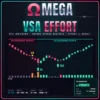
Omega VSA Effort Indicator MT5
Omega VSA Effort reads every bar the way Volume Spread Analysis does: volume, spread and close together. It marks graded signs of strength and weakness, flags Effort vs Result anomalies and explains each bar in plain words on a VSA Score dashboard.
Frequently bought together 🎁
Add these products to enhance your purchase


Quick Overview
Omega VSA Effort Indicator MT5 shows whether professional money is buying or selling behind each bar, so you stop trusting moves that have no real volume behind them. It reads volume, spread and close together, marks graded signs of strength and weakness, and explains the current bar in plain words.
Best for:
✅ Traders who use Volume Spread Analysis or the Wyckoff method.
✅ Traders who want to confirm breakouts and reversals with volume.
✅ Swing traders looking for climaxes, tests and upthrusts at key levels.
✅ Beginners who want to learn VSA with clear labels and explanations.
What Is Omega VSA Effort?
Omega VSA Effort is a VSA indicator MT5 traders use to read supply and demand from price and volume. Volume Spread Analysis compares how much was traded (volume), how far price moved (spread) and where the bar closed, to see who is really in control. Developed by EA FX Store for MetaTrader 5, it turns these rules into graded signals and a dashboard, and it is part of our Indicator collection. It does not open trades.
Key Features of Omega VSA Effort Indicator MT5
14 graded VSA signals
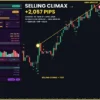
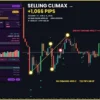
Signs of Strength (Selling Climax, Stopping Volume, Shakeout, Test, No Supply and more) appear as green arrows below the bar. Signs of Weakness (Buying Climax, Upthrust, End of Rising Market, No Demand and more) appear as red arrows above. Each signal is graded 1 to 3, so the strongest events stand out.
Effort vs Result detection
A gold dot marks E>R, heavy volume that barely moves price (often absorption), and R>E, a wide bar on light volume (often a fake move).
Volume-coloured candles
Candles turn aqua or orange on ultra volume, green or red on high volume, and grey on low volume. You see where the big effort happened without opening a volume window.
VSA background and VSA Score
Every signal feeds a rolling background that reads STRENGTH, WEAKNESS or NEUTRAL. The VSA Score from 0 to 100 combines it with the trend and recent signals: BULLISH, NEUTRAL or BEARISH.
Plain-language bar reading
The dashboard describes the live bar in one sentence, such as “High volume stops the decline: Stopping Volume”, next to a 30-bar volume histogram and SOS / SOW / ND / NS counters.
Alerts and Telegram
Get a pop-up, push, sound or Telegram message when a strength or weakness signal of the grade you choose appears.
Omega VSA Effort Indicators Review
How Does Omega VSA Effort Work?
🔹 Volume: each bar’s volume is compared with its 20-bar average and classed from V.LOW to ULTRA.
🔹 Spread: the bar’s range is compared with ATR (how far price usually moves in one bar) and called WIDE, AVG or NARROW.
🔹 Close and context: where the bar closed, the trend and any 20-bar high or low complete the picture.
🔹 Signals: fixed VSA rules turn these facts into graded signals on closed bars only.
🔹 Bias: signals add up into the VSA background, which fades over time so recent bars matter most.
How to Trade with Omega VSA Effort Indicator MT5
VSA works best when a signal appears at an extreme and the next bars confirm it. Use the steps below as a starting point and test them on a demo account first.
BUY setup
🔹 Step 1: after a decline, look for a grade 2-3 strength signal such as SC (Selling Climax), SV (Stopping Volume) or SO (Shakeout).
🔹 Step 2: wait for confirmation: a TEST or NS (No Supply) on low volume in the following bars.
🔹 Step 3: buy when the VSA background turns STRENGTH and the VSA Score reads BULLISH.
🔹 Take Profit: at the next resistance, or when weakness signals such as ND or UT appear. See our take profit guide.
🔹 Stop Loss: below the low of the climax or test bar. More in how to set a stop loss.
SELL setup
🔹 Step 1: after a rally, look for BC (Buying Climax), UT (Upthrust) or EORM (End of Rising Market).
🔹 Step 2: wait for ND (No Demand) on low volume in the following bars.
🔹 Step 3: sell when the background turns WEAKNESS and the score reads BEARISH.
🔹 Take Profit: at the next support, or when SV or NS appear.
🔹 Stop Loss: above the high of the climax or upthrust bar.
🔹 Skip the trade: when strength and weakness signals alternate in a tight range, or when an E>R or R>E dot appears without a follow-up signal.
Omega VSA Effort MT5 Review
Omega VSA Effort Indicator Review
What Makes It Different
🔹 Full VSA vocabulary: not just high-volume bars, but the named events VSA traders actually look for.
🔹 Grades instead of noise: you decide whether to see every clue or only the major events.
🔹 Teaches while you trade: codes, names and the reading line explain why each bar matters.
🔹 Works without real volume: built for tick volume on Forex, with real volume as an option for stocks and futures.
Recommended Trading Conditions
The indicator runs on MetaTrader 5 with any symbol, including Forex, gold, indices, crypto and stocks, and processes the last 3000 bars by default.
| Trading style | Timeframe | Focus |
|---|---|---|
| Intraday | M15 – H1 | Tests, No Supply / No Demand and Upthrusts near session highs and lows |
| Swing | H4 – D1 | Climaxes and Stopping Volume at major turning points |
| Fast charts | M1 – M5 | Grade 2-3 signals only, to cut noise |
Limitations and Risk Warnings
🔹 Tick volume: on Forex the indicator uses tick volume, which approximates real traded volume.
🔹 Context matters: a single signal is a clue, not a trade; VSA expects confirmation from the next bars.
🔹 Choppy markets: in tight ranges strength and weakness signals can alternate quickly.
🔹 Closed bars only: signals appear when the bar closes, not during the bar.
🔹 Risk first: always use a stop loss and sensible position size. Read our risk management tips.
Who Should Use Omega VSA Effort Indicator MT5?
🔹 VSA and Wyckoff traders: get the classic events marked and graded automatically.
🔹 Swing traders: catch climaxes and tests at turning points; see more swing trading tools for MT5.
🔹 Breakout traders: check whether a breakout has real effort or is a likely upthrust.
🔹 Beginners: learn how volume and price work together with clear labels.
🔹 Not the right tool if: you want automatic trading or signals that ignore volume.
Download Package
✅ Indicator: OmegaVSAEffort_v1.0.ex5
✅ Product Guide: Omega_VSA_Effort_Product_Guide.pdf
✅ Inputs Guide: Omega_VSA_Effort_Inputs_Guide.pdf
Final Verdict
Omega VSA Effort brings the full Volume Spread Analysis toolkit to MetaTrader 5. Graded signals, volume-coloured candles and a plain-language dashboard show who is in control and whether a move has real effort behind it.
Pick your licence above, join our Telegram channel for updates, and explore more volume and volatility tools for MT5.
Installation
🔹 Step 1: in MetaTrader 5, open File > Open Data Folder and copy the .ex5 file into MQL5Indicators.
🔹 Step 2: go to Tools > Options > Expert Advisors and tick “Allow DLL imports” (needed for the licence check, Telegram and the dashboard buttons).
🔹 Step 3: refresh the Navigator, then drag Omega VSA Effort onto a chart.
🔹 Step 4: paste your licence key into InpLicenseKey and press OK. If something is wrong, the reason appears in the top-left corner of the chart.
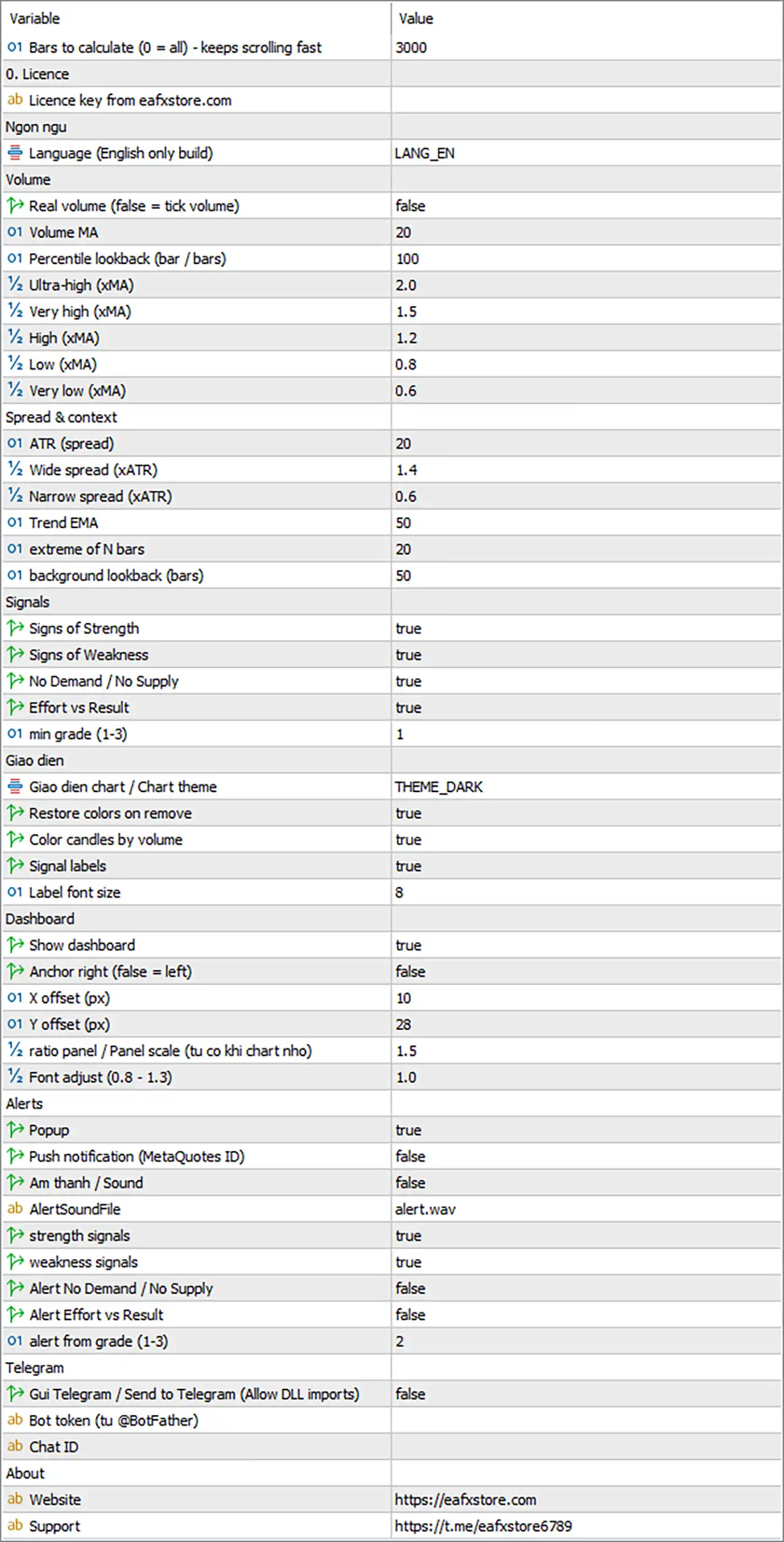
Omega VSA Effort Indicator MT5 Settings Panel
General and Licence
| Input | Default | What it does |
|---|---|---|
| MaxBarsCalc | 3000 | Bars the indicator calculates; fewer bars load faster (0 = all) |
| InpLicenseKey | (empty) | Your licence key from eafxstore.com |
| Lang | LANG_EN | Display language; this version is English only |
Volume
| Input | Default | What it does |
|---|---|---|
| UseRealVolume | false | false = tick volume (Forex, CFDs); true = real volume (stocks, futures) |
| VolLen | 20 | Bars in the volume average |
| PctLook | 100 | Bars used to rank the current volume (“top %”) |
| UltraX | 2.0 | Volume needed for ULTRA, as a multiple of the average |
| VHighX | 1.5 | Volume needed for VERY HIGH |
| HighX | 1.2 | Volume needed for HIGH |
| LowX | 0.8 | Volume at or below this is LOW |
| VLowX | 0.6 | Volume at or below this is VERY LOW |
Turn UseRealVolume on only if your broker provides real exchange volume.
Spread & Context
| Input | Default | What it does |
|---|---|---|
| AtrLen | 20 | ATR period used to measure the bar range |
| WideX | 1.4 | Bar range needed for WIDE, as a multiple of ATR |
| NarrowX | 0.6 | Bar range at or below this is NARROW |
| TrendLen | 50 | EMA period that decides uptrend or downtrend |
| ClimaxLook | 20 | Bars checked for new highs and lows (climaxes, upthrusts) |
| StatLook | 50 | Bars used for the SOS / SOW / ND / NS counters |
Signals
| Input | Default | What it does |
|---|---|---|
| ShowStrength | true | Shows signs of strength (green arrows) |
| ShowWeakness | true | Shows signs of weakness (red arrows) |
| ShowNDNS | true | Shows No Demand and No Supply |
| ShowEvR | true | Shows Effort vs Result dots |
| MinGrade | 1 | Smallest grade shown: 1 = all, 3 = only major events |
On M1-M5 charts, set MinGrade to 2 to keep only the stronger signals.
Display
| Input | Default | What it does |
|---|---|---|
| Theme | Dark Pro | Chart colours: Keep chart colors, Dark Pro, Midnight Blue or Light Clean |
| RestoreTheme | true | Puts your own chart colours back when you remove the indicator |
| ColorBars | true | Colours candles by volume |
| ShowLabels | true | Shows the signal codes next to the arrows |
| LabelFont | 8 | Size of the signal labels |
Dashboard
| Input | Default | What it does |
|---|---|---|
| ShowDash | true | Shows the dashboard panel |
| DashRight | false | Places the panel on the right side instead of the left |
| DashX / DashY | 10 / 28 | Panel distance from the chart edge, in pixels |
| DashScale | 1.5 | Panel size; it shrinks automatically on small charts |
| DashFontAdj | 1.0 | Text size inside the panel (0.8-1.3) |
You can also drag the panel by its header; the chart remembers the new position.
Alerts
| Input | Default | What it does |
|---|---|---|
| AlertPopup | true | Pop-up window in MetaTrader |
| AlertPush | false | Notification to the MetaTrader mobile app |
| AlertSoundOn | false | Plays a sound |
| AlertSoundFile | alert.wav | Sound file used |
| AlertStrength | true | Alerts on signs of strength |
| AlertWeakness | true | Alerts on signs of weakness |
| AlertNDNS | false | Alerts on No Demand and No Supply |
| AlertEvR | false | Alerts on Effort vs Result |
| AlertMinGrade | 2 | Smallest grade that triggers an alert |
To receive No Demand / No Supply alerts, turn AlertNDNS on and set AlertMinGrade to 1.
Telegram
| Input | Default | What it does |
|---|---|---|
| TgEnable | false | Sends every alert to Telegram |
| TgToken | (empty) | Your bot token from @BotFather |
| TgChatID | (empty) | The chat, group or channel that receives the alerts |
Telegram setup
🔹 Step 1: open @BotFather in Telegram, create a bot and copy its token.
🔹 Step 2: start a chat with your bot (or add it to your group) and send it any message.
🔹 Step 3: get your chat ID, for example with @userinfobot.
🔹 Step 4: paste the token and chat ID, set TgEnable to true and press TEST TG on the dashboard.
User Reviews
Only logged in customers who have purchased this product may leave a review.
❓ What does Omega VSA Effort Indicator MT5 do?
It applies Volume Spread Analysis to every bar, marking graded signs of strength and weakness plus Effort vs Result anomalies. It also colours candles by volume and summarises the market on a VSA Score dashboard.
❓ Does Omega VSA Effort Indicator give BUY or SELL signals?
No. It shows signs of strength and weakness, such as Stopping Volume or Upthrust, that you confirm with your own entry rules. It does not tell you exactly when to buy or sell.
❓ What do the signal grades in Omega VSA Effort mean?
Grade 3 marks the strongest VSA events, such as climaxes, Stopping Volume and Upthrusts. Grade 1 marks minor clues like No Demand and No Supply, so you can hide them with MinGrade.
❓ Does Omega VSA Effort Indicator repaint?
No. Signals, arrows and coloured candles are fixed when the bar closes. Only the dashboard's current bar reading moves while the live bar is forming.
❓ What is Effort vs Result in Omega VSA Effort?
It compares volume (effort) with the bar's range (result). Heavy volume on a narrow bar suggests absorption; a wide bar on light volume suggests a weak, possibly fake move.
❓ Is there an MT4 version of Omega VSA Effort Indicator?
No. Omega VSA Effort is built for MetaTrader 5 only.
❓ Does Omega VSA Effort work on Forex with tick volume?
Yes. It uses tick volume by default, which suits Forex and CFDs. Switch to real volume only on stocks or futures where your broker provides it.
❓ Which markets and timeframes does Omega VSA Effort work on?
Any symbol and any timeframe in MetaTrader 5, including Forex, gold, indices, crypto and stocks. M15 to D1 usually gives the clearest signals.
❓ How many accounts can I use with one Omega VSA Effort Indicator licence?
One. Each licence key works on one trading account, and new versions are free while your licence is active.
❓ Can I run Omega VSA Effort Indicator on a VPS?
Yes. It runs on any Windows VPS with MetaTrader 5 and an internet connection. Keep the terminal open so alerts and Telegram messages keep arriving.
❓ Why does Omega VSA Effort need "Allow DLL imports"?
It uses DLL calls for the licence check, Telegram messages and the WEB / TELEGRAM buttons. Without it, the indicator will not start.
-
 Original price was: $30,000.00.$599.00Current price is: $599.00.
 -
 Original price was: $3,750.00.$599.00Current price is: $599.00.
 -
 Original price was: $30,000.00.$599.00Current price is: $599.00.
 -
 Original price was: $999.00.$89.00Current price is: $89.00.
-
 0Price range: $25.00 through $100.00
 -
 0Price range: $25.00 through $100.00
 -
 0Price range: $25.00 through $100.00
 -
 0Price range: $25.00 through $100.00
There are no reviews yet.