



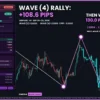
Omega Wave Count Indicator MT5
Omega Wave Count counts Elliott Waves for you on two degrees, checks every count against the three Elliott rules and shows the wave in progress on a clear dashboard. Each wave comes with three Fibonacci targets and one invalidation price, so you always know where the move may go and where the count is wrong.
Frequently bought together 🎁
Add these products to enhance your purchase


Quick Overview
Omega Wave Count Indicator MT5 counts Elliott Waves on your chart automatically, so you no longer have to guess which wave the market is in. It labels each wave, checks it against the Elliott rules and shows where the move may go next and where the count stops being valid.
Best for:
✅ Traders who like Elliott Wave but find manual counting slow and subjective.
✅ Swing and intraday traders who want to join the strong waves 3 and 5.
✅ Traders who need clear Fibonacci targets and a stop-loss reference for every wave.
✅ Beginners learning how impulse and corrective waves really look on a live chart.
What Is Omega Wave Count?
Omega Wave Count is an Elliott Wave indicator MT5 traders use to read market structure without drawing anything by hand. Elliott Wave theory says trends move in 5 waves (1-2-3-4-5) and correct in 3 waves (A-B-C). Developed by EA FX Store for MetaTrader 5, the indicator finds those waves, labels them on the chart and explains the current situation on a dashboard. It belongs to our Indicator collection and does not open trades.
 Join Our Channel Telegram
Key Features of Omega Wave Count Indicator MT5
Automatic wave labels on two degrees
The minor degree labels waves 1-5 and A-B-C on a solid line. The major degree, the bigger picture, uses brackets such as (3) or (B) on a dotted line, so you see the small wave inside the large one.
Built-in Elliott rule check
A count is shown only when it passes the three Elliott rules: wave 2 never retraces past the start of wave 1, wave 3 is never the shortest, and wave 4 never enters wave 1’s price area. Wave 5 must also go beyond wave 3 by default.
Fibonacci targets and invalidation level
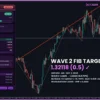
Every wave in progress gets three Fibonacci targets (ratios such as 0.618 or 1.618 of an earlier wave) plus one invalidation line. If price closes beyond that line, the count is wrong and the indicator re-counts.
Elliott Score and wave ratios
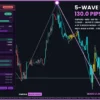
The dashboard shows an Elliott Score from 0 to 100: 60 or above reads BULLISH, 40 or below BEARISH. Three tiles rate the wave ratios as IDEAL, SHALLOW, DEEP or EXTENDED, so you can judge how textbook the count is.
Wave-coloured candles and Elliott channel
Candles take the colour of their wave: aqua for waves 1, 3 and 5, gold for waves 2 and 4. An Elliott channel and a projection path to the first target help you see the likely route.
Alerts and Telegram
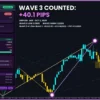
You get a pop-up, push, sound or Telegram message when the count changes, a target is hit or the invalidation level breaks.
Omega Wave Count MT5 Review
How Does Omega Wave Count Work?
🔹 Swings: a ZigZag marks swing highs and lows, ignoring any move smaller than 2 x ATR (ATR = how far price usually moves in one bar).
🔹 Count: the latest swings are tested as a complete 1-5 impulse with A-B-C, then as an impulse still forming, and the best valid count wins.
🔹 Rules: the three Elliott rules and three guidelines are checked and shown on the dashboard.
🔹 Targets: Fibonacci ratios of earlier waves give Target 1-3 and an invalidation price for the current wave.
🔹 Closed bars: waves are calculated on closed bars only, and alerts fire once when something changes.
How to Trade with Omega Wave Count Indicator MT5
The best-known Elliott trade is joining wave 3 or wave 5 after a correction ends. Use the steps below as a starting point and test them on a demo account first.
BUY setup
🔹 Step 1: the major degree shows a bullish wave (▲), and the dashboard’s CURRENT WAVE reads WAVE 2 or WAVE 4 in a bullish impulse.
🔹 Step 2: price reaches the shaded Fibonacci zone, and W2 RETRACE or W4 RETRACE shows IDEAL.
🔹 Step 3: buy when the count switches to WAVE 3 or WAVE 5 and the Elliott Score reads BULLISH.
🔹 Take Profit: use Target 1 for a first exit and Target 2 for the rest. See our take profit guide.
🔹 Stop Loss: place it just below the Invalidation level, the price at which the count is wrong. More in how to set a stop loss.
SELL setup
🔹 Step 1: the major degree shows a bearish wave (▼), and CURRENT WAVE reads WAVE 2 or WAVE 4 in a bearish impulse.
🔹 Step 2: price rallies into the Fibonacci zone with W2 RETRACE or W4 RETRACE at IDEAL.
🔹 Step 3: sell when the count switches to WAVE 3 or WAVE 5 and the Elliott Score reads BEARISH.
🔹 Take Profit: Target 1, then Target 2.
🔹 Stop Loss: just above the Invalidation level.
🔹 Skip the trade: when the dashboard shows 1-5 DONE (a correction is expected), the score is NEUTRAL, or the minor and major waves point in opposite directions.
Omega Wave Count Indicator Review
Omega Wave Count Indicator MT5 Reviews
Omega Wave Count Indicator MT5 Review
What Makes It Different
🔹 Rules first: many wave tools draw a count whatever happens; this one rejects counts that break the Elliott rules.
🔹 A plan, not just labels: each wave comes with targets, a zone and a clear point where you are wrong.
🔹 Beginner-friendly reading: plain dashboard words like “Expect A-B-C correction” explain what the count means.
🔹 One tool instead of three: ZigZag, Fibonacci levels and wave labels work together, so you stop drawing them by hand.
Recommended Trading Conditions
| Trading style | Timeframe | Focus |
|---|---|---|
| Intraday | M15 – H1 | Minor waves 3 and 5 inside the major trend |
| Swing | H4 – D1 | Major-degree waves and their Fibonacci targets |
| Fast charts | M1 – M5 | A higher swing filter to keep only clear waves |
The indicator runs on MetaTrader 5 with any symbol, including Forex, gold, indices, crypto and stocks; it works on the last 3000 bars by default, so load enough history.
Limitations and Risk Warnings
🔹 Counts can change: a swing is confirmed 5 bars after it forms, and the latest count is updated when new swings appear.
🔹 Not a signal service: the indicator shows wave structure, not buy or sell arrows; entries are your decision.
🔹 Choppy markets: in sideways ranges, waves are small and counts flip more often.
🔹 Targets are projections: Fibonacci targets are common reaction levels, not guaranteed prices.
🔹 Risk first: always trade with a stop loss and sensible position size. Read our risk management tips.
Who Should Use Omega Wave Count Indicator MT5?
🔹 Elliott Wave traders: save time on counting and get a second, rule-based opinion.
🔹 Swing traders: follow the major degree and enter on minor pullbacks; see more swing trading tools for MT5.
🔹 Fibonacci traders: get targets tied to real wave structure instead of random swings.
🔹 Beginners: learn wave theory by watching labels, rules and ratios update live.
🔹 Not the right tool if: you want automatic trading or a simple arrow that says buy or sell.
Download Package
✅ Indicator: OmegaWaveCount_v1.0.ex5
✅ Product Guide: Omega_Wave_Count_Product_Guide.pdf
✅ Inputs Guide: Omega_Wave_Count_Inputs_Guide.pdf
Final Verdict
Omega Wave Count turns Elliott Wave analysis into a clear, rule-based process. You see the wave in progress, the next Fibonacci targets and the exact price where the idea fails, all on one chart.
Pick your licence above, join our Telegram channel for updates, and explore more trend indicators for MT5.
Installation
🔹 Step 1: in MetaTrader 5, open File > Open Data Folder and copy the .ex5 file into MQL5Indicators.
🔹 Step 2: go to Tools > Options > Expert Advisors and tick “Allow DLL imports” (needed for the licence check, Telegram and the dashboard buttons).
🔹 Step 3: refresh the Navigator, then drag Omega Wave Count onto a chart.
🔹 Step 4: paste your licence key into InpLicenseKey and press OK. If something is wrong, the reason appears in the top-left corner of the chart.
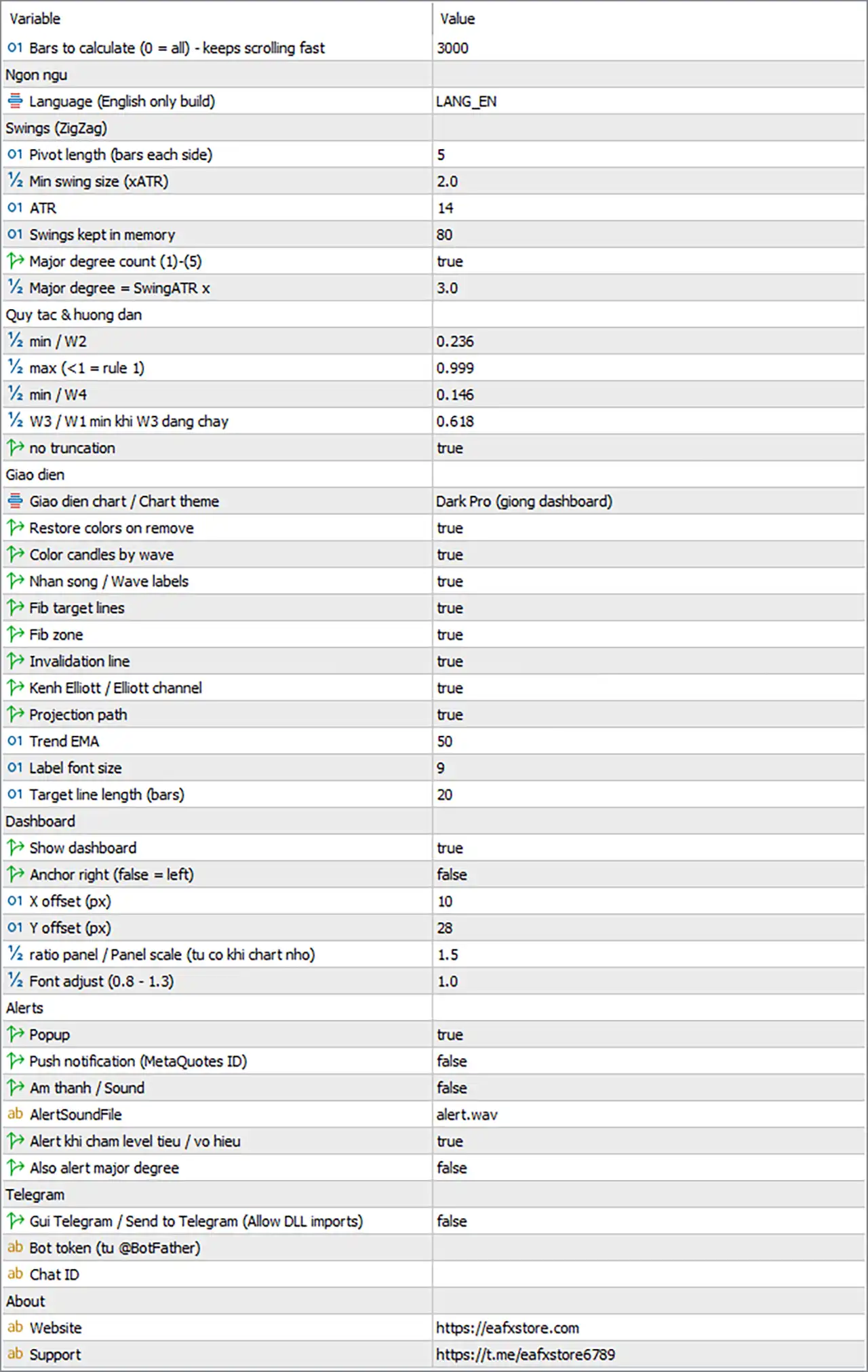
Omega Wave Count Indicator MT5 Settings Panel
General and Licence
| Input | Default | What it does |
|---|---|---|
| MaxBarsCalc | 3000 | Bars the indicator calculates; fewer bars load faster (0 = all) |
| InpLicenseKey | (empty) | Your licence key from eafxstore.com |
| Lang | LANG_EN | Display language; this version is English only |
Swings (ZigZag)
| Input | Default | What it does |
|---|---|---|
| PivLen | 5 | Bars on each side needed to confirm a swing high or low |
| SwingATR | 2.0 | Smallest move counted as a wave, in ATR; higher = fewer, bigger waves |
| AtrLen | 14 | ATR period used for the swing filter |
| MaxSwings | 80 | How many swings the indicator remembers |
| ShowMajor | true | Also counts the bigger (major) degree, labelled (1)-(5) |
| MajorMult | 3.0 | How much bigger a major swing must be than a minor one |
On noisy M1-M5 charts, raise SwingATR to 2.5-3.0 so only clear waves are counted.
Rules & Guidelines
| Input | Default | What it does |
|---|---|---|
| W2MinRet | 0.236 | Smallest pullback accepted as wave 2 |
| W2MaxRet | 0.999 | Largest wave 2 pullback; below 1.0 keeps Elliott rule 1 |
| W4MinRet | 0.146 | Smallest pullback accepted as wave 4 |
| W3MinRatio | 0.618 | Shortest wave 3 allowed, compared with wave 1 |
| StrictW5 | true | Wave 5 must go past the end of wave 3 |
Display
| Input | Default | What it does |
|---|---|---|
| Theme | Dark Pro | Chart colours: Keep chart colors, Dark Pro, Midnight Blue or Light Clean |
| RestoreTheme | true | Puts your own chart colours back when you remove the indicator |
| ColorByWave | true | Colours candles by wave |
| ShowLabels | true | Shows the wave numbers and letters |
| ShowTargets | true | Draws the three Fibonacci target lines |
| ShowZones | true | Shades the zone between Target 1 and Target 2 |
| ShowInvalid | true | Draws the invalidation line |
| ShowChannel | true | Draws the Elliott channel during waves 3, 4 and 5 |
| ShowProjection | true | Draws a path from the last swing to Target 1 |
| TrendLen | 50 | Period of the trend EMA (moving average) on the chart |
| LabelFont | 9 | Size of the wave labels |
| TargetBars | 20 | How far to the right target lines extend, in bars |
For a clean chart, turn off ShowChannel, ShowProjection and ShowZones.
Dashboard
| Input | Default | What it does |
|---|---|---|
| ShowDash | true | Shows the dashboard panel |
| DashRight | false | Places the panel on the right side instead of the left |
| DashX / DashY | 10 / 28 | Panel distance from the chart edge, in pixels |
| DashScale | 1.5 | Panel size; it shrinks automatically on small charts |
| DashFontAdj | 1.0 | Text size inside the panel (0.8-1.3) |
You can also drag the panel by its header; the chart remembers the new position.
Alerts
| Input | Default | What it does |
|---|---|---|
| AlertPopup | true | Pop-up window in MetaTrader |
| AlertPush | false | Notification to the MetaTrader mobile app |
| AlertSoundOn | false | Plays a sound |
| AlertSoundFile | alert.wav | Sound file used |
| AlertTargets | true | Alerts when a target is hit or the invalidation line breaks |
| AlertMajor | false | Also alerts when the major-degree count changes |
Swing traders can switch AlertMajor to true to hear about big-picture changes.
Telegram
| Input | Default | What it does |
|---|---|---|
| TgEnable | false | Sends every alert to Telegram |
| TgToken | (empty) | Your bot token from @BotFather |
| TgChatID | (empty) | The chat, group or channel that receives the alerts |
Telegram setup
🔹 Step 1: open @BotFather in Telegram, create a bot and copy its token.
🔹 Step 2: start a chat with your bot (or add it to your group) and send it any message.
🔹 Step 3: get your chat ID, for example with @userinfobot.
🔹 Step 4: paste the token and chat ID, set TgEnable to true and press TEST TG on the dashboard.
User Reviews
Only logged in customers who have purchased this product may leave a review.
❓ What does Omega Wave Count Indicator MT5 do?
It counts Elliott Waves automatically, labelling impulse waves 1-5 and corrections A-B-C on two degrees. It also checks the Elliott rules and shows Fibonacci targets and an invalidation level for the wave in progress.
❓ Does Omega Wave Count Indicator give BUY or SELL signals?
No. It shows which wave the market is in, where it may go and where the count fails. You decide the entry, for example buying the start of wave 3 in a bullish count.
❓ What do the Elliott Score and the ratio tiles in Omega Wave Count mean?
The Elliott Score (0-100) sums up the count: BULLISH, NEUTRAL or BEARISH. The tiles show how deep waves 2 and 4 pulled back and how long wave 3 is compared with wave 1, rated IDEAL, SHALLOW, DEEP or EXTENDED.
❓ Does Omega Wave Count Indicator repaint?
Waves are calculated on closed bars only, and alerts fire once. A swing is confirmed a few bars after it forms, and the latest count can be updated when new swings appear, as with any automatic Elliott Wave tool.
❓ What is the invalidation level in Omega Wave Count?
It is the price where the current count is proven wrong under the Elliott rules. If a bar closes beyond it, you get an alert and the indicator re-counts; many traders place the stop loss just past it.
❓ Is there an MT4 version of Omega Wave Count Indicator?
No. Omega Wave Count is built for MetaTrader 5 only.
❓ Which markets and timeframes does Omega Wave Count work on?
Any symbol and any timeframe in MetaTrader 5, including Forex, gold, indices, crypto and stocks. M15 to D1 usually gives the clearest waves.
❓ How many accounts can I use with one Omega Wave Count Indicator licence?
One. Each licence key works on one trading account, and new versions are free while your licence is active.
❓ Can I run Omega Wave Count Indicator on a VPS?
Yes. It runs on any Windows VPS with MetaTrader 5 and an internet connection. Keep the terminal open so alerts and Telegram messages keep arriving.
❓ Why does Omega Wave Count need "Allow DLL imports"?
It uses DLL calls for the licence check, Telegram messages and the WEB / TELEGRAM buttons. Without it, the indicator will not start.
❓ Can Omega Wave Count send alerts to my phone?
Yes. It can send push notifications to the MetaTrader mobile app and messages to Telegram when the count changes, a target is hit or the invalidation level breaks.
-
 Original price was: $30,000.00.$599.00Current price is: $599.00.
 -
 Original price was: $3,750.00.$599.00Current price is: $599.00.
 -
 Original price was: $30,000.00.$599.00Current price is: $599.00.
 -
 Original price was: $999.00.$89.00Current price is: $89.00.
-
 0Price range: $25.00 through $50.00
 -
 0Price range: $25.00 through $100.00
 -
 0Price range: $25.00 through $100.00
 -
 0Price range: $25.00 through $100.00
There are no reviews yet.