
XAUUSD Scalper M1 EA MT4 Settings Explained – Complete Setup Guide
XAUUSD Scalper M1 EA is a high-frequency gold trading Expert Advisor (EA) designed specifically for the MetaTrader 4 platform and optimized for the M1 timeframe. This EA combines scalping logic, SAR indicators, trailing stop management, ADX trend filtering, floating drawdown protection, and real-time news filtering to improve trading precision during volatile market conditions.
With advanced risk management and automated stop-loss control, XAUUSD Scalper M1 EA MT4 is ideal for traders seeking automated short-term gold trading strategies.
XAUUSD Scalper M1 EA Settings
Installation Panel Parameters
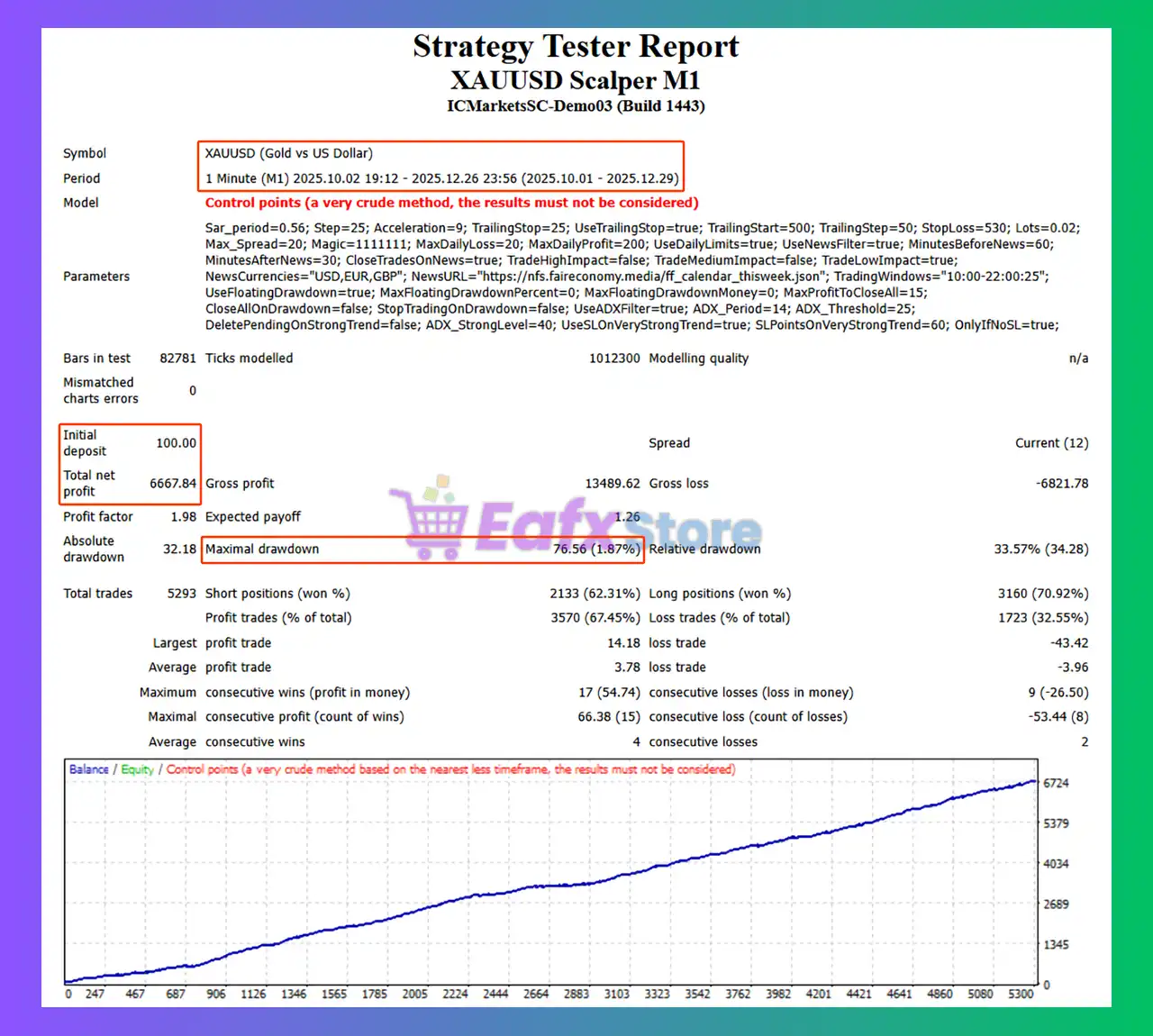
Below are the details of the parameters in the advisor’s trading system settings table:
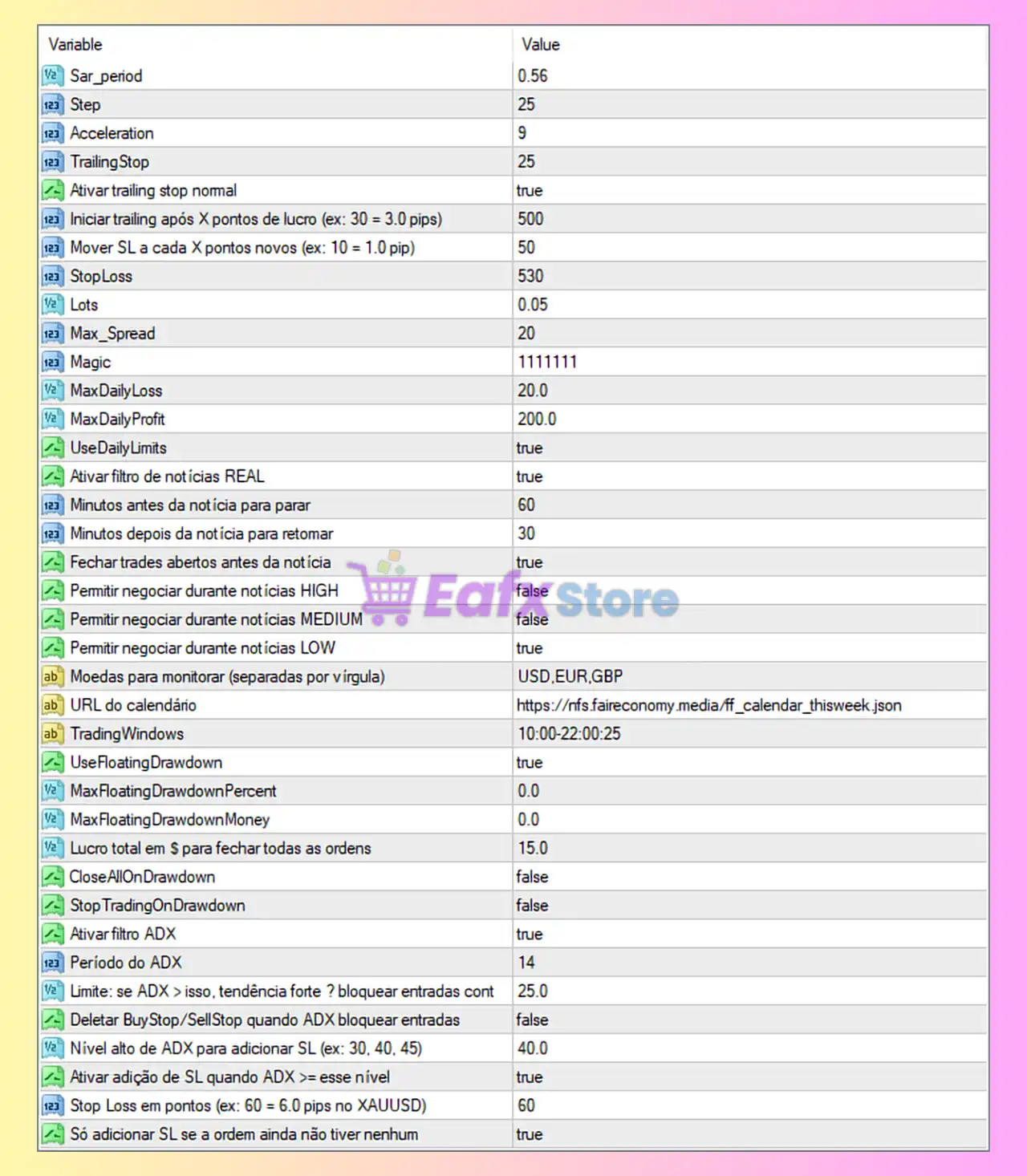
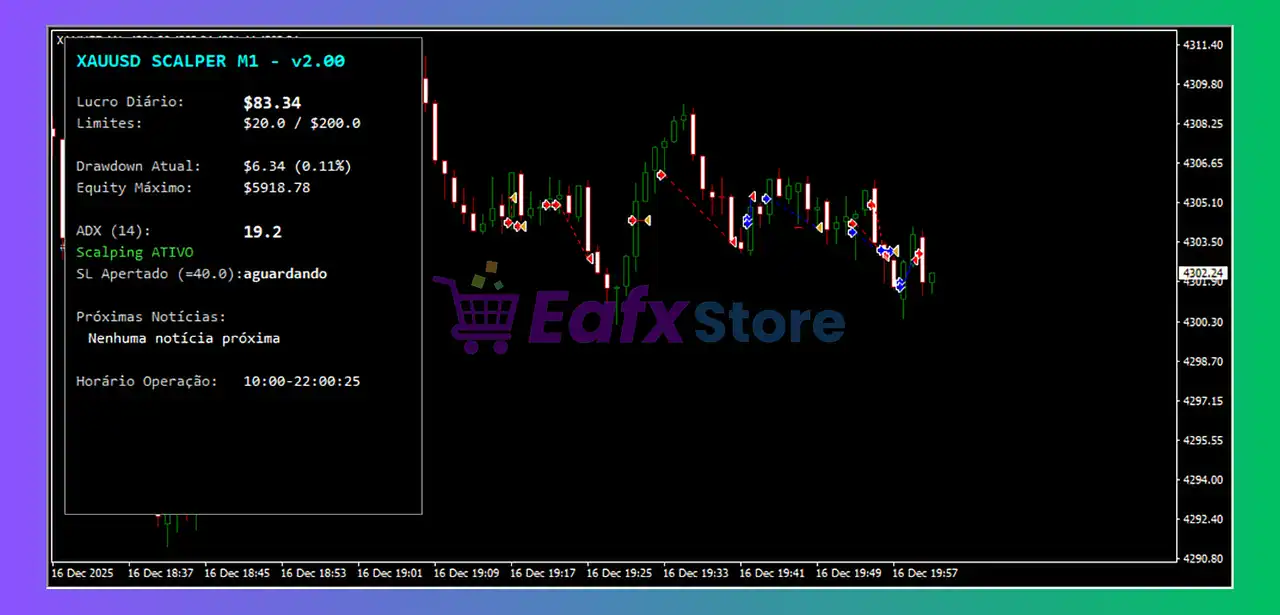
XAUUSD Scalper M1 EA Settings Panel
XAUUSD Scalper M1 EA MT4 Full Settings Explanation
🔹 Sar_period = 0.56: Defines the SAR indicator period value used for market trend detection.
🔹 Step = 25: Sets the SAR step parameter for signal sensitivity.
🔹 Acceleration = 9: SAR acceleration factor controlling trend reaction speed.
🔹 TrailingStop = 25: Standard trailing stop distance set to 25 points.
🔹 Ativar trailing stop normal = true: Enables the normal trailing stop system.
🔹 Iniciar trailing após X pontos de lucro (ex: 30 = 3.0 pips) = 500: Trailing stop activates after 500 points of profit.
🔹 Mover SL a cada X pontos novos (ex: 10 = 1.0 pip) = 50: Stop Loss moves every 50 new points gained.
🔹 StopLoss = 530: Fixed Stop Loss value is 530 points.
🔹 Lots = 0.05: Trading lot size is set to 0.05.
🔹 Max_Spread = 20: Maximum allowed spread is 20 points.
🔹 Magic = 1111111: Unique Magic Number identifier for EA trades.
Daily Risk Management Settings
🔹 MaxDailyLoss = 20.0: Maximum allowed daily loss is $20.0.
🔹 MaxDailyProfit = 200.0: Maximum daily profit target is $200.0.
🔹 UseDailyLimits = true: Enables daily profit and loss limitations.
News Filter Settings
🔹 Ativar filtro de notícias REAL = true: Activates real economic news filtering.
🔹 Minutos antes da notícia para parar = 60: Stops trading 60 minutes before news releases.
🔹 Minutos depois da notícia para retomar = 30: Resumes trading 30 minutes after news events.
🔹 Fechar trades abertos antes da notícia = true: Closes open trades before high-impact news.
🔹 Permitir negociar durante noticias HIGH = false: Trading during HIGH impact news is disabled.
🔹 Permitir negociar durante noticias MEDIUM = false: Trading during MEDIUM impact news is disabled.
🔹 Permitir negociar durante noticias LOW = true: Trading during LOW impact news remains enabled.
🔹 Moedas para monitorar (separadas por vírgula) = USD,EUR,GBP: Economic news monitored for USD, EUR, and GBP.
🔹 URL do calendário = https://nfs.faireconomy.media/ff_calendar_thisweek.json: Economic calendar data source URL.
Trading Session Settings
🔹 TradingWindows = 10:00-22:00:25: Trading allowed between 10:00 and 22:00:25.
Floating Drawdown Protection Settings
🔹 UseFloatingDrawdown = true: Enables floating drawdown protection system.
🔹 MaxFloatingDrawdownPercent = 0.0: Maximum floating drawdown percentage disabled at 0.0.
🔹 MaxFloatingDrawdownMoney = 0.0: Floating drawdown money limit disabled at 0.0.
🔹 Lucro total em $ para fechar todas as ordens = 15.0: Closes all orders when total profit reaches $15.0.
🔹 CloseAllOnDrawdown = false: Does not automatically close all positions on drawdown.
🔹 StopTradingOnDrawdown = false: Trading continues even during drawdown conditions.
ADX Trend Filter Settings
🔹 Ativar filtro ADX = true: Enables ADX trend strength filtering.
🔹 Período do ADX = 14: ADX indicator period is set to 14.
🔹 Limite: se ADX > isso, tendência forte ? bloquear entradas cont = 25.0: Blocks new entries when ADX exceeds 25.0, indicating a strong trend.
🔹 Deletar BuyStop/SellStop quando ADX bloquear entradas = false: Pending BuyStop/SellStop orders remain active during ADX blocking.
🔹 Nivel alto de ADX para adicionar SL (ex: 30, 40, 45) = 40.0: Adds Stop Loss when ADX reaches 40.0.
🔹 Ativar adição de SL quando ADX >= esse nivel = true: Enables automatic SL addition at high ADX levels.
🔹 Stop Loss em pontos (ex: 60 = 6.0 pips no XAUUSD) = 60: Additional Stop Loss value equals 60 points.
🔹 Só adicionar SL se a ordem ainda não tiver nenhum = true: Adds Stop Loss only if the trade has no existing SL.
https://eafxstore.com/blog/adx-indicator-explained/
Conclusion
XAUUSD Scalper M1 EA is a professional gold scalping Expert Advisor built for fast execution and intelligent trade management on the M1 timeframe. The EA combines SAR trend logic, dynamic trailing stop systems, ADX trend filtering, floating drawdown protection, and real-time economic news filtering to improve trading stability in volatile gold markets.
With flexible risk controls and automated protection features, XAUUSD Scalper M1 EA MT4 provides traders with a powerful automated solution for short-term XAUUSD trading.



