







Chiroptera EA MT5 (Latest version) – GroupBuy | Available
Select a variant to see availability.
What is Chiroptera EA?
Chiroptera EA is a professional Expert Advisor (EA) designed for automated trading during low-volatility night sessions. It executes single, well-controlled trades with dynamically managed stop loss and take profit levels. Built for stability and adaptability, the EA focuses on disciplined risk management, capital protection and consistent performance across multiple currency pairs.
🔶 Vendor Website: View here
About the Author
This product is compiled by Rob Josephus Maria Janssen. This Netherlands author has more than +1 years of experience working on MQL5 with many famous products such as Chiroptera EA MT5, Chiroptera EA MT4 and other products. Among them, Chiroptera MT5 is his best performing products.
Key Features of Chiroptera EA for MT5
🔹 Single-Trade Execution: Uses one precise trade per signal without Martingale, Grid or recovery-based scaling.
🔹 Night Session Focus: Trades only 2–3 quiet hours daily, keeping capital protected outside active periods.
🔹 Advanced Limit Orders: Places optimized limit orders to reduce slippage and execution delays.
🔹 Live News & Event Filters: Avoids trading during high-impact news, holidays and abnormal market events.
🔹 Adaptive Pair Selection: Continuously learns which currency pairs perform best per broker environment.
What is the Chiroptera EA trading strategy?
🔹 Low-Volatility Exploitation: Targets stable price behavior during calm market conditions.
🔹 Dynamic Risk Adjustment: Continuously updates Stop Loss (SL) and Take Profit (TP) to balance risk and reward.
🔹 Multi-Feed Monitoring: Analyzes volume spikes, price shocks and spread anomalies in real time.
🔹 Broker-Aware Logic: Adapts execution to broker price feeds for consistent trade quality.
🔹 Controlled Trade Frequency: Limits activity to protect equity and maintain strategy resilience.
Chiroptera EA MT5 Review
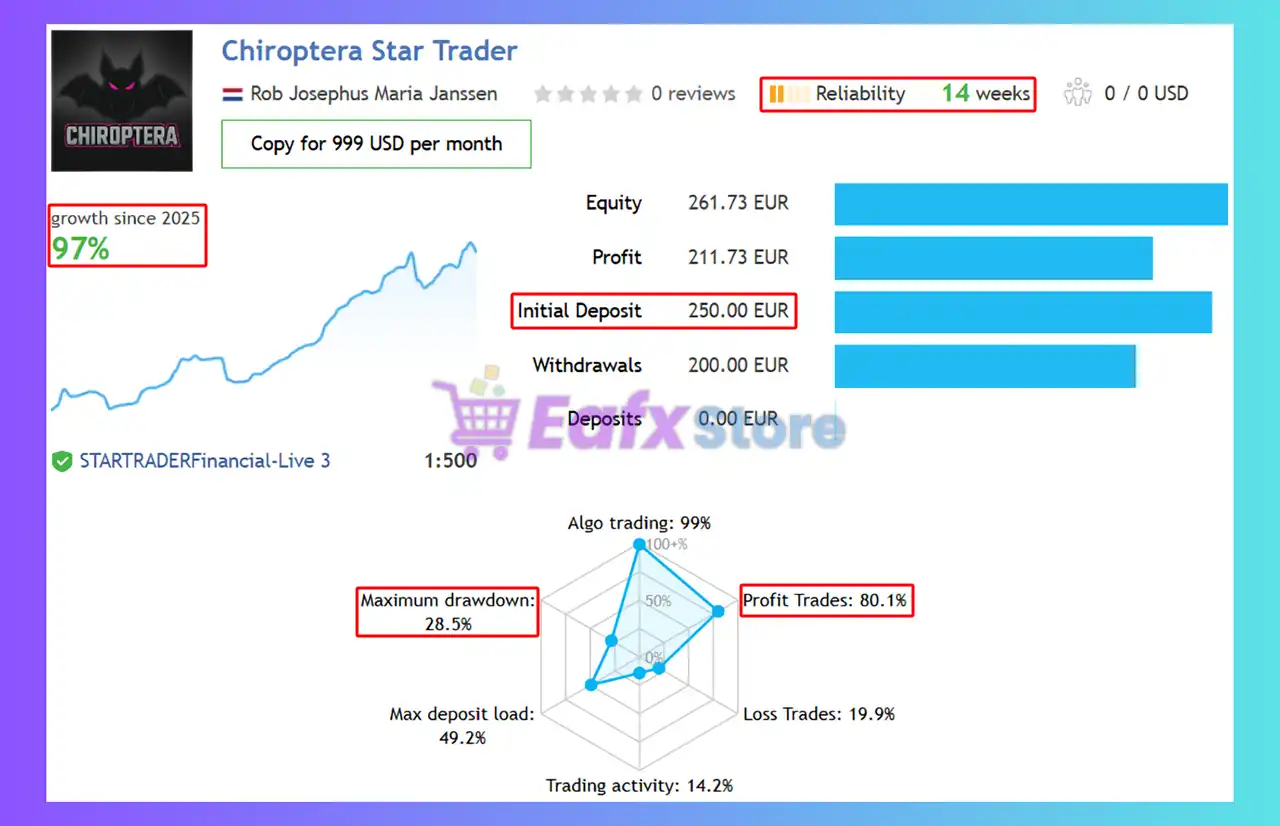
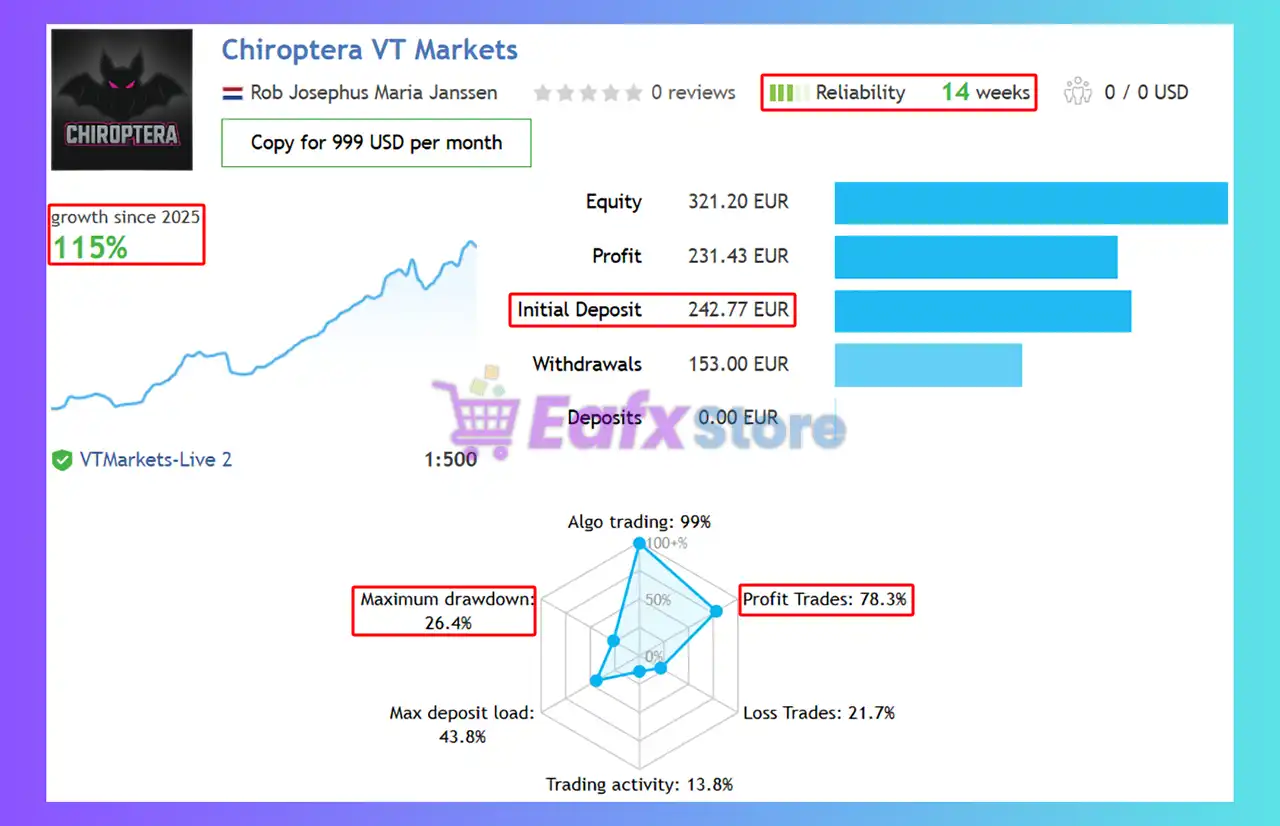
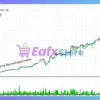
The Chiroptera EA achieved impressive profit performance when trading with All pairs. Trading results on real account for 14 consecutive weeks of trading:
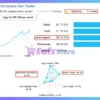
🔶 Profit performance on the Star Trader platform:
✅ Initial Deposit: €250
✅ Growth Rate: +97%
✅ Win Rate (% of total): 80.1%
✅ Maximum Drawdown: 28.5%
Chiroptera EA MT5 Signal Results
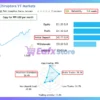
🔶 Profit performance on the VT Markets platform over 14 trading weeks:
✅ Initial Deposit: €242.77
✅ Growth Rate: +115%
✅ Win Rate (% of total): 78.3%
✅ Maximum Drawdown: 26.4%
Chiroptera EA Signal Results
Why Choose & Use Chiroptera EA?
🔹 Prop Firm Friendly Design: Built to respect strict risk rules and drawdown limits.
🔹 High Stability Focus: Avoids overtrading and unstable market phases automatically.
🔹 Self-Adaptive Performance: Learns optimal conditions over time without manual retuning.
🔹 Real-Time Notifications: Keeps users informed with live performance and execution alerts.
🔹 Marketplace-Ready EA: Ideal for traders seeking reliable, disciplined automated trading.
Is Chiroptera EA safe?
The Chiroptera EA shows significant potential in providing stable and reliable profits, making it a reliable tool in the forex market. The advisor is highly appreciated by the MQL5 community in many aspects and has won the trust of users.
⭐⭐⭐⭐⭐Kris Jef Saelen (2026.03.26)
“I was looking for an EA that can trade many forex pairs without keeping the trades running for days. Chiroptera is the perfect EA for doing this.”
⭐⭐⭐⭐⭐Unknown Trader (2026.03.24)
“The backtest results are impressive and show consistent performance over time. What I like the most is the strong risk management system, which helps protect the account from large drawdowns.”
⭐⭐⭐⭐⭐Amit-AX (2026.03.24)
“Outstanding! I was recommended this EA and it’s evidence that Rob has put serious effort in developing this EA. Well thought out and execution. Trades at mostly night and exists in few hours. Over a week of profit and highly recommended.”
Recommended settings
Recommended settings and parameters to pay attention to from developers and experts:
| Features | Type |
|---|---|
| Trading platform | MetaTrader 5 (MT5) |
| Time frames | Any |
| Currency pairs | 21 currency pairs |
| Minimum / Recommended deposit | $100 |
| Minimum / Recommended leverage | Any |
| Account type | ECN / Raw / Zero Spread accounts |
| Product type | Original version |
| Additional services | Unlock and Decompile |
| Recommended brokers | Exness Broker, Icmarkets Broker |
| Recommended VPS | MyfxVPS.com ( Blue VPS, Golden VPS). Lowest Latency, 2 week Free Trial, 100% Free for 12-18 Months. |
Product Download Package?
The download package of the product suite includes:
Experts
 Chiroptera EA v3.2.ex5
Setting (If Any).docx
Installation Guide.docx
SetFiles
Guide.txt
Chiroptera_Lowrisk.set
Chiroptera_Mediumrisk.set
Chiroptera_Highrisk.set
 Reviewed by David Easton
Conclusion
In short, Chiroptera EA is the ideal solution for traders who want to diversify their portfolios with a safe and effective night trading strategy. Its biggest difference from other “night” robots is the use of limit orders and intelligent news filters to protect capital from unexpected fluctuations in 2026.
🔢 Chiroptera EA MT5 Settings Explained (Full Parameters)
Chiroptera EA is a sophisticated multi-currency automated trading Expert Advisor (EA) designed for the MetaTrader 5 platform. The EA combines adaptive filtering, spread analysis, risk-factor money management, news handling, and multi-pair trading automation into one intelligent trading system.
With support for One Chart Setup, adaptive data processing, and customizable trading filters, Chiroptera EA is suitable for traders seeking scalable and diversified forex automation.
Chiroptera EA MT5 Settings
🔶 General
🔹 Magic = 12345: Unique trade identifier (12345) used for managing and tracking EA positions.
🔹 OneChartSetup = true: Enables management of multiple currency pairs from a single chart.
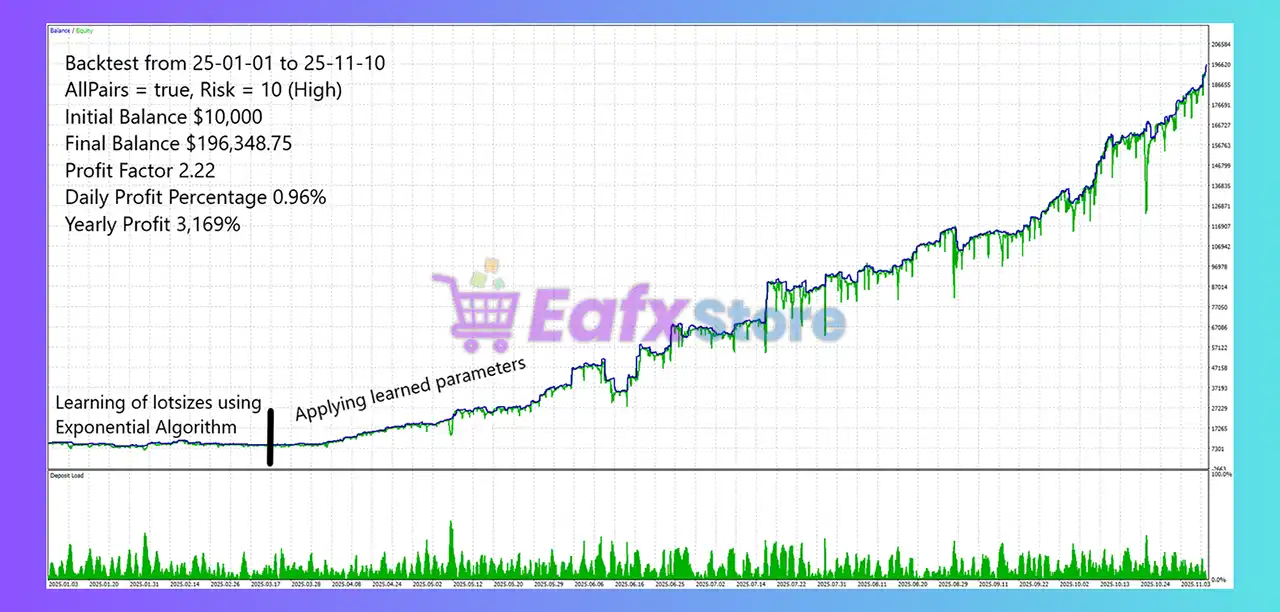
🔹 AllPairs = EURUSD; GBPUSD; AUDCAD; EURAUD; EURCAD; GBPAUD; GBPCAD; EURCHF; GBPCHF; USDJPY; EURJPY; USDCAD; EURGBP; USDCHF; CADCHF; CHFJPY; AUDJPY; AUDCHF; AUDUSD; GBPJPY: Defines the complete list of supported trading pairs.
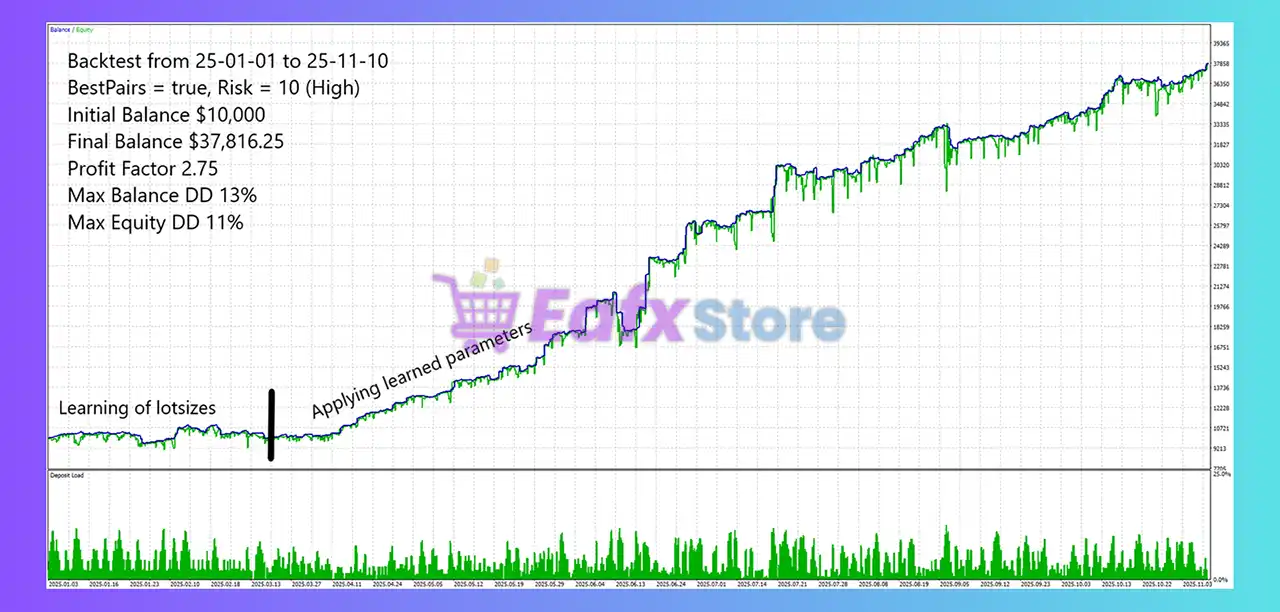
🔹 BestPairs = CHFJPY; EURJPY; GBPJPY; EURAUD; GBPAUD; EURCAD; GBPCAD; USDCAD: Specifies the preferred or optimized trading pairs.
🔹 UseBestPairs = true: Restricts trading activity to the BestPairs list only.
🔹 UserComment = Chiroptera: Adds “Chiroptera” as the trade comment for orders and positions.
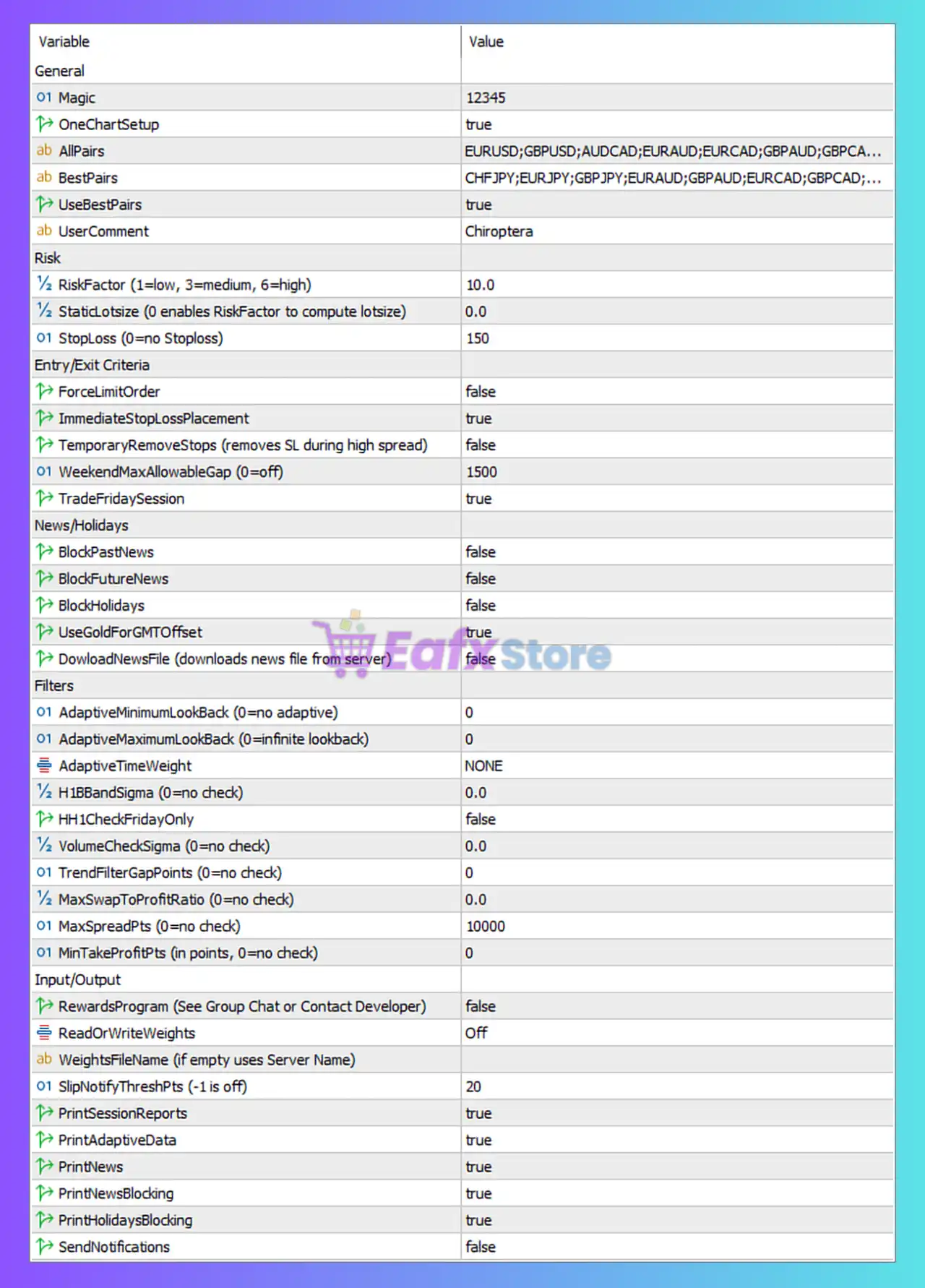
Chiroptera EA MT5 Settings Panel
🔶 Risk
🔹 RiskFactor (1=low, 3=medium, 6=high) = 10.0: Sets trading risk level to 10.0, which is higher than the documented high-risk benchmark.
🔹 StaticLotsize (0 enables RiskFactor to compute lotsize) = 0.0: Enables automatic lot size calculation using the RiskFactor setting.
🔹 StopLoss (0=no Stoploss) = 150: Sets Stop Loss distance to 150 points/pips.
🔶 Entry/Exit Criteria
🔹 ForceLimitOrder = false: Disables mandatory limit order entries.
🔹 ImmediateStopLossPlacement = true: Places Stop Loss immediately after opening trades.
🔹 TemporaryRemoveStops (removes SL during high spread) = false: Keeps Stop Loss active even during high-spread conditions.
🔹 WeekendMaxAllowableGap (0=off) = 1500: Maximum allowed weekend market gap set to 1500 points.
🔹 TradeFridaySession = true: Allows trading during Friday sessions.
🔶 News/Holidays
🔹 BlockPastNews = false: Does not block trading after past news events.
🔹 BlockFutureNews = false: Does not block trading before future news releases.
🔹 BlockHolidays = false: Holiday trading restrictions disabled.
🔹 UseGoldForGMTOffset = true: Uses Gold/XAUUSD pricing behavior to calculate GMT offset.
🔹 DowloadNewsFile (downloads news file from server) = false: Disables automatic downloading of external news files.
🔶 Filters
🔹 AdaptiveMinimumLookBack (0=no adaptive) = 0: Adaptive minimum lookback disabled.
🔹 AdaptiveMaximumLookBack (0=infinite lookback) = 0: Infinite adaptive lookback enabled.
🔹 AdaptiveTimeWeight = NONE: No adaptive time weighting applied.
🔹 H1BBandSigma (0=no check) = 0.0: Bollinger Band sigma filtering disabled.
🔹 HH1CheckFridayOnly = false: Friday-only H1 checks disabled.
🔹 VolumeCheckSigma (0=no check) = 0.0: Volume sigma filtering disabled.
🔹 TrendFilterGapPoints (0=no check) = 0: Trend gap filtering disabled.
🔹 MaxSwapToProfitRatio (0=no check) = 0.0: Swap-to-profit ratio filtering disabled.
🔹 MaxSpreadPts (0=no check) = 10000: Maximum spread filtering set extremely high at 10000 points.
🔹 MinTakeProfitPts (in points, 0=no check) = 0: Minimum Take Profit filtering disabled.
🔶 Input/Output
🔹 RewardsProgram (See Group Chat or Contact Developer) = false: Rewards program participation disabled.
🔹 ReadOrWriteWeights = Off: Disables reading or writing adaptive weighting data.
🔹 WeightsFileName (if empty uses Server Name) =: Empty value causes the EA to use the server name as the weights filename.
🔹 SlipNotifyThreshPts (-1 is off) = 20: Sends slippage notifications when slippage exceeds 20 points.
🔹 PrintSessionReports = true: Enables session report logging.
🔹 PrintAdaptiveData = true: Enables adaptive data logging.
🔹 PrintNews = true: Enables news event logging.
🔹 PrintNewsBlocking = true: Enables logging for news blocking conditions.
🔹 PrintHolidaysBlocking = true: Enables logging for holiday blocking conditions.
🔹 SendNotifications = false: Push notifications disabled.
🔢 Conclusion
The Chiroptera EA MT5 settings provide a highly advanced multi-pair automated trading environment with adaptive filtering, intelligent risk control, and detailed market monitoring features. By combining One Chart Setup, automatic lot sizing, spread analysis, and customizable filters, the EA is designed to support diversified and scalable forex trading strategies. Understanding these parameters helps traders optimize execution quality, improve risk management, and maximize automated trading efficiency.
🔢 FAQs
❓ What does OneChartSetup = true mean?
It allows the EA to manage multiple currency pairs from a single chart window.
❓ Why is RiskFactor = 10.0 important?
It controls the aggressiveness of automatic lot sizing and overall trading risk.
❓ What is the purpose of UseBestPairs = true?
It restricts trading to the EA’s optimized list of preferred currency pairs.
❓ Why is ImmediateStopLossPlacement = true beneficial?
It ensures Stop Loss protection is applied immediately after trades are opened.
❓ What does SlipNotifyThreshPts = 20 do?
It generates notifications whenever slippage exceeds 20 points during execution.
User Reviews
Only logged in customers who have purchased this product may leave a review.
❓ Which currency pairs work best with Chiroptera EA?
It is designed to be multi-currency. While it can trade all pairs, it typically performs best on major and minor pairs that exhibit stable behavior during the late New York and early Asian sessions.
❓ Is Chiroptera EA safe for Prop Firm accounts?
Yes. Because it uses a mandatory Stop Loss for every trade and avoids Martingale/Grid, it is highly compatible with the strict drawdown rules of Prop Firms like FTMO or FundingPips.
❓ What timeframe should I use?
The EA's logic is internal and session-based, but most night scalpers of this type are typically attached to M5 or M15 charts for optimal signal detection.
❓ Does it require a VPS?
Essential. Since it only trades a few specific hours at night, you need a high-speed Forex VPS to ensure the platform is online and connected to the broker's server during those exact windows.
❓ What is the minimum deposit?
You can start with as little as $100. The EA is efficient enough to manage small balances, as seen in the developer's real-money signals starting at €250.
❓ How does the News Filter work?
The EA requires a specific URL (https://app.chiroptera.io) to be added to the MT5 "Allowed WebRequest" list. This allows it to download economic calendars and pause trading during high-impact events.
❓ Is the Stop Loss (SL) hidden from the broker?
No, it uses real Stop Loss levels sent to the server. This is a safety feature to protect your account in case of an internet outage or hardware failure.
❓ How many trades does it take per day?
It is a selective EA. Depending on market conditions, it may take 1-3 trades during its active window or no trades at all if the market is too volatile.
❓ Can I use it on MetaTrader 4?
While there is a version for MT4, the Chiroptera MT5 version is the flagship product and often receives updates and optimizations first.
-
 Price range: $80.00 through $599.00
 -
 Price range: $89.00 through $599.00
 -
 Price range: $80.00 through $599.00
 -
 Original price was: $2,800.00.$89.00Current price is: $89.00.
-
 3
3 -
 0Price range: $89.00 through $599.00
 -
 1Price range: $89.00 through $599.00
 -
 0Price range: $89.00 through $1,200.00
There are no reviews yet.