


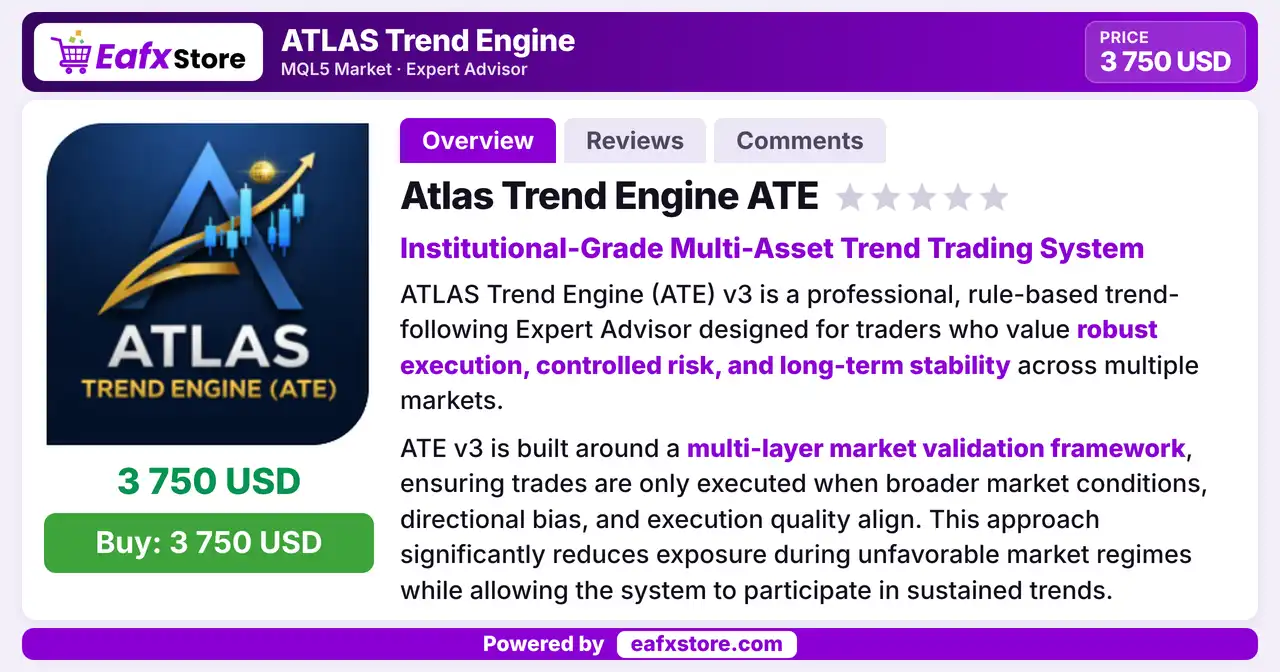


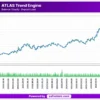

Atlas Trend Engine EA MT5 (Latest version) - Unlimited

Subscriptions for Special Plan
- 30 EA package is more economical!
- Special package with 99%
- Download 1 EA/Day

Subscriptions for Premium Membership
- Download Unlimited in 1 Year
- Get 100% Discount
- Get free access to all

Subscriptions for Gold Membership
- 1 Year Membership
- Get 100% Discount
- Access EA+Indicator+Course
Frequently bought together 🎁
Add these products to enhance your purchase




Quick Overview
ATLAS Trend Engine EA is a selective, rule based trend following robot for gold, major indices and trending forex pairs. Trades open only when market regime, higher timeframe bias and execution quality agree. Fixed percentage risk, exposure limits and daily and weekly loss protection support the system, which is not a scalper or a grid.
Best For:
✅ Trend traders who prefer fewer trades.
✅ Users who trade gold, indices and forex.
✅ Traders who follow prop firm risk rules.
✅ Users who want daily and weekly loss limits.
✅ Traders who use ECN or Raw spread accounts.
What is ATLAS Trend Engine EA MT5?
ATLAS Trend Engine EA is an Expert Advisor (EA) for MetaTrader 5. This version 3 system is a rule based trend follower built around a multi layer market validation framework.
It is not a high frequency or scalping system. It is a selective trend engine that acts only in conditions it considers high probability.
⭐ Vendor Website: View here
⭐ Delivery time 24h-48h after payment.
⭐ Refund if not delivered.
⭐ You will receive the current version without any limitations (ID+Time).
Atlas Trend Engine EA MT5 Review
How Does ATLAS Trend Engine EA MT5 Work?
Market Validation
Before a trade opens, the EA checks the market regime, the higher timeframe bias and the quality of execution, and it trades only when all three agree.
Volatility Adaptive Execution
Execution and stop management adapt to volatility, so the distances used by the EA follow the speed of the market.
Risk and Exposure Control
A fixed percentage of risk per trade, a limit on portfolio exposure and daily and weekly loss protection control the risk of the account.
Trade Management
Partial profit handling and dynamic trade protection manage open positions while the trend develops.
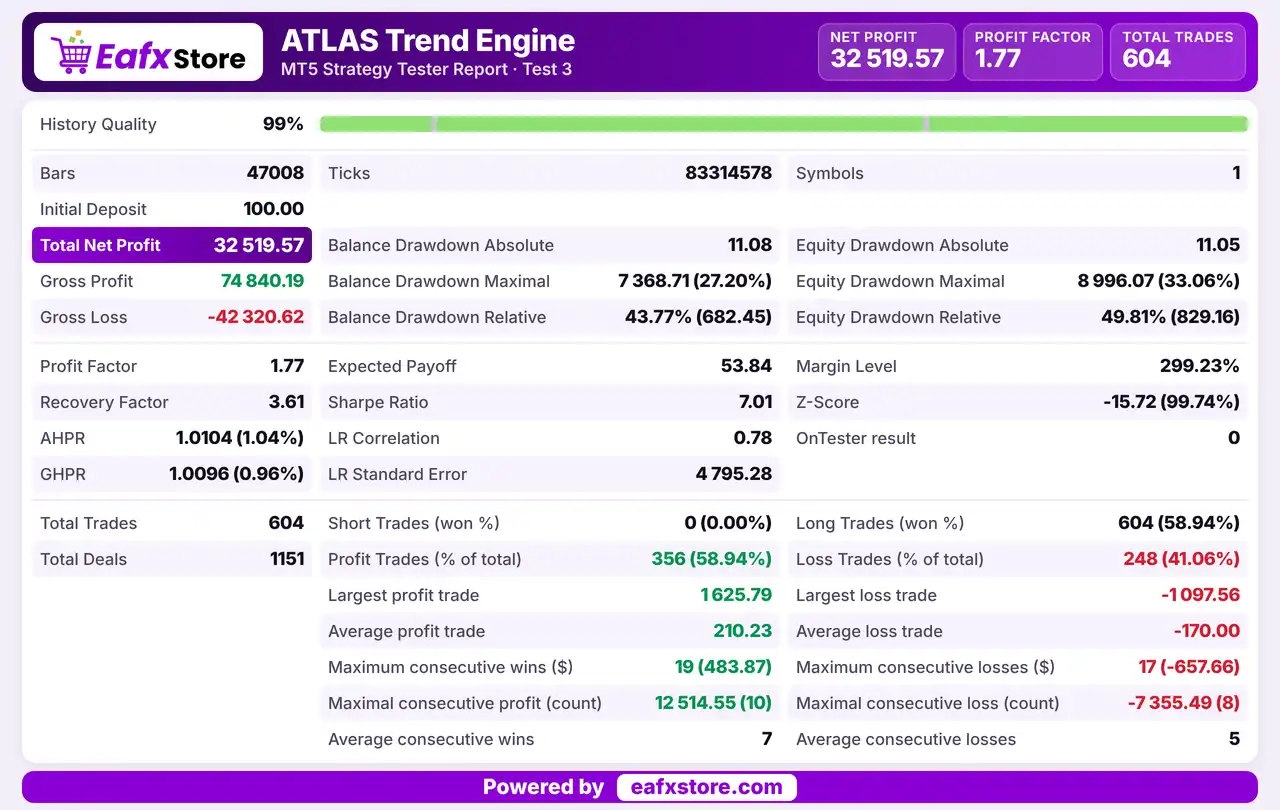
Historical Trading Results Performance
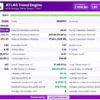
✅ The EA generated a net profit of $32,519.57 from an initial deposit of $100, trading 604 positions. The report shows a profit factor of 1.77 and a maximum equity drawdown of 33.06%.
Atlas Trend Engine ATE MT5 Backtest Results
| Parameter | Results |
|---|---|
| Initial Deposit | $100 |
| Total Net Profit | $32,519.57 |
| Gross Profit | $74,840.19 |
| Gross Loss | -$42,320.62 |
| Profit Factor | 1.77 |
| Total Trades | 604 |
| Winning Trades | 58.94% |
| Maximum Equity Drawdown | 33.06% |
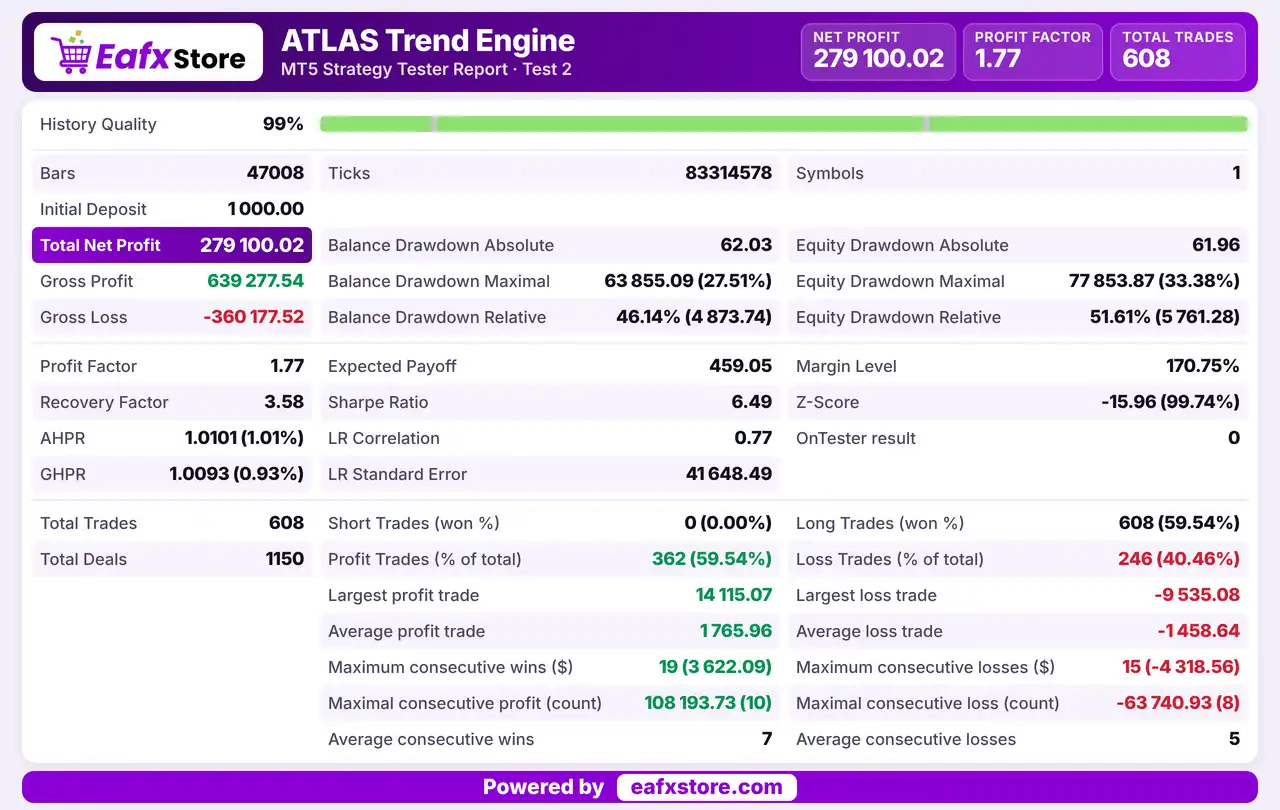
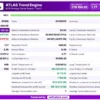
✅ The EA generated a net profit of $279,100.02 from an initial deposit of $1,000. The report records 608 trades, but the trading symbol and test duration are not specified.
Atlas Trend Engine EA Backtest Results
| Parameter | Results |
|---|---|
| Initial Deposit | $1,000 |
| Total Net Profit | $279,100.02 |
| Gross Profit | $639,277.54 |
| Gross Loss | -$360,177.52 |
| Profit Factor | 1.77 |
| Total Trades | 608 |
| Winning Trades | 59.54% |
| Maximum Equity Drawdown | 33.38% |
Key Features of ATLAS Trend Engine EA MT5
Multi-Timeframe Validation
Several timeframes are checked before an entry, so a signal needs agreement from the wider market and not only from the chart used for execution.
Trend Regime Detection
An advanced regime filter separates trending and unfavorable conditions, which reduces activity when the market has no clear direction to follow.
Higher Timeframe Bias Filter
Direction is filtered by the structure of a higher timeframe, which keeps the trades aligned with the main trend of the instrument.
Volatility Adaptive Execution
Trade execution adjusts to current volatility, so the stop distance and the behavior of the EA change with the speed of the market.
Fixed Percentage Risk
Risk per trade follows a fixed percentage, which keeps the size of a possible loss consistent across different instruments and account sizes.
Exposure and Loss Limits
Maximum portfolio exposure, a daily loss limit and a weekly loss limit stop the EA from adding risk after a poor run of trades.
Partial Profit and Trade Protection
Partial profit handling and dynamic protection manage open trades, which helps to secure gains while the remaining position follows the trend.
Session Aware Execution
Trading logic takes the market session into account, which helps to avoid periods of thin liquidity or unstable spreads.
Prop Firm Friendly Design
The system was built with prop firm risk rules in mind, including strict drawdown limits and controlled exposure across several instruments.
Risk Management
Trends Can Fail After Entry
A regime filter lowers the chance of a bad entry, but it cannot predict a reversal, so several stopped trades in a row are possible.
No Guarantee from Marketing Words
Terms such as institutional grade and long term stability describe a goal and not a result, since no test is published.
Stops and Slippage Still Matter
The adaptive stop management follows volatility, but a gap or a fast news move can close a trade beyond the planned stop-loss level.
Partial Exits Can Cut a Winner
Taking part of the profit early secures a gain, but it can also leave less position for a strong trend, so the final take-profit result may be smaller.
What Sets It Apart
Regime Filter Before Entry
Trades are taken only when the market state supports a trend, which makes the EA more selective than robots that trade all day.
Portfolio Level Control
Exposure limits work across all instruments together, so several open trades cannot quietly add up to a risk that is too large.
Built for Strict Rules
The daily and weekly loss protection and the controlled exposure suit accounts that must stay inside tight drawdown limits.
Multi Asset Design
One system covers gold, indices and trending forex pairs, which allows the trader to spread activity across different markets.
Who Should Use ATLAS Trend Engine EA MT5?
Systematic Trend Traders
People who want a rule based approach that waits for clear trends and does not need constant manual attention.
Portfolio Traders
Users who trade gold, indices and forex together and need exposure limits that look at the whole account.
Prop Firm Candidates
Traders who must respect daily and weekly loss limits and want a robot that already includes this kind of protection.
Not for Traders Who
Want scalping, grid or martingale trading, expect manual control of open trades or want a guaranteed profit.
Recommended Trading Conditions
For the best performance, the developer recommends:
| Features | Type |
|---|---|
| Trading platform | MetaTrader 5 (MT5) |
| Time frames | H1, H4 |
| Currency pairs | Gold, NAS100, US30, Forex pairs |
| Minimum / Recommended deposit | $1,000+ |
| Minimum / Recommended leverage | Any |
| Account type | ECN or Raw spread |
| Additional services | Unlock and Decompile |
| Recommended brokers | Exness Broker, Icmarkets Broker |
| Recommended VPS | MyfxVPS.com (Blue VPS, Golden VPS). Lowest Latency, 2 week Free Trial, 100% Free for 12-18 Months. |
Product Download Package?
The download package of the product suite includes:
✅ Experts: ATLAS Trend Engine.ex5
Final Verdict
ATLAS Trend Engine EA MT5 is a selective trend robot for gold, major indices and trending forex pairs that trades only when market regime, higher timeframe bias and execution quality agree. Fixed risk, exposure limits and daily and weekly loss protection make it a fit for strict accounts and prop firm style rules. Trend systems face reversals and quiet periods, and no verified results are published, so a careful demo test with modest risk and a check of exposure across markets should come before any live trading.
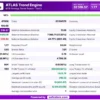
🔢 Atlas Trend Engine EA MT5: Complete Settings Guide and Input Parameters Explained
Atlas Trend Engine EA is an automated trading Expert Advisor configured around trend identification, market-regime detection, multi-timeframe confirmation, and systematic risk management. Its input settings combine linear regression, Donchian Channels, Average True Range (ATR), Average Directional Index (ADX), Exponential Moving Averages (EMAs), Keltner Channels, and MACD to evaluate market conditions and potential trade opportunities.
The EA also includes adaptive position sizing, portfolio exposure limits, partial take-profit management, breakeven protection, trailing stops, trading-session filters, spread controls, and optional news filtering. This guide explains every parameter visible in the supplied settings panels, preserving the original names and numerical values.
⚙️ Strategy Settings — Atlas Trend Engine (ATE) V3
🔹 Strategy_Settings = Atlas Trend Engine (ATE) V3 Settings: Section heading identifying the main strategy configuration and risk-management controls.
🔹 Risk per trade (%) = 1.4: Sets the configured risk per trade to 1.4%. If calculated as a percentage of account equity or balance, this determines the intended risk allocation for an individual trade, subject to the EA’s position-sizing formula.
🔹 Daily loss circuit breaker (R) = 2.5: Sets the daily loss threshold to 2.5R, where R usually represents the predefined risk associated with one trade. The EA may restrict further trading when the daily loss reaches this threshold.
🔹 Weekly loss circuit breaker (R) = 4.0: Sets the weekly loss threshold to 4.0R, potentially limiting additional trading after cumulative weekly losses reach four times the reference trade risk.
🔹 Max currency exposure (%) = 2.0: Sets the maximum currency exposure parameter to 2.0%. Its precise meaning depends on whether the EA measures open risk, currency concentration, or another internal exposure metric.
🔹 Unique EA identifier v2 = 30430930: Assigns the identifier 30430930 to the EA instance, helping distinguish trades managed by this strategy from trades associated with other Expert Advisors.
🔹 Enable SHORT trades (v2) = true: Enables short-selling signals, allowing the EA to consider sell positions when its entry rules and market filters are satisfied.
🔹 Max simultaneous positions (portfolio cap) = 3: Limits the configured number of simultaneous positions to 3, providing a portfolio-level cap on concurrent trades managed under this rule.
🔹 Max total open risk (% of equity) = 4.0: Sets the maximum combined open-risk threshold to 4.0% of equity. If implemented as described, the EA can use this limit to prevent new trades from increasing aggregate open risk beyond the configured percentage.
⚙️ Daily Regime Detection
🔹 Regime_Detection = Daily Regime Detection: Section heading for the parameters used to assess trend strength and volatility conditions.
🔹 Linear Regression R2 period = 60: Sets the linear regression analysis period to 60 bars. The resulting R-squared value can help assess how closely price movement follows a linear trend over the selected window.
🔹 R2 threshold for trend regime = 0.4: Sets the trend-regime R-squared threshold to 0.4. The EA can use this threshold to distinguish trend-like conditions from less consistent price movement.
🔹 Donchian channel period = 55: Sets the Donchian Channel lookback period to 55 bars, defining the recent high-low range used to evaluate potential breakouts or market boundaries.
🔹 Short ATR period = 20: Sets the short-term Average True Range calculation period to 20 bars, measuring relatively recent market volatility.
🔹 Long ATR period = 100: Sets the long-term ATR calculation period to 100 bars, providing a broader volatility reference for comparison with short-term conditions.
🔹 ATR ratio threshold = 1.21: Sets the ATR ratio threshold to 1.21. This value can help the EA identify volatility expansion or contraction when comparing its short- and long-term volatility measurements.
🔹 ADX threshold for strong trends (v2) = 20.0: Sets the Average Directional Index threshold to 20.0. The EA can use this value to assess whether a market trend has sufficient strength under its programmed rules.
🔹 Min regime score (2=balanced, 3=strict) = 2: Sets the minimum market-regime score to 2, corresponding to the labelled balanced setting. The input indicates that a score of 3 represents the stricter alternative.
⚙️ H4 Bias Filter
🔹 H4_Bias_Filter = H4 Bias Filter: Section heading for the higher-timeframe directional confirmation settings based on the four-hour chart.
🔹 H4 Fast EMA period = 60: Sets the fast Exponential Moving Average period to 60 bars for the H4 bias calculation, helping assess broader price direction.
🔹 H4 Slow EMA period = 65: Sets the slow Exponential Moving Average period to 65 bars. Comparing the fast EMA of 60 with the slow EMA of 65 can help establish directional bias, depending on the EA’s rules.
🔹 H4 Linear Regression period = 25: Sets the H4 linear regression calculation period to 25 bars, providing an additional measure of higher-timeframe trend direction.
🔹 Minimum bias strength (v2) = 0.3: Sets the minimum directional-bias strength threshold to 0.3. The EA may use this value to reject weak or ambiguous higher-timeframe conditions.
⚙️ H1 Entry Patterns
🔹 H1_Entry_Patterns = H1 Entry Patterns: Section heading for the entry-pattern parameters associated with the one-hour timeframe.
🔹 Structure EMA period = 22: Sets the EMA period used to evaluate the entry structure to 22 bars, helping assess price direction or short-term market structure on H1.
🔹 Keltner Channel EMA period = 14: Sets the EMA period used in the Keltner Channel calculation to 14 bars, determining the central reference line of the channel.
🔹 Keltner ATR multiplier = 1.3: Sets the Keltner Channel ATR multiplier to 1.3, controlling the channel width relative to measured volatility.
🔹 Micro-Donchian period = 7: Sets the Micro-Donchian Channel lookback to 7 bars, allowing the EA to evaluate shorter-term price boundaries or potential local breakouts.
🔹 MACD fast period = 12: Sets the fast Moving Average Convergence Divergence period to 12 bars, controlling the faster moving-average component of the MACD calculation.
🔹 MACD slow period = 26: Sets the slow MACD period to 26 bars, defining the slower moving-average component used to calculate the MACD line.
🔹 MACD signal period = 9: Sets the MACD signal-line period to 9 bars, smoothing the MACD line to help identify momentum shifts and potential crossovers.
🔹 Min pattern confluence score (v2) = 0.7: Sets the minimum pattern-confluence score to 0.7. The EA may require its combined entry conditions to reach this threshold before accepting a setup; the exact scoring formula depends on its implementation.
⚙️ Exit Management
🔹 Exit_Management = Exit Management: Section heading for partial profit-taking, breakeven, trailing-stop, and time-based exit controls.
🔹 TP1 R-multiple = 0.9: Sets the first take-profit target to 0.9R, where R typically represents the initial trade risk. Under a conventional risk-multiple calculation, TP1 is positioned at 0.9 times the initial risk distance.
🔹 TP1 position closure (%) = 40.0: Configures the first take-profit action to close 40.0% of the position when TP1 is reached, subject to the EA’s order-management implementation.
🔹 Breakeven trigger (R) = 1.0: Sets the breakeven trigger to 1.0R. Once the trade reaches the configured profit multiple, the EA may move the stop-loss to the entry price or another calculated breakeven level.
🔹 Chandelier stop period = 18: Sets the Chandelier Exit lookback period to 18 bars. This method commonly uses recent price extremes and ATR to determine a volatility-adjusted stop level.
🔹 Chandelier ATR multiplier = 3.0: Sets the Chandelier Exit ATR multiplier to 3.0, controlling the distance between the relevant price extreme and the calculated stop level.
🔹 Time stop (H1 bars) = 28: Sets the time-based exit threshold to 28 H1 bars. If the EA closes positions after this limit, it corresponds to approximately 28 hours of H1 bar time, excluding market closures and gaps.
🔹 Min profit for time exit (R) = 0.8: Sets the minimum profit threshold for the time-based exit to 0.8R. This parameter may determine whether a trade qualifies for a time-related exit, depending on the programmed conditions.
🔹 Use Parabolic SAR trailing (v2) = true: Enables Parabolic SAR-based trailing-stop management for the V2 strategy.
🔹 PSAR step (v2) = 0.02: Sets the Parabolic SAR acceleration step to 0.02, controlling how quickly the indicator’s trailing reference responds to price movement.
🔹 PSAR maximum (v2) = 0.2: Sets the maximum Parabolic SAR acceleration factor to 0.2, limiting how far the acceleration step can increase under the standard PSAR calculation.
⚙️ Adaptive Position Sizing (V2)
🔹 Position_Sizing = Adaptive Position Sizing (V2): Section heading for dynamic position-volume management.
🔹 Enable adaptive position sizing = true: Enables adaptive position sizing, allowing the EA to adjust trading volume according to its configured sizing logic rather than relying exclusively on a fixed lot size.
🔹 Kelly Criterion fraction = 0.25: Sets the Kelly fraction to 0.25, or one-quarter of the full Kelly calculation if the EA implements conventional Kelly-based sizing. Fractional Kelly sizing is generally intended to reduce exposure compared with full Kelly sizing, although results depend on the underlying probability and payoff estimates.
🔹 Normalize by volatility = true: Enables volatility normalization for position sizing. The EA can adjust trade volume according to measured market volatility, subject to its internal calculation method.
🔹 Volatility lookback period = 20.0: Sets the volatility lookback parameter to 20.0. This value is likely used to define the historical window for volatility estimation; confirm whether the EA expects an integer period or accepts a decimal input.
⚙️ Session and Market Filters
🔹 Session_Filters = Session & Market Filters: Section heading for trading-session restrictions and market-condition filters.
🔹 Trade London session = false: Disables trading during the London session through this setting.
🔹 Trade New York session = true: Enables trading during the New York session, subject to the configured hours and other active entry filters.
🔹 London session start = 10: Sets the London session start parameter to hour 10, according to the EA’s configured time reference.
🔹 London session end = 18: Sets the London session end parameter to hour 18.
🔹 New York session start = 17: Sets the New York session start parameter to hour 17.
🔹 New York session end = 22: Sets the New York session end parameter to hour 22.
🔹 Maximum spread (pips) = 500.0: Sets the absolute maximum spread threshold to 500.0 pips. This is a large value under conventional pip definitions, so its intended meaning should be checked against the EA’s instrument-specific pip conversion and any additional spread filters.
🔹 Max spread as ATR(H1) ratio (symbol-safe) = 0.08: Sets the maximum spread-to-ATR ratio to 0.08. If implemented as a ratio, this allows the spread to reach up to 8% of the H1 ATR reference before the spread filter rejects an entry.
🔹 ATR period used for spread filter (H1) = 14: Sets the H1 ATR period used by the spread filter to 14 bars. The resulting volatility estimate can help scale spread acceptance to the instrument’s current market conditions.
🔹 Filter Friday close trades = true: Enables the Friday closing filter, allowing the EA to apply its configured Friday-related trading restrictions or closure rules.
🔹 Friday close hour (GMT) = 16: Sets the Friday closing hour to 16 GMT, corresponding to 16:00 GMT if the EA interprets the value as a 24-hour clock setting.
⚙️ Advanced Settings
🔹 Advanced_Settings = Advanced Settings: Section heading for news filtering, correlation control, execution settings, and diagnostic logging.
🔹 Enable news event filter = false: Disables the news-event filter. The configured news buffer may not be applied while this switch remains off.
🔹 News buffer (minutes) = 30: Sets the news-event buffer to 30 minutes. If news filtering is enabled, this parameter may define a restricted trading window around relevant announcements; whether it applies before, after, or on both sides of an event depends on the EA’s implementation.
🔹 Enable correlation limits = true: Enables correlation-limit controls, which may restrict exposure to highly correlated instruments or signals according to the EA’s internal rules.
🔹 Enable detailed logging = true: Enables detailed logging to record the EA’s actions, trading decisions, or diagnostic information, supporting testing and troubleshooting.
🔹 Maximum slippage (pips) = 300: Sets the maximum slippage parameter to 300 pips. This is unusually high under conventional pip definitions, so verify the EA’s unit conversion and intended threshold before live trading.
🔹 ECN broker mode = false: Disables ECN broker mode. If the EA supports separate order-handling procedures for ECN brokers, the alternative execution mode will be used with this configuration.
🔢 Conclusion
Atlas Trend Engine EA MT5 combines trend-regime detection, H4 directional confirmation, H1 entry-pattern analysis, and multiple exit-management techniques. Its displayed configuration sets risk per trade to 1.4%, daily loss protection to 2.5R, weekly loss protection to 4.0R, maximum currency exposure to 2.0%, a portfolio cap of 3 simultaneous positions, and maximum total open risk of 4.0% of equity.
The exit configuration uses a TP1 target of 0.9R, partial closure of 40.0%, a breakeven trigger of 1.0R, and enabled Parabolic SAR trailing. Adaptive position sizing and volatility normalization are also enabled. New York session trading is active, London session trading is disabled, correlation limits are enabled, and the news-event filter is currently disabled.
Before live deployment, verify the EA’s exact calculation of risk multiples, currency exposure, portfolio risk, and time references. The Maximum spread (pips) = 500.0 and Maximum slippage (pips) = 300 values deserve particular attention because they are unusually high under conventional pip definitions. Backtesting and demo trading are recommended before using real capital.
User Reviews
Only logged in customers who have purchased this product may leave a review.
❓ What is ATLAS Trend Engine EA MT5?
A rule based trend following Expert Advisor for gold, major indices and trending forex pairs, built around a multi layer market validation framework.
❓ Which markets suit ATLAS Trend Engine EA MT5?
Gold, indices such as NAS100 and US30, and trending forex pairs such as USDJPY and GBPJPY.
❓ Which timeframe does ATLAS Trend Engine EA MT5 use?
H1 is the primary timeframe, and H4 is used for swing oriented configurations.
❓ Is ATLAS Trend Engine EA MT5 a grid or martingale EA?
No. It is described as a trend following system and not as a martingale, grid or high frequency scalping system.
❓ How does ATLAS Trend Engine EA MT5 control risk?
Through a fixed percentage risk per trade, a limit on portfolio exposure, daily and weekly loss protection and adaptive stop management.
❓ Is ATLAS Trend Engine EA MT5 suitable for prop firm accounts?
It was designed with prop firm risk rules in mind, but the limits must still be set to match the rules of the chosen firm.
❓ Which account type suits ATLAS Trend Engine EA MT5?
An ECN or raw spread account with stable execution and consistent symbol specifications.
❓ How often does ATLAS Trend Engine EA MT5 trade?
It is a selective system and not a scalper, so it trades only when its regime and bias filters agree.
❓ Does ATLAS Trend Engine EA MT5 use partial profit?
Yes. It includes partial profit handling and dynamic trade protection for open trades.
-
 Original price was: $30,000.00.$599.00Current price is: $599.00.
 -
 Original price was: $3,750.00.$599.00Current price is: $599.00.
 -
 Original price was: $30,000.00.$599.00Current price is: $599.00.
 -
 Original price was: $999.00.$89.00Current price is: $89.00.
-
 0Original price was: $2,288.00.$249.00Current price is: $249.00.
 -
 0Original price was: $500.00.$199.00Current price is: $199.00.
 -
 1Original price was: $699.00.$249.00Current price is: $249.00.
 -
 1Original price was: $1,299.00.$249.00Current price is: $249.00.
There are no reviews yet.