


🔢 Fortune MT5 Settings Guide
Fortune MT5 is a fully automated Expert Advisor designed to combine disciplined risk management, flexible trade execution, and configurable money management into a single trading solution.
The EA provides traders with extensive control over position sizing, stop-loss management, trailing protection, trading sessions, and advanced execution parameters. Understanding every input parameter allows you to optimize Fortune MT5 according to your account size, trading style, and risk tolerance.
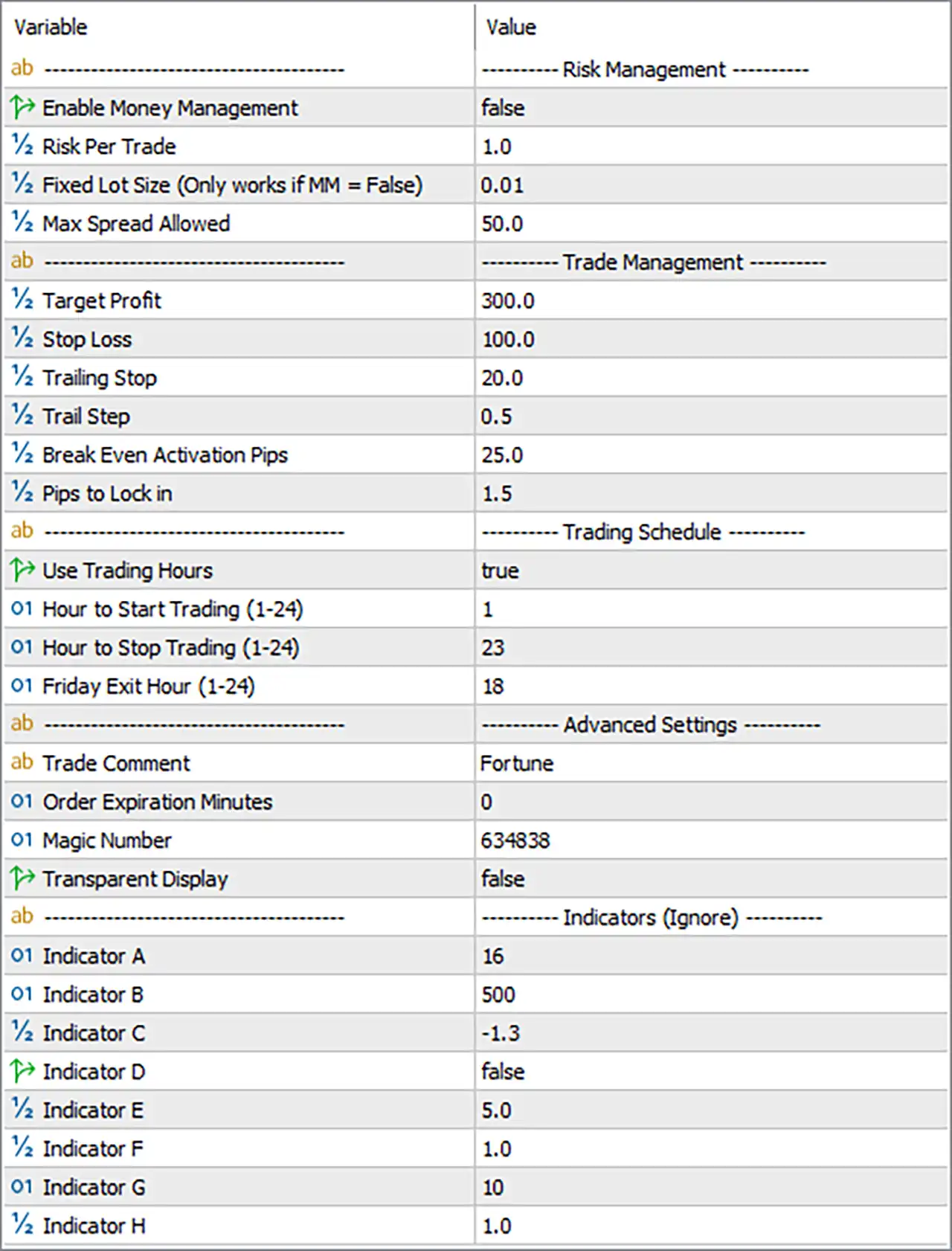
🔢 Fortune MT5 Settings Explained
🔶 Risk Management
🔹 Enable Money Management = false – Disables automatic money management; the EA will use the fixed lot size instead of calculating position size based on account risk.
🔹 Risk Per Trade = 1.0 – Defines a 1.0% risk per trade when Money Management is enabled.
🔹 Fixed Lot Size (Only works if MM = False) = 0.01 – Sets the trading volume to 0.01 lots whenever Money Management is disabled.
🔹 Max Spread Allowed = 50.0 – Prevents new trades if the current market spread exceeds 50.0 points, helping avoid expensive trade entries.
🔶 Trade Management
🔹 Target Profit = 300.0 – Sets the Take Profit target to 300.0 points for each position.
🔹 Stop Loss = 100.0 – Limits the maximum loss of each trade to 100.0 points.
🔹 Trailing Stop = 20.0 – Activates a trailing stop that follows price by 20.0 points after the required conditions are met.
🔹 Trail Step = 0.5 – Updates the trailing stop every 0.5 points, allowing tighter profit protection.
🔹 Break Even Activation Pips = 25.0 – Moves the Stop Loss to the entry price once the trade gains 25.0 pips, eliminating initial risk.
🔹 Pips to Lock in = 1.5 – Locks in 1.5 pips of profit after the Break Even condition has been triggered.
🔶 Trading Schedule
🔹 Use Trading Hours = true – Enables the built-in trading session filter so the EA only trades during the specified hours.
🔹 Hour to Start Trading (1–24) = 1 – Trading begins at 01:00 platform/server time.
🔹 Hour to Stop Trading (1–24) = 23 – Trading stops at 23:00 platform/server time.
🔹 Friday Exit Hour (1–24) = 18 – Forces the EA to stop or exit trading activities at 18:00 on Friday to reduce weekend exposure.
🔶 Advanced Settings
🔹 Trade Comment = Fortune – Adds the trade comment "Fortune" to every order for easy identification in the trading history.
🔹 Order Expiration Minutes = 0 – Sets pending order expiration to 0 minutes, meaning orders do not expire automatically unless managed by the broker or EA.
🔹 Magic Number = 634838 – Uses the unique identifier 634838 so the EA only manages its own trades.
🔹 Transparent Display = false – Disables transparent chart display, allowing the standard interface appearance.
🔶 Indicators (Ignore)
🔹 Indicator A = 16 – Internal indicator parameter with a value of 16 used by the EA's proprietary trading algorithm.
🔹 Indicator B = 500 – Internal indicator parameter set to 500 for strategy calculations.
🔹 Indicator C = -1.3 – Internal calculation coefficient with a value of -1.3 used by the trading logic.
🔹 Indicator D = false – Internal indicator switch currently disabled.
🔹 Indicator E = 5.0 – Proprietary indicator parameter configured to 5.0.
🔹 Indicator F = 1.0 – Internal algorithm parameter set to 1.0.
🔹 Indicator G = 10 – Proprietary indicator value configured to 10.
🔹 Indicator H = 1.0 – Internal indicator coefficient with a value of 1.0.
🔢 Conclusion
Fortune MT5 provides a balanced combination of money management, trade protection, session filtering, and execution control. Whether you prefer fixed lot trading or percentage-based risk management, the EA offers flexible configuration options to suit different account sizes and trading objectives.
Proper adjustment of the Stop Loss, Take Profit, Trailing Stop, and trading schedule can significantly improve both risk control and overall trading consistency.
🔢 FAQs
❓ Does Fortune MT5 support automatic money management?
Yes. Enable Money Management to allow the EA to calculate lot sizes automatically based on the configured Risk Per Trade percentage.
❓ What happens when Money Management is disabled?
When Enable Money Management = false, the EA always trades using the Fixed Lot Size value, which is 0.01 lots by default.
❓ Why should I use the Maximum Spread filter?
The Max Spread Allowed (50.0 points) helps prevent trades from opening during periods of unusually high transaction costs and volatile market conditions.
❓ What is the purpose of the Friday Exit Hour?
The Friday Exit Hour (18) reduces weekend gap risk by ending trading activities before the market closes for the week.
❓ Can I modify the proprietary Indicator A–H parameters?
Although these parameters can technically be changed, they are internal strategy variables and should generally remain at their default values unless recommended by the EA developer or supported by verified optimization results.



