






AW Recovery EA MT4 v3.3 (Platform build 1471+)

Subscriptions for Special Plan
- 30 EA package is more economical!
- Special package with 99%
- Download 1 EA/Day

Subscriptions for Premium Membership
- Download Unlimited in 1 Year
- Get 100% Discount
- Get free access to all

Subscriptions for Gold Membership
- 1 Year Membership
- Get 100% Discount
- Access EA+Indicator+Course
Frequently bought together 🎁
Add these products to enhance your purchase




What is AW Recovery EA?
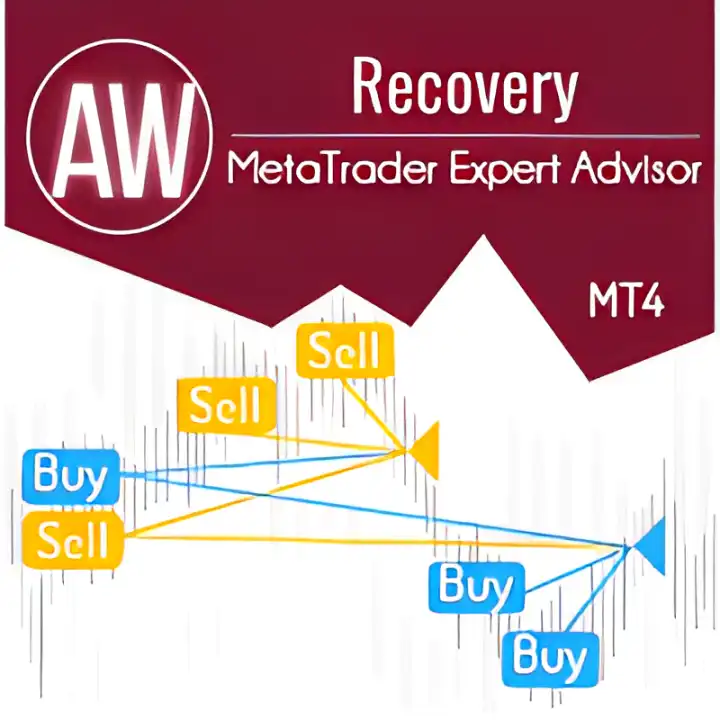
AW Recovery EA is an advanced Expert Advisor (EA) built for automated recovery and risk management of losing positions. Using adaptive indicators, trend filtering, partial closing logic, and structured trade recovery algorithms, the EA improves stability, reduces deposit pressure and helps traders manage drawdowns with controlled and flexible automation.
➡️ Vendor Website: View here
About the Author
This product is compiled by Alexander Nechaev. This author has more than +9 years of experience working on MQL5 with many famous products such as AW Recovery EA MT4, AW Recovery EA MT5, AW Gold Trend Trading EA, AW Double Grids MT5 and other advisors. Among them, AW Recovery EA MT4 is his best performing products.
Key Features of AW Recovery EA MT4
🔹 Advanced Loss Recovery System: Restores losing positions through structured partial closing logic.
🔹 Integrated Risk Management Tools: Includes trend filtering, locking and exposure reduction features.
🔹 Automated Position Protection: Resets Stop Loss (SL), Take Profit (TP) and Pending orders automatically.
🔹 Flexible Recovery Configuration: Supports customizable averaging distance and volume management.
🔹 Standalone Or Companion EA Mode: Works independently or alongside existing trading systems.
AW Recovery EA MT4 Review
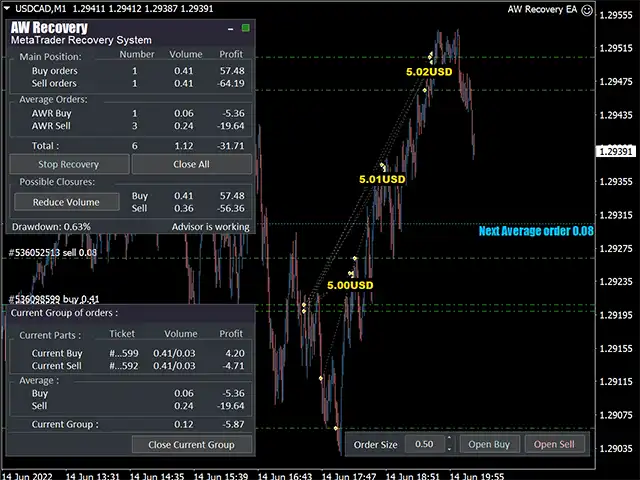
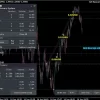
The core strategy is a controlled, fractional loss recovery process. After optionally disabling conflicting EAs and clearing pending orders, the robot locks the net losing position. It then initiates recovery by opening small-volume restoring orders and systematically closing unprofitable orders in parts. The algorithm strategically restores the least successfully located orders or those closest to profitability first, ensuring the loss is reduced with minimal stress on the account equity.
🔹 Partial Recovery Trading Logic: Splits losing positions into smaller segments for controlled recovery.
🔹 Trend Filtered Recovery Execution: Uses trend indicators to avoid unstable market conditions.
🔹 Locking And Hedging Mechanism: Opens protective lock trades to stabilize floating drawdown.
🔹 Dynamic Averaging Structure: Applies controlled averaging with adjustable spacing and multipliers.
🔹 Profit Recycling Recovery Method: Uses profitable trades to offset and reduce losing exposure.
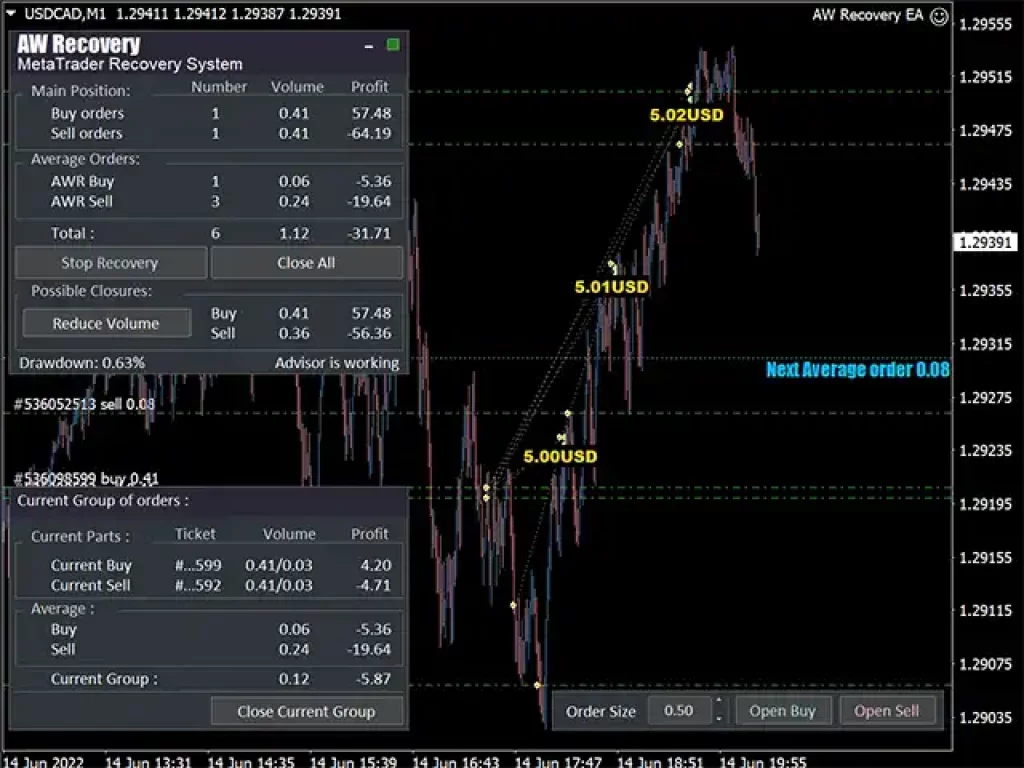
AW Recovery EA Reviews
Why choose and use AW Recovery EA?
🔹 Built For Drawdown Recovery: Focuses on structured recovery with reduced deposit pressure.
🔹 Enhanced Trading Stability: Uses layered protection systems to improve account resilience.
🔹 Flexible Risk Adaptability: Adjusts efficiently to different recovery and market conditions.
🔹 Smart Automation Framework: Simplifies complex recovery management with automated execution.
🔹 Professional Marketplace Solution: Suitable for traders managing recovery and portfolio protection.
Is AW Recovery EA MT4 safe?
AW Recovery EA shows significant potential in providing stable and reliable profits, becoming a reliable tool in the forex market. This advisor is highly appreciated by the community in many aspects and has won the trust of users.
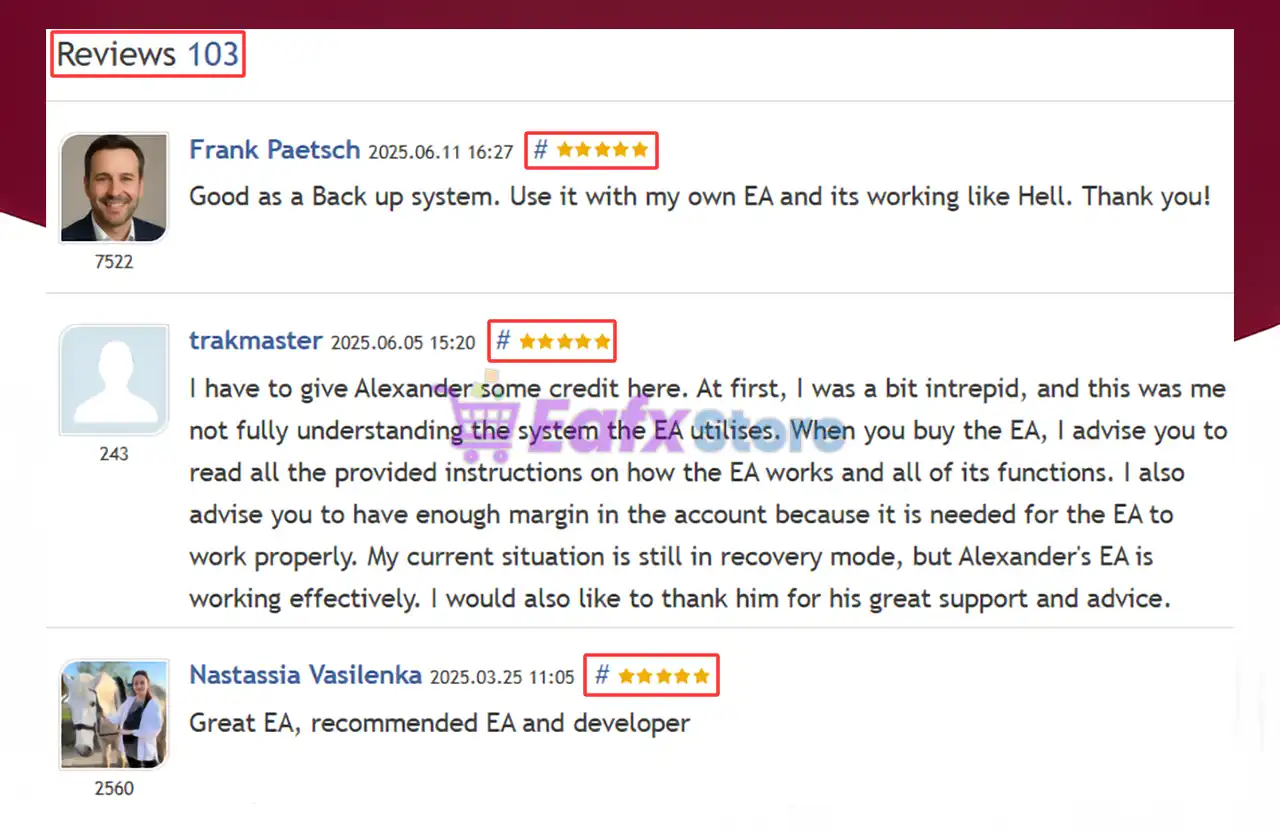
➡️ Frank Paetsch (2025.06.11): “Good as a Back up system. Use it with my own EA and its working like Hell.”
➡️ Nastassia Vasilenka (2025.03.25): “Great EA, recommended EA and developer.”
➡️ Mark Lama (2025.03.16): “Review Update: It has been running for 27 days AUUSD pair. Overall the EA is great and profitable.”
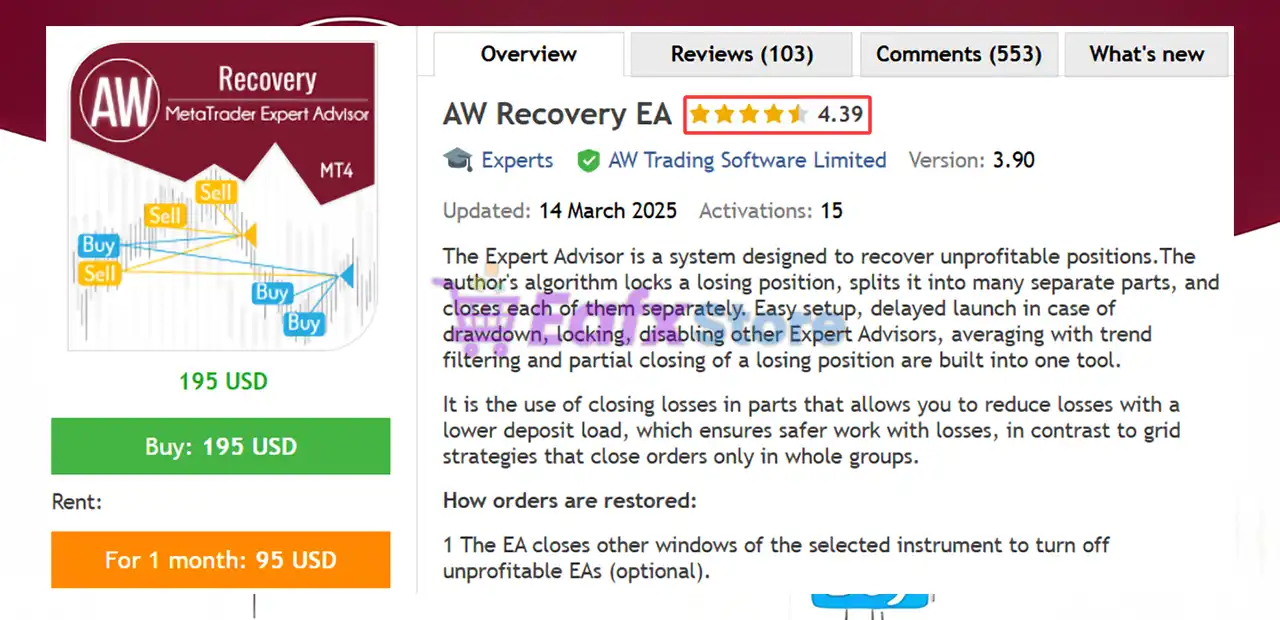
AW Recovery EA MT4 is rated 5 stars
Trading Specifications
Recommended settings and parameters to pay attention to from developers and experts:
| Features | Type |
|---|---|
| Trading platform | MetaTrader 4 (MT4) |
| Minimum / Recommended deposit | $500 |
| Time frames | Any Times |
| Currency pairs | Any Pairs |
| Product type | NoDLL / Fix |
| Additional services | Unlock And Decompile |
| Recommended brokers | Exness Broker, Icmarkets Broker |
| Recommended VPS | MyfxVPS.com ( Blue VPS, Golden VPS). Lowest Latency, 2 week Free Trial, 100% Free for 12-18 Months. |
➡️ Reviewed by David Easton
What’s in the package?
The download package of the product suite includes:
✅ Experts: AW Recovery EA v3.3_fix.ex4
Conclusion
In short, AW Recovery EA for MT4 is a powerful forex recovery system designed to minimize losses and restore unprofitable positions with precision. Featuring intelligent locking, partial closure, and flexible TP/SL management, it ensures capital protection and stability during drawdowns. Trusted by traders worldwide, this EA stands out as a reliable and essential tool for efficient loss recovery and consistent trading performance.
AW Recovery EA MT4 Settings Explained – Complete Recovery Trading Guide
AW Recovery EA MT4 is a powerful MetaTrader 4 Expert Advisor (EA) specifically designed for trade recovery, averaging systems, basket management and drawdown control.
The EA helps traders recover losing positions using smart grid strategies, partial recovery logic, trend filtering and adaptive averaging techniques.
With advanced protection settings and flexible launch configurations, AW Recovery EA MT4 is ideal for traders looking to manage difficult market conditions while maintaining portfolio stability.
AW Recovery EA MT4 Settings
AW Recovery EA MT4 Full Settings Explanation
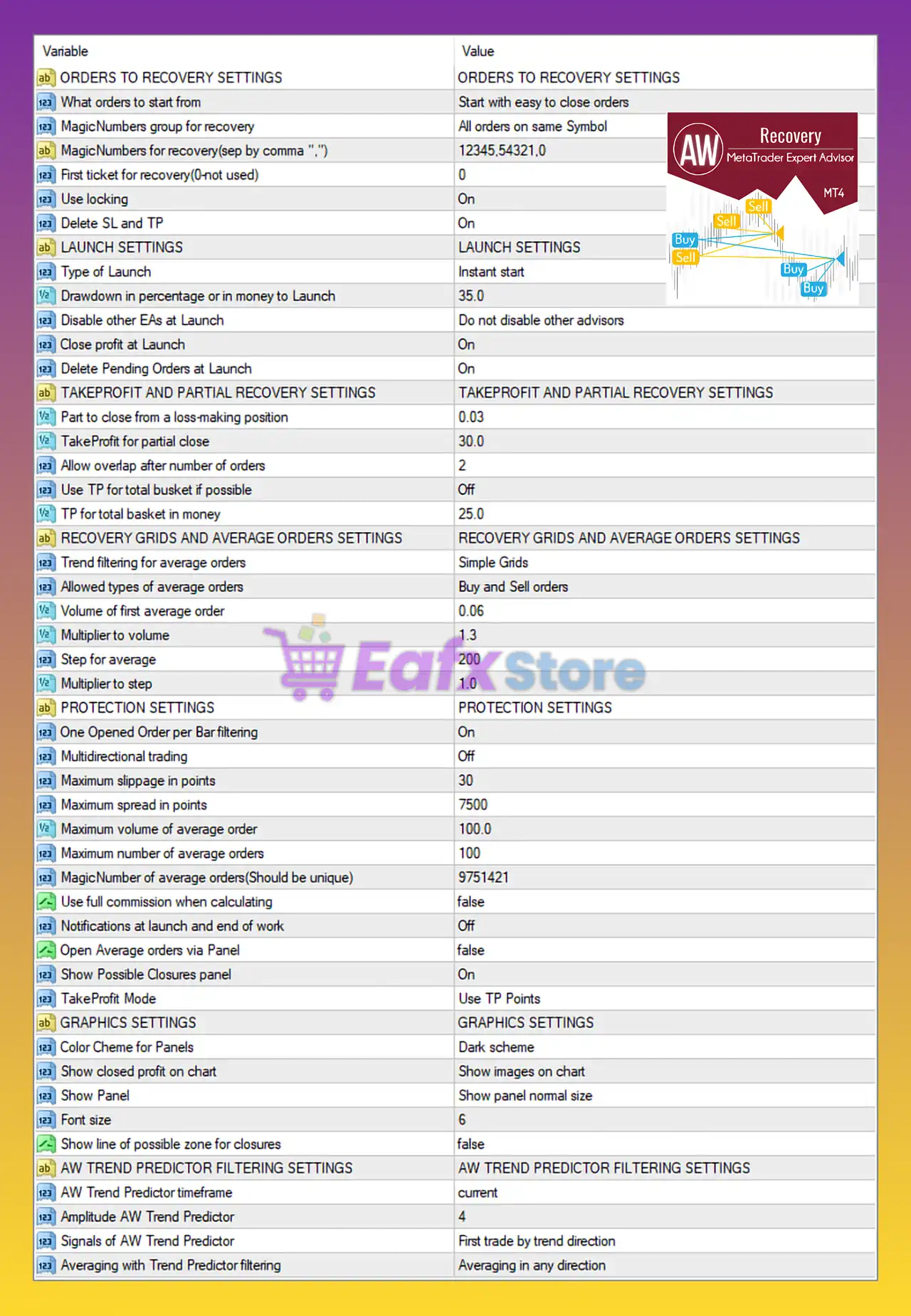
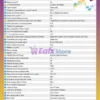
Below are the details of the parameters in the advisor’s trading system settings table:
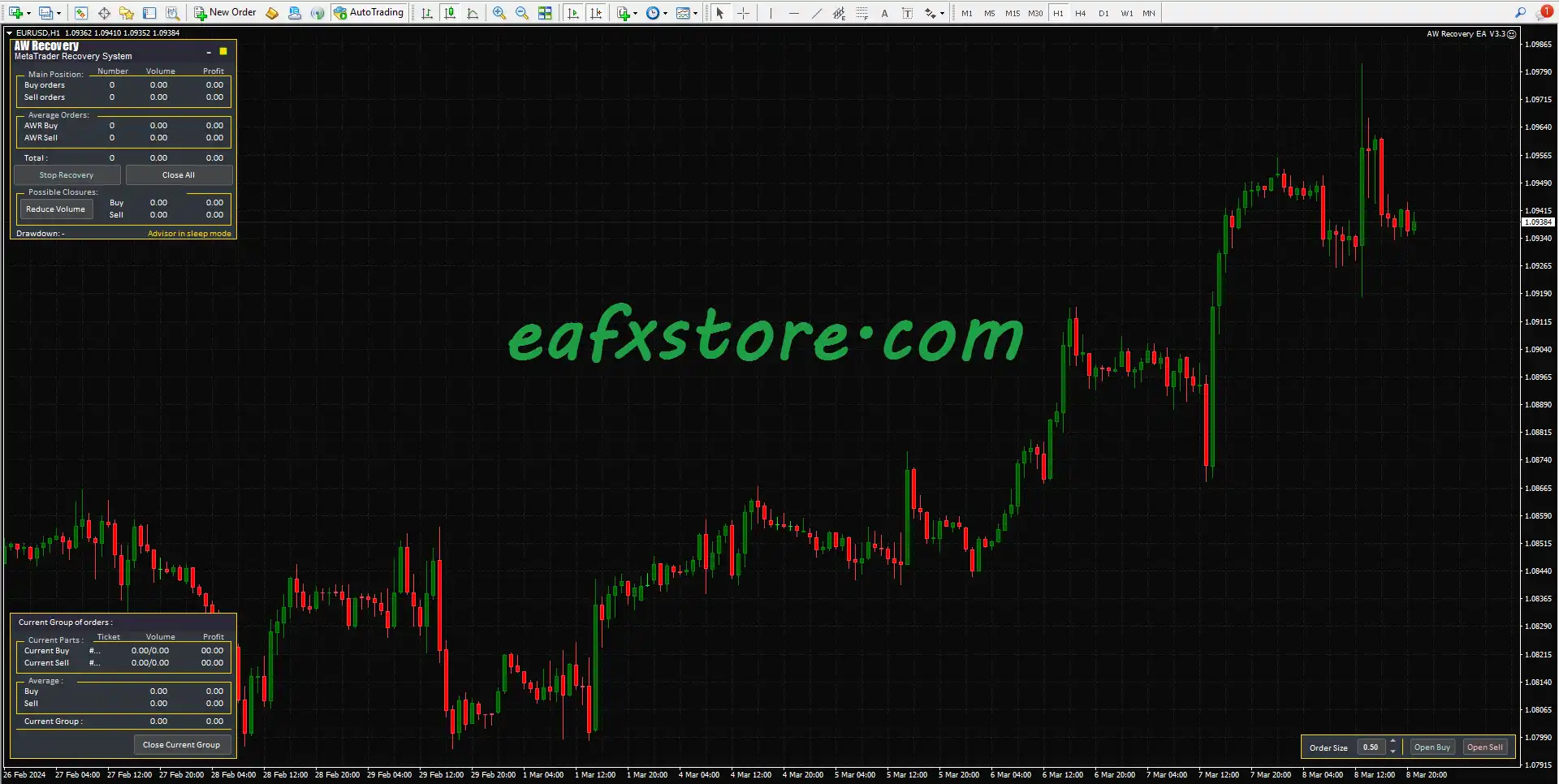
AW Recovery EA MT4 Settings Panel
Orders to Recovery Settings
🔹 ORDERS TO RECOVERY SETTINGS: Main section used for configuring recovery trade management.
🔹 What orders to start from = Start with easy to close orders: The EA prioritizes recovery from positions that can be closed more easily.
🔹 MagicNumbers group for recovery = All orders on same Symbol: Recovery system manages all trades on the same trading symbol.
🔹 MagicNumbers for recovery (sep by comma “,”) = 12345,54321,0: Defines the Magic Numbers included in the recovery process.
🔹 First ticket for recovery (0-not used) = 0: No specific trade ticket is selected for manual recovery initialization.
🔹 Use locking = On: Enables hedge locking protection during recovery operations.
🔹 Delete SL and TP = On: Removes existing Stop Loss and Take Profit levels before recovery processing.
Launch Settings
🔹 LAUNCH SETTINGS: Section used for configuring EA startup conditions.
🔹 Type of Launch = Instant start: Recovery process starts immediately when conditions are met.
🔹 Drawdown in percentage or in money to Launch = 35.0: Recovery system activates at 35.0 drawdown level.
🔹 Disable other EAs at Launch = Do not disable other advisors: Other Expert Advisors continue running during recovery mode.
🔹 Close profit at Launch = On: Automatically closes profitable positions when recovery starts.
🔹 Delete Pending Orders at Launch = On: Removes pending orders during recovery activation.
TakeProfit and Partial Recovery Settings
🔹 TAKEPROFIT AND PARTIAL RECOVERY SETTINGS: Section controlling basket profit and partial recovery logic.
🔹 Part to close from a loss-making position = 0.03: Closes 0.03 lots from losing trades during partial recovery.
🔹 TakeProfit for partial close = 30.0: Partial close activates after 30.0 profit points/pips.
🔹 Allow overlap after number of orders = 2: Allows overlapping recovery positions after 2 orders.
🔹 Use TP for total basket if possible = Off: Disables unified Take Profit for the entire basket.
🔹 TP for total basket in money = 25.0: Basket Take Profit target is set at $25.0.
Recovery Grids and Average Orders Settings
🔹 RECOVERY GRIDS AND AVERAGE ORDERS SETTINGS: Section controlling averaging and grid recovery logic.
🔹 Trend filtering for average orders = Simple Grids: Uses a basic grid filtering method for recovery trades.
🔹 Allowed types of average orders = Buy and Sell orders: Recovery system supports both Buy and Sell averaging trades.
🔹 Volume of first average order = 0.06: First averaging trade opens with 0.06 lots.
🔹 Multiplier to volume = 1.3: Each new averaging order increases by a multiplier of 1.3.
🔹 Step for average = 200: Distance between averaging trades is 200 points/pips.
🔹 Multiplier to step = 1.0: Averaging step distance remains fixed because multiplier is 1.0.
Protection Settings
🔹 PROTECTION SETTINGS: Section used for risk protection and execution controls.
🔹 One Opened Order per Bar filtering = On: Limits the EA to opening only one trade per candle/bar.
🔹 Multidirectional trading = Off: Prevents simultaneous Buy and Sell recovery trading.
🔹 Maximum slippage in points = 30: Maximum allowed slippage is 30 points.
🔹 Maximum spread in points = 7500: Maximum spread filter is configured at 7500 points.
🔹 Maximum volume of average order = 100.0: Caps averaging trade size at 100.0 lots.
🔹 Maximum number of average orders = 100: Allows a maximum of 100 averaging positions.
🔹 MagicNumber of average orders (Should be unique) = 9751421: Unique Magic Number assigned to averaging trades.
🔹 Use full commission when calculating = false: Commission costs are not fully included in calculations.
🔹 Notifications at launch and end of work = Off: Disables notifications during startup and shutdown.
🔹 Open Average orders via Panel = false: Manual panel-based averaging is disabled.
🔹 Show Possible Closures panel = On: Displays a panel showing potential recovery closure opportunities.
🔹 TakeProfit Mode = Use TP Points: Uses fixed Take Profit points for recovery exits.
Graphics Settings
🔹 GRAPHICS SETTINGS: Section controlling the visual appearance of the EA panel.
🔹 Color Cheme for Panels = Dark scheme: Uses a dark visual theme for interface panels.
🔹 Show closed profit on chart = Show images on chart: Displays graphical information and closed profit visuals on the chart.
🔹 Show Panel = Show panel normal size: Displays the standard-size EA control panel.
🔹 Font size = 6: Interface font size is set to 6.
🔹 Show line of possible zone for closures = false: Disables display of potential closure zone lines.
AW Trend Predictor Filtering Settings
🔹 AW TREND PREDICTOR FILTERING SETTINGS: Section used for trend prediction filtering logic.
🔹 AW Trend Predictor timeframe = current: Uses the current chart timeframe for trend prediction.
🔹 Amplitude AW Trend Predictor = 4: Trend predictor sensitivity/amplitude is set to 4.
🔹 Signals of AW Trend Predictor = First trade by trend direction: Initial trades follow the detected market trend direction.
🔹 Averaging with Trend Predictor filtering = Averaging in any direction: Averaging trades can open regardless of trend direction.
Conclusion
AW Recovery EA MT4 is an advanced recovery and basket management Expert Advisor built for traders who need powerful drawdown recovery capabilities.
With flexible averaging systems, smart recovery grids, locking protection, trend filtering, and basket profit management, the EA provides a comprehensive solution for handling difficult market conditions in MetaTrader 4.
FAQs
❓ What is AW Recovery EA MT4?
AW Recovery EA MT4 is a MetaTrader 4 Expert Advisor designed for recovery trading, averaging systems, and drawdown management.
❓ Does AW Recovery EA MT4 support hedge locking?
Yes, the setting Use locking = On enables hedge locking during recovery operations.
❓ How many averaging trades can AW Recovery EA MT4 open?
The EA allows up to 100 averaging orders simultaneously.
❓ Can AW Recovery EA MT4 manage both Buy and Sell trades?
Yes, the EA supports both Buy and Sell averaging and recovery positions.
❓ What drawdown level activates the recovery system?
The recovery process starts when drawdown reaches 35.0 according to the launch settings.
User Reviews
Only logged in customers who have purchased this product may leave a review.
🔴 1. What is AW Recovery EA and how does it work?
AW Recovery EA is an Expert Advisor (EA) for MetaTrader 4 designed to recover losing trades. It automatically locks unprofitable positions, divides them into smaller parts, and gradually closes each portion as market conditions improve — minimizing drawdown and protecting capital.
🔴 2. How does AW Recovery EA recover losing positions?
The EA uses a fractional recovery algorithm: it identifies losing positions, locks them, and then opens small-volume recovery orders. It systematically closes losing trades in parts while prioritizing those closest to profitability, ensuring efficient balance recovery with minimal stress on equity.
🔴 3. Can AW Recovery EA work with other Expert Advisors?
Yes, but with intelligent control. AW Recovery EA can automatically disable other EAs trading the same pair when recovery starts, preventing trade conflicts and maintaining stable management during the recovery process.
🔴 4. What trading strategies are built into AW Recovery EA?
It combines trend filtering, averaging, partial closing, and capital protection into one system. The EA adjusts dynamically to market conditions, ensuring safe and steady recovery from drawdown without aggressive grid or martingale behavior.
🔴 5. What are the main advantages of using AW Recovery EA?
Key advantages include lower deposit load, automated loss locking, split recovery orders, and customizable risk control. These allow traders to reduce losses efficiently while keeping the account safe from margin calls or overexposure.
🔴 6. Is AW Recovery EA suitable for beginners?
Yes. The EA is user-friendly and easy to configure. Its automated setup — including automatic TP/SL adjustments, order locking, and pending order clearing — makes it accessible even for new traders unfamiliar with manual recovery strategies.
🔴 7. What are the minimum deposit and recommended settings?
A minimum deposit of $500 is recommended, though this may vary depending on pair volatility and account leverage. The EA works on any currency pair and any timeframe, giving users flexibility to adapt it to their portfolio.
🔴 8. How safe is AW Recovery EA for long-term use?
AW Recovery EA prioritizes capital safety through trend filtering, position overlapping control, and gradual recovery logic. It does not use risky martingale or grid expansion, making it safer for long-term, stable performance.
🔥 Get This EA for FREE with Our Membership! 🚀🚀
Unlock access to this EA, premium Indicators, and exclusive trading tools completely FREE with any of our Membership Plans! Thousands of traders already benefit from our VIP library—join them and level up your trading instantly. Choose Your Membership:
- SPECIAL – 1 Month Membership
- GOLD – 1 Year Membership
- PREMIUM – 1 Year Membership
-
 Price range: $80.00 through $599.00
 -
 Price range: $75.00 through $599.00
 -
 Price range: $75.00 through $599.00
 -
 Price range: $89.00 through $599.00
-
 1Original price was: $11,000.00.$89.00Current price is: $89.00.
 -
 1Original price was: $950.00.$59.00Current price is: $59.00.
 -
 10Original price was: $2,100.00.$59.00Current price is: $59.00.
 -
 3Original price was: $499.00.$59.00Current price is: $59.00.
There are no reviews yet.