





Scalping Robot Pro MT4 v6.0 + SetFiles (Unlimited)

Subscriptions for Special Plan
- 30 EA package is more economical!
- Special package with 99%
- Download 1 EA/Day

Subscriptions for Premium Membership
- Download Unlimited in 1 Year
- Get 100% Discount
- Get free access to all

Subscriptions for Gold Membership
- 1 Year Membership
- Get 100% Discount
- Access EA+Indicator+Course
Frequently bought together 🎁
Add these products to enhance your purchase




Quick Verdict
Scalping Robot Pro MT4 is built for aggressive XAUUSD M1 scalping, combining fast execution with extensive market filters and automated risk controls. Its supplied backtest shows strong profitability and a high winning-trade rate, but M1 gold trading remains highly sensitive to spread, slippage, execution speed and risk settings.
Best For
✅ XAUUSD M1 scalping.
✅ Fast automated trade execution.
✅ MT4 gold traders.
✅ Active short-term strategies.
✅ Traders wanting multiple safety filters.
✅ Experienced automated traders.
Overall Rating
⭐⭐⭐⭐⭐ 9.2/10
| Evaluation Category | Rating |
|---|---|
| Scalping Strategy | 9.0/10 |
| Backtest Performance | 9.5/10 |
| Risk Controls | 9.0/10 |
| Market Protection | 9.5/10 |
| Customization | 9.0/10 |
| Support & Resources | 9.0/10 |
What is Scalping Robot Pro MT4?
Scalping Robot Pro MT4 is a fully automated Expert Advisor (EA) optimized for XAUUSD on the M1 timeframe. The system is designed to capture short-term gold price movements through rapid market analysis, selective entries and automated position management. It uses market filters, volatility protection, spread controls and configurable SL, TP and trailing-stop settings to maintain disciplined execution in fast-moving conditions.
 Vendor Website: View here
How Does Scalping Robot Pro MT4 Work?
Real-Time XAUUSD Market Analysis
The EA continuously evaluates short-term price behavior, momentum, volatility and tick activity on the M1 chart to identify potential trading opportunities.
Selective Entry Logic
Rather than entering every market movement, Scalping Robot Pro uses multiple market filters before allowing a position to be opened.
This helps reduce entries during unfavorable conditions.
Automated Position Management
Once a trade is opened, the EA can automatically manage the position using Stop Loss (SL), Take Profit (TP), Trailing Stop and maximum-position controls.
Directional Flexibility
Users can configure the system for:
🔹 Buy only
🔹 Sell only
🔹 Buy and Sell only
This provides additional flexibility when market conditions or trading preferences change.
Session and Schedule Control
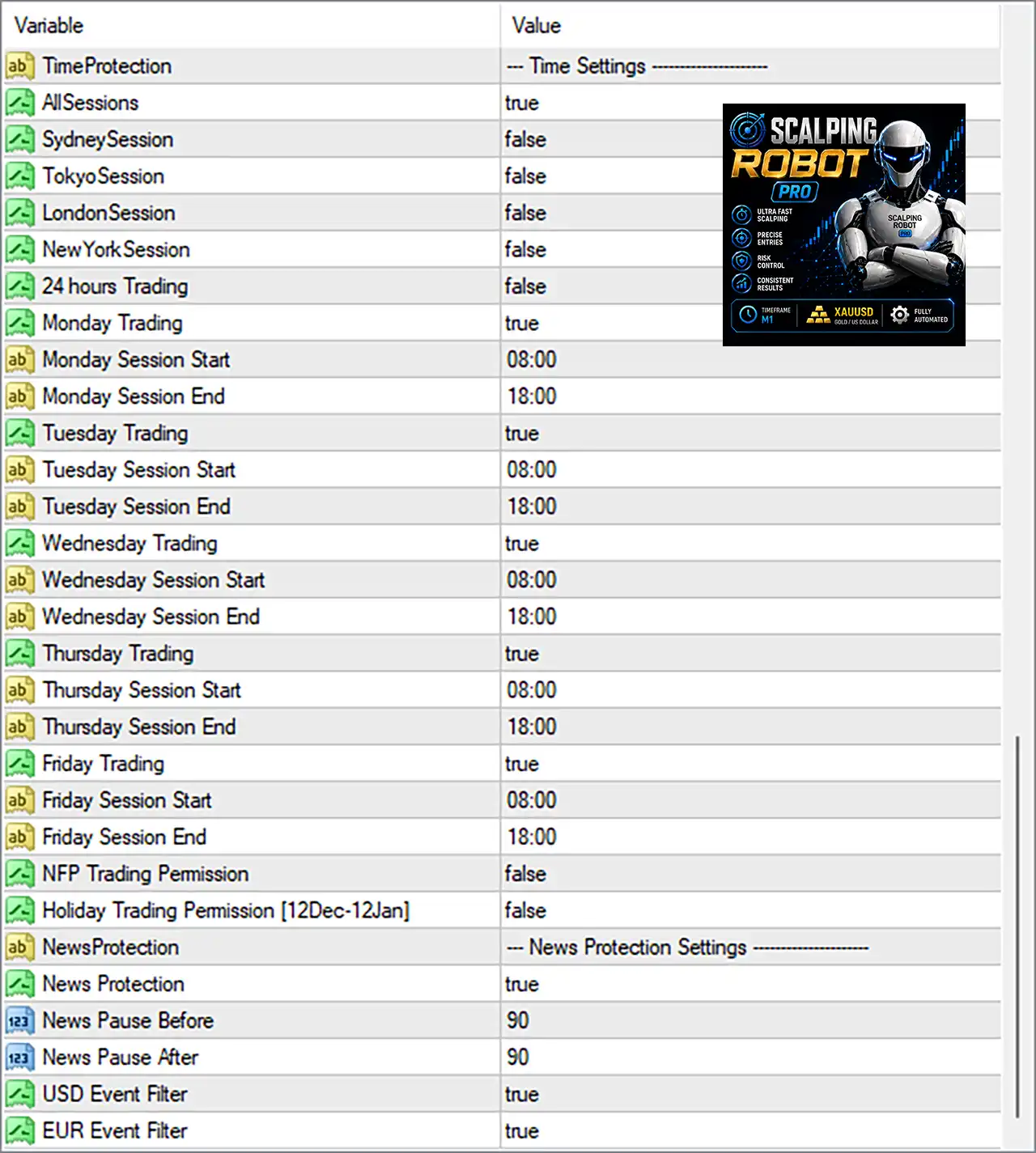
Trading sessions can be customized, including individual trading hours for each day of the week.
Holiday controls can also be used to restrict trading during selected periods.
Key Features of Scalping Robot Pro MT4
Professional XAUUSD Scalping
Specially optimized for XAUUSD on the M1 timeframe, focusing on fast price movements, momentum shifts and short-term trading opportunities.
Advanced Market Filters
Continuously checks price action, candle size, tick flow and volatility to avoid entering during abnormal or unfavorable market conditions.
Flexible Trading Control
Supports Buy Only, Sell Only, or Buy & Sell, with customizable trading sessions and individual schedules for each day.
Automated Trade Management
Handles Take Profit, Stop Loss, Trailing Stop and maximum positions automatically, helping maintain consistent and disciplined execution.
Multi-Layer Risk Protection
Includes Daily Profit, Max Drawdown, spread, candle-size, tick-flow and volatility protection to help control exposure during changing market conditions.
High-Impact News Protection
Automatically blocks new orders 90 minutes before and 90 minutes after high-impact news, reducing exposure during potentially unpredictable market movements.
Historical Trading Results Performance
The Scalping Robot Pro have achieved impressive profit performance over many months of trading. The advisor shows amazing ability to master the market and increase profits.
Historical Performance — XAUUSD M1
Scalping Robot Pro EA Backtest Results
| Metric | Result |
|---|---|
| Symbol | XAUUSD (Gold) |
| Timeframe | M1 |
| Test Period | 2026.05.06 – 2026.07.30 |
| Initial Deposit | $1,000 |
| Total Net Profit | $7,824.29 |
| Profit Factor | 2.94 |
| Expected Payoff | $1.60 |
| Maximum Drawdown | 0.84% |
| Relative Drawdown | 2.13% |
| Total Trades | 4,894 |
| Profit Trades | 76.11% |
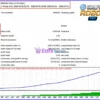
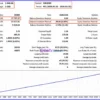
The report shows a positive balance progression from the initial $1,000 account, while the reported maximum drawdown remained relatively small during this particular test.
The test report itself also warns that its control-point method is crude and that the results should not be considered as a definitive representation of future trading performance.
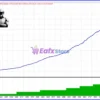
Historical Performance — Equity Curve
The equity curve shows an overall upward trend across more than 4,800 trading positions.
Scalping Robot Pro EA Backtests Results
| Chart Metric | Observation |
|---|---|
| Instrument | XAUUSD |
| Chart Type | Balance / Equity Curve |
| Starting Balance | Approximately $1,000 |
| Ending Balance | Approximately $8,800 |
| Overall Direction | Upward |
| Equity Development | Strong progressive growth |
| Visible Drawdown Pattern | Limited relative to overall curve |
| Position Size | Gradually increasing |
| Test Character | Historical backtest visualization |
User Reviews
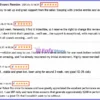
The supplied buyer-review screenshot contains several 5-star reviews. The following are shortened summaries of the comments shown in the provided material.
⭐⭐⭐⭐⭐ Diego Valentino (August 13, 2026)
“Great Robot. Scalping with precise entries and exits.”
⭐⭐⭐⭐⭐ RobyRiccione (June 22, 2026)
“Personally, I find it incredible, so I reserve the right to change this review. In a week, it achieved over 70% without a single loss.”
⭐⭐⭐⭐⭐ Peter Cesnek (July 14, 2026)
“Great expert advisor—reliable and easy to use. I tested it on a demo account for one week before switching to a real account. The results have been amazing, and I’ve already recovered my initial investment. Highly recommended.”
⭐⭐⭐⭐⭐ Han Gaming (July 17, 2026)
“Highly recommended, stable and great bot. been using for around 3 week. very good! 2-3% daily.”
⭐⭐⭐⭐⭐ Prawer Prantl (August 13, 2026)
“I use SRP daily and have three accounts that generate approximately €300 in performance per day. Thanks to the developers – a great EA that I wouldn’t want to be without.”
Customer experiences are individual and should not be interpreted as typical or guaranteed results.
User reviews of Scalping Robot Pro MT4
Why Scalping Robot Pro MT4 Stands Out
Built Specifically for Gold Scalping
Unlike multi-market EAs, Scalping Robot Pro is focused on XAUUSD, allowing its logic and settings to target the characteristics of the Gold market.
Extremely Active M1 Approach
The supplied test recorded 20,436 trades, demonstrating how actively the strategy can operate when its conditions are met.
Multiple Independent Protection Layers
The system combines spread, candle-size, tick-flow, volatility and high-impact news protection rather than relying on a single market filter.
Automated Execution
The EA handles market analysis, entries and position management automatically, reducing the need for constant manual monitoring.
Recommended Trading Conditions
For optimal performance, the developer recommends:
| Features | Type |
|---|---|
| Trading platform | MetaTrader 4 (MT4) |
| Time frames | M1 (1 minute chart) |
| Currency pairs | XAUUSD (Gold) |
| Minimum / Recommended deposit | $1,000 |
| Minimum / Recommended leverage | 1:20 up to 1:1000 |
| Account types | Hedging, Netting, Zero, Cent, Micro, Standard, Premium |
| Product type | NoDLL / Unlimited / Unlocked |
| Additional services | Unlock and Decompile |
| Recommended brokers | Exness Broker, Icmarkets Broker |
| Recommended VPS | MyfxVPS.com (Blue VPS, Golden VPS). Lowest Latency, 2 week Free Trial, 100% Free for 12-18 Months. |
Product Download Package?
The download package of the product suite includes:
Experts
 Scalping Robot Pro MT4_6.0_fix.ex4
SetFiles
SRP_AutoLot_Low Risk 1%.set
SRP_AutoLot_Risk 2%.set
SRP_AutoLot_Risk 3%.set
SRP_AutoLot_Risk 4%.set
SRP_AutoLot_Risk 5%.set
SRP_FixedLot_Low Risk (0.01).set
 Reviewed by David Easton
Weaknesses and Risk Warnings
M1 Trading Is Highly Sensitive
The M1 timeframe can be strongly affected by spread, slippage, execution latency and sudden price movements.
High Trading Frequency
The supplied backtest recorded 20,436 trades, meaning transaction costs and execution quality can have a meaningful impact on live performance.
XAUUSD Is Volatile
Gold can experience rapid price movements during economic announcements, liquidity changes and unexpected market events.
Backtests Are Not Guarantees
The impressive historical results should be treated as reference data rather than a promise of future profitability.
Risk Settings Must Be Controlled
Lot size, Daily Profit and Max Drawdown settings should be selected according to the trader’s account size and risk tolerance.
Broker Quality Matters
For a fast M1 scalping strategy, differences in spread, slippage, execution speed and liquidity can materially affect actual results.
Final Verdict
Scalping Robot Pro MT4 is positioned as a professional XAUUSD M1 scalping Expert Advisor built around rapid market analysis, selective execution and extensive automated protection. Its feature set is particularly comprehensive, covering session filters, trading schedules, SL, TP, trailing stop, spread protection, candle-size protection, tick-flow analysis, volatility protection and high-impact news filtering.
At the same time, traders should not focus exclusively on the headline return. A high-frequency Gold scalper is highly dependent on broker execution, spread, slippage, latency, liquidity and appropriate position sizing. Live performance can therefore differ substantially from Strategy Tester results.
For traders specifically seeking an automated XAUUSD M1 scalping EA with extensive market filters and configurable risk controls, Scalping Robot Pro MT4 offers a strong and feature-rich package.
User Reviews
Only logged in customers who have purchased this product may leave a review.
❓ What makes Scalping Robot Pro MT4 Robot different from other trading robots?
Scalping Robot Pro MT4 Robot is built specifically for XAUUSD M1 scalping, combining fast execution, market filters, volatility analysis, and disciplined automated trade management.
❓ Which market is Scalping Robot Pro MT4 Robot designed for?
Scalping Robot Pro MT4 Robot is optimized exclusively for XAUUSD, focusing on short-term Gold movements, momentum shifts, volatility, and selective trading opportunities.
❓ What timeframe should I use with Scalping Robot Pro MT4 Robot?
Scalping Robot Pro MT4 Robot is fully optimized for the M1 timeframe, allowing it to react quickly to short-term Gold price movements and changing market conditions.
❓ Does Scalping Robot Pro MT4 Robot trade fully automatically?
Yes. Scalping Robot Pro MT4 Robot automatically analyzes market conditions and executes trades when its predefined entry and protection conditions are satisfied.
❓ Can I customize Scalping Robot Pro MT4 Robot settings?
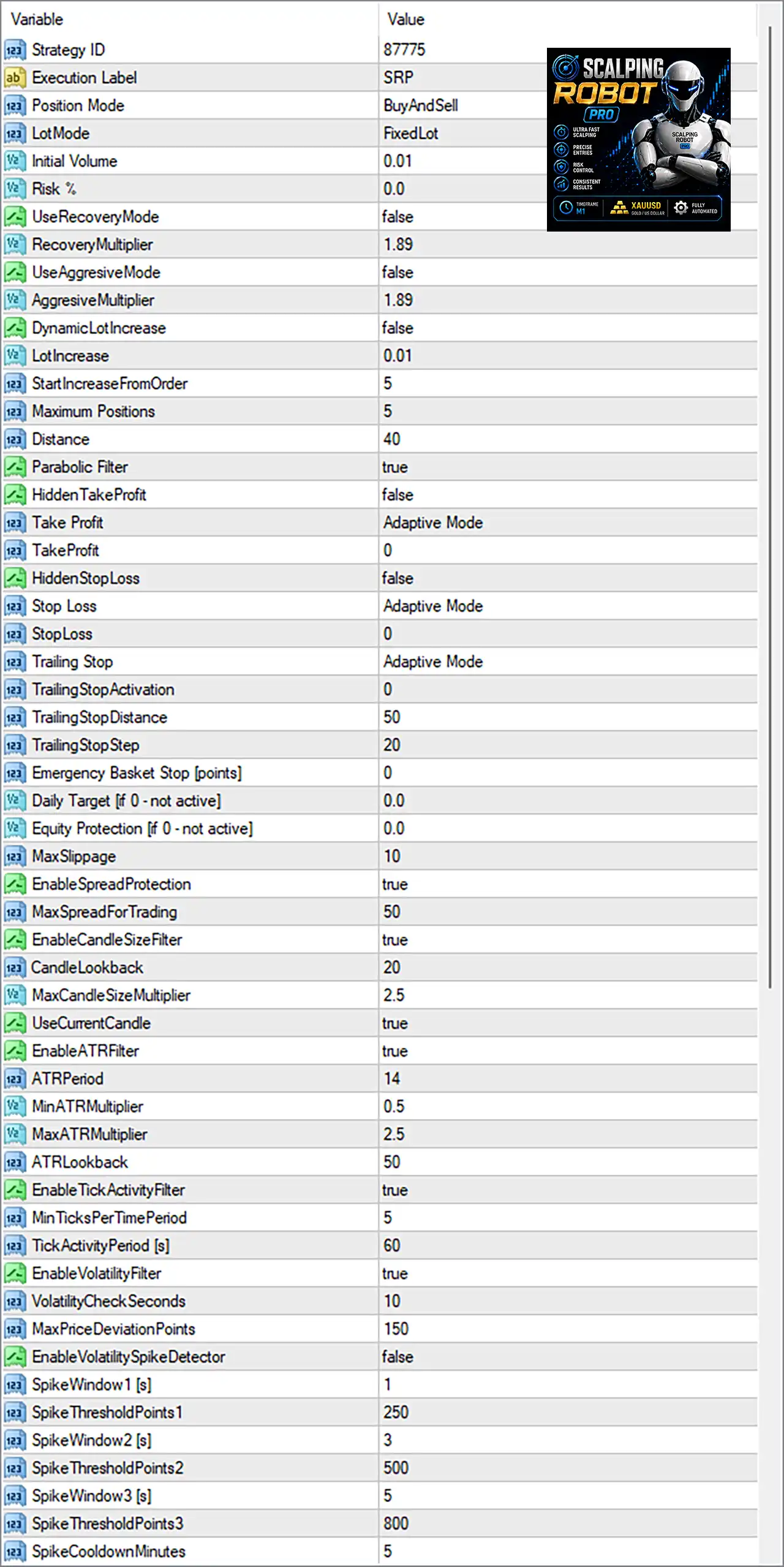
Yes. Scalping Robot Pro MT4 Robot allows customization of lot size, trading hours, TP, SL, trailing stop, news filters, profit targets, drawdown limits, and safety controls.
❓ Does Scalping Robot Pro MT4 Robot provide risk protection?
Yes. Scalping Robot Pro MT4 Robot includes risk controls, daily profit protection, maximum drawdown settings, spread protection, volatility filters, and abnormal market safeguards.
❓ How does Scalping Robot Pro MT4 Robot protect trades during news events?
Scalping Robot Pro MT4 Robot blocks new orders around high-impact economic events, helping reduce exposure during periods of potentially unpredictable market volatility.
❓ Can Scalping Robot Pro MT4 Robot work with different broker account types?
Yes. Scalping Robot Pro MT4 Robot supports various MT4 account types, while low-spread conditions are recommended to provide more suitable execution for scalping.
-
 Original price was: $8,000.00.$249.00Current price is: $249.00.
-
 Original price was: $7,000.00.$249.00Current price is: $249.00.
-
 Original price was: $8,000.00.$249.00Current price is: $249.00.
-
 Original price was: $25,000.00.$249.00Current price is: $249.00.
-
 0Original price was: $290.00.$179.00Current price is: $179.00.
-
 1Original price was: $500.00.$249.00Current price is: $249.00.
-
 0Original price was: $778.00.$249.00Current price is: $249.00.
-
 0Original price was: $500.00.$199.00Current price is: $199.00.
There are no reviews yet.